New from Anthony Hayes: Aha Studio
Get found by the people searching for what you sell.
Local SEO and Google Business Visibility › Understand Local SEO Basics
Local SEO basics
Local SEO is the work of getting your business to show up when people nearby search for what you sell. This guide explains what it is, how Google picks which businesses to show, and where a business owner with no marketing background should start.
Search for a 'near me' type query on Google and you'll often see a map with three businesses before any regular website links appear.
That map is the most valuable real estate in local search, and if your business isn't in it, people calling those three businesses are calls you never knew you were missing.
This guide tells you what local SEO is, how it differs from ordinary SEO, and what actually decides who gets shown.
It's written for business owners, so there's no jargon you'd need a marketing degree to follow.
We'll cover the basic idea of local SEO, how Google decides who shows up, why your Google Business Profile matters most, the role of reviews, citations and your website, and what to expect when you start.
The short version: local SEO is how you make sure Google knows where you are, what you do and who should see you.
Here's the thing, though. Most of this comes down to a few specific things you can check today, and we'll get to those.
[CHECK: confirm the author's own experience with local businesses before adding any first-person results here]
Find this useful? Add us as a preferred source on Google and more of what we publish will show up in your results.
What local SEO actually is
Local SEO is the work of making your business show up when people search for something tied to a place. Think "plumber near me" or "emergency plumber Springfield." The goal is to appear in Google Search and Google Maps for those searches, and to be the business people pick when they're standing a few streets away.
Regular SEO is about ranking pages for a topic, wherever the reader happens to be. A page about how to fix a dripping tap might rank for someone in Sydney, Seattle or Singapore, and the owner of that page doesn't much care where the reader lives. Organic SEO is built for reach.
Local SEO is built for proximity. You're not trying to rank a page for a topic. You're trying to rank your business for people who are close enough to call you, drive over, or walk in.
Most small businesses need both, and a plumber is a good example. Your website is where you explain your services, show your work, and answer the questions people have before they call. That's the depth. But when someone searches "plumber near me" on their phone, Google mostly shows the map pack, the box of three or so local businesses with stars, hours and a pin. A nice website won't get you into that box on its own. You need local signals too, mainly a well-kept Google Business Profile, reviews from real customers, and consistent details about where you are and what you do.
Think of the website as the place people read about you, and local SEO as the thing that gets you in front of them when they're nearby and ready to buy.
How Google decides who shows up
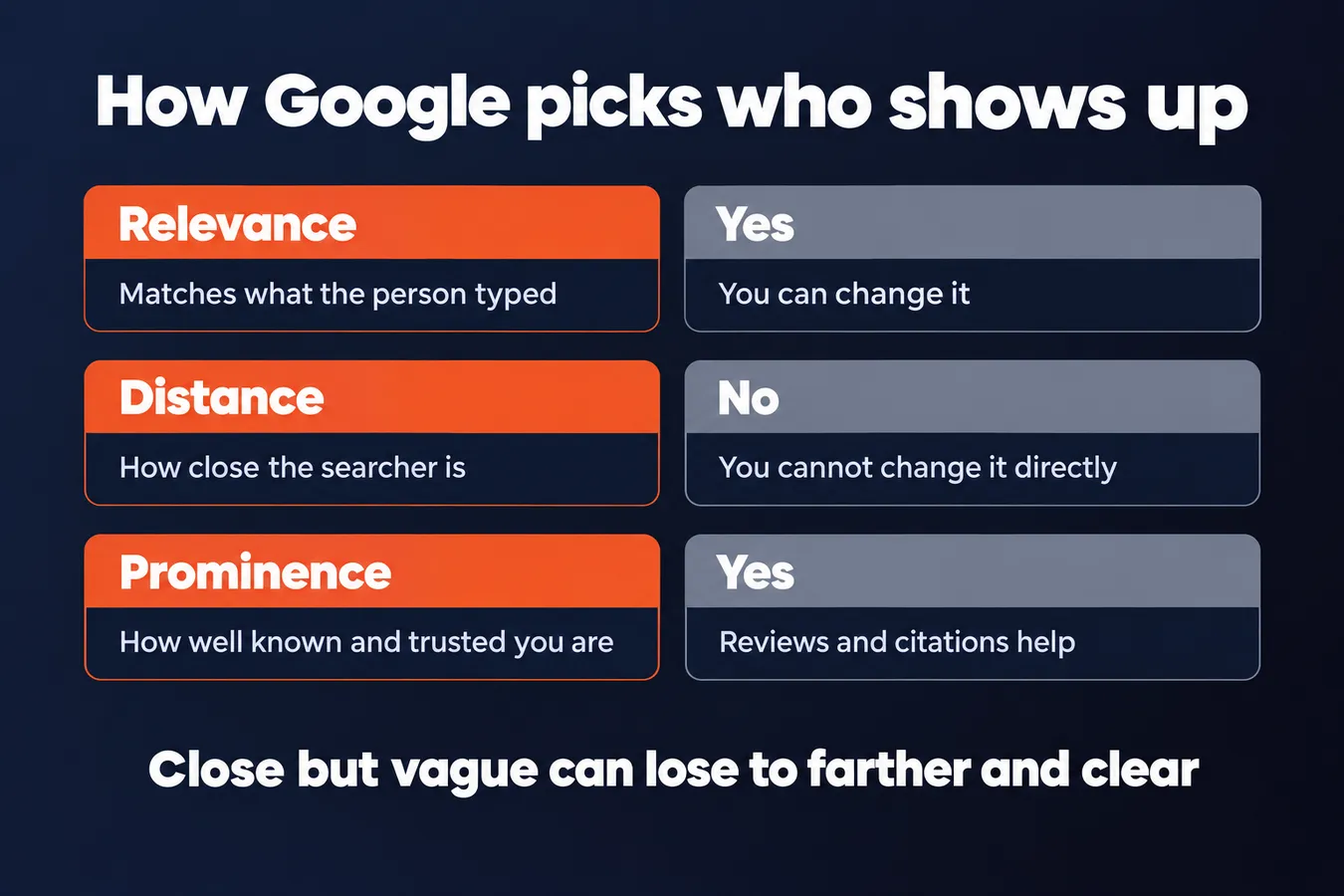
When someone types "plumber" or "coffee shop open now" into Google, the results aren't random. Google looks at three things to decide who gets shown: relevance, distance and prominence. Understanding these three is most of what local SEO is about.
Relevance is about match.
Google wants to show the business that best fits what the person typed. Your Google Business Profile (the listing that shows up with your map pin and hours) needs to say clearly what you do, and your website needs to back that up. If you're a bakery in Denver, your categories, services and site copy should make that obvious.
Vague listings lose out. A listing that says "Services" and nothing else gives Google very little to match against.
Distance is about location, and you can't change it.
Google works out distance from wherever the person is standing when they search, usually from their phone's location. It then ranks nearby businesses higher for that search. You can't move your shop closer to every possible customer, so this one is out of your hands.
What you can do is make sure your address and service areas are entered correctly. A wrong pin on the map is an easy fix that a lot of owners never check.
Prominence is about how well-known and trusted you look.
This is the one most owners can actually push on. Google looks at how well-known your business appears across the web, and it judges that partly through reviews, links from other sites and mentions of your name in local directories and news.
Reviews matter here more than most people expect. A steady stream of recent, genuine reviews, with replies from you, tells Google (and the customer reading them) that the business is active and real. Local citations (listings of your name, address and phone number on other sites) add to the picture too.
So how do the three work together?
Relevance gets you into the running, distance narrows it to the businesses near the searcher, and prominence decides who sits at the top. A business that's close but vague can lose to a slightly farther one with a clear profile and strong reviews.
That's why local SEO isn't one trick. You're working on how clearly you describe yourself, keeping your location details right, and building a reputation that other sites and customers back up.
The three things Google weighs
| Factor | What it means | Can you change it? |
|---|---|---|
| Relevance | How well your listing matches the search | Yes, through your profile and site |
| Distance | How close you are to the searcher | No, not directly |
| Prominence | How well known and trusted you appear | Yes, through reviews and citations |
Why your Google Business Profile matters most
Your Google Business Profile is the listing that sits behind the map results you see when you search for a business nearby. It's the box with the pin, the star rating, the hours and the phone button. For most local searches, that box is what people see first, so this is where local SEO starts.
Filling it out completely is the biggest early win. Plenty of businesses have a profile that was claimed years ago and never touched again, and that's usually where the gaps are.
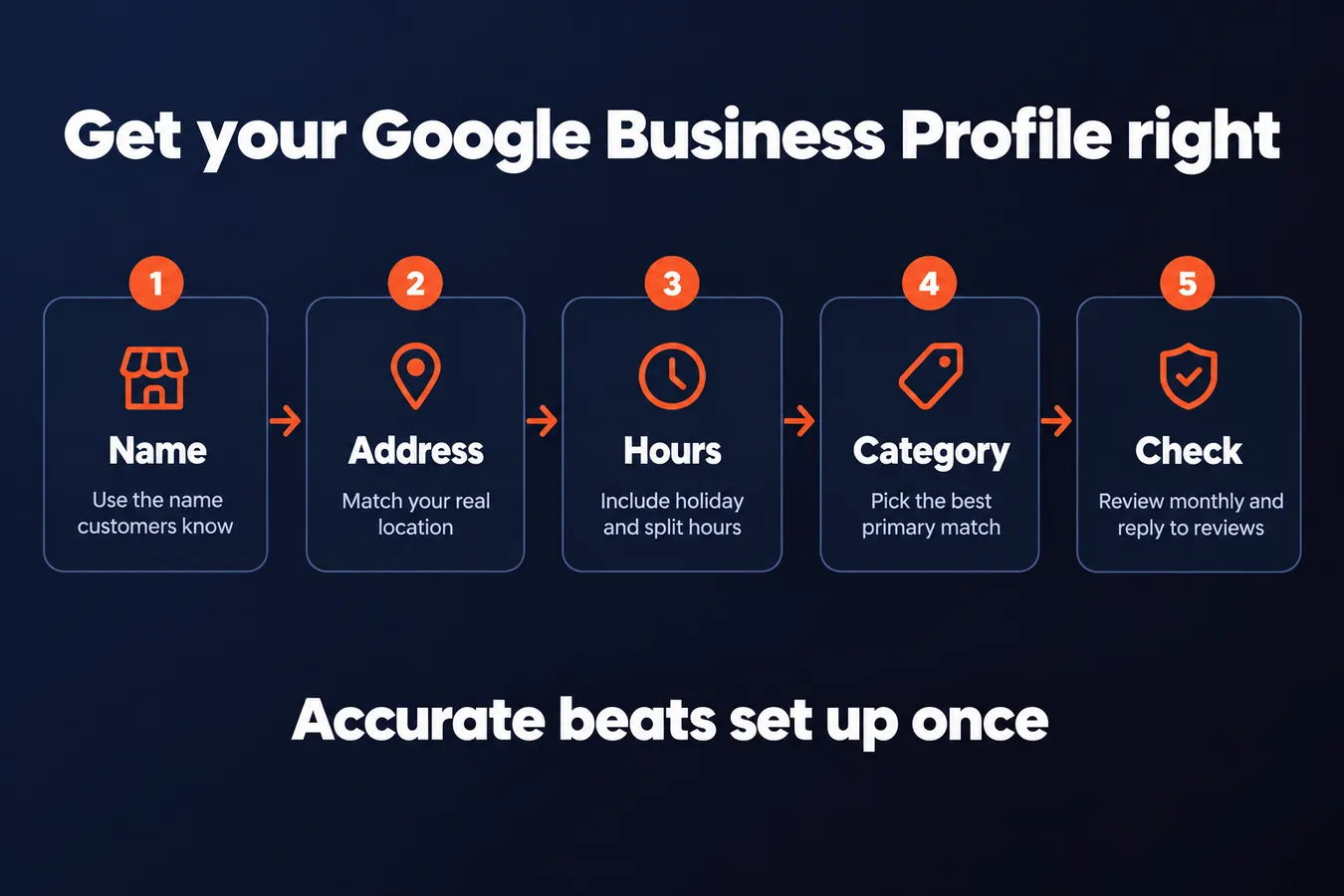
Start with the basics, and get them exactly right.
- Business name. Use the name your customers actually know you by. Don't stuff keywords into it, because Google can suspend listings that do that.
- Address. If you have a storefront, it should match your real location. If you serve customers at their homes or sites, you can hide the address and set a service area instead.
- Phone number. Use a number that's answered during your listed hours, ideally a local one rather than a call-tracking number.
- Hours. Include holiday hours and any split shifts. Out-of-date hours are one of the fastest ways to lose a customer who's already on their way.
- Categories. Pick the primary category that best describes what you do, then add secondary ones where they fit. The primary one carries the most weight.
- Service areas. If you drive to the customer, list the towns or postcodes you cover so the profile shows up in those searches.
Add photos, a short description of what you offer, and a link to your website. Those all help people decide whether to call you.
Setting it up is only half the job.
A profile that was accurate in March and wrong by June does more damage than having no profile at all. Check it when your hours change, when you move, when you add a service, or when you start covering a new area. Reply to reviews too, because replies are part of how the profile looks to people deciding between you and the business next door.
Keeping it accurate matters as much as setting it up, and it takes a few minutes a month once the first pass is done.
Core Google Business Profile fields
| Field | What to get right | Common mistake |
|---|---|---|
| Business name | The name customers know you by | Stuffing keywords into it |
| Address | Matches your real location | Not checked after moving |
| Hours | Includes holiday and split hours | Left out of date |
| Primary category | Best describes what you do | Left vague or generic |
Reviews, citations and your website
Reviews, citations and your website are the supporting cast. Your Google Business Profile does most of the heavy lifting, but these three things help it rank and help people choose you once they find you.
Reviews come first. Google looks at how many reviews a business has and how good they are when it decides who shows up near the top of local results. That's part of prominence, which is one of the main things local search weighs.
Reviews also do a second job. Someone who finds you in the results will often read a few before they call. A steady stream of recent reviews makes you look like a real business that's still busy.
Reply to them, too. Thank the happy ones and answer the unhappy ones calmly and specifically. Replies show you're active, and a prospect reading an answer to a bad review often trusts you more than the bad review hurt you.
Citations are the next piece. A citation is any online listing of your business name, address and phone number, like directories, industry sites and local listings. Think of them as independent confirmation that you exist where you say you do.
The details have to match exactly. If your listing says "Main St." on one site and "Main Street" on another, or uses a different phone number, search engines can get confused about whether those are the same business. Pick one format and use it everywhere.
Your website is the last part, and it's where a lot of small businesses go wrong. One generic page that says "we serve the whole region" doesn't tell anyone, or Google, much about where you actually work.
If you serve several towns or areas, give each one its own page. Write about the work you do there, and make each page useful on its own terms, with details that are specific to that place.
Put your address and phone number where people can find them easily, usually at the top or bottom of every page. They should match your Google Business Profile and your citations exactly.
What to expect and where to start
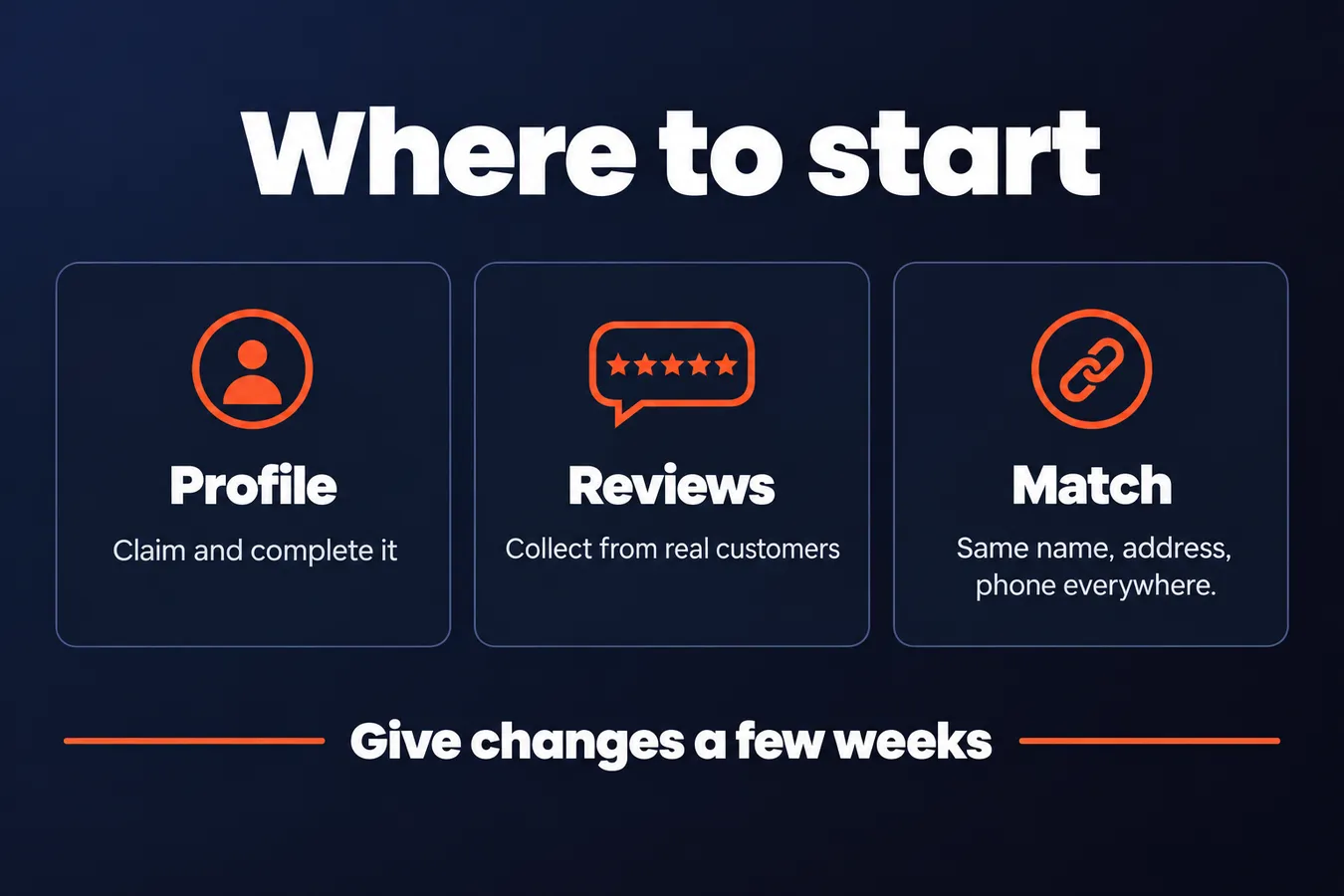
Local changes take weeks to show up. Google has to recrawl your listing, reprocess your information and decide how it stacks up against everyone else nearby, and that process takes time. Give a new profile or a fresh round of updates at least a few weeks before you judge it.
Results also depend heavily on your competition. A plumber in a town with six other plumbers has a different climb than one in a city with sixty. Don't compare your numbers to a rival's without knowing how crowded your area is.
Here's the good news: you can probably handle the basics yourself.
I'd keep the first pass simple. Claim and complete your Google Business Profile, collect a handful of reviews from real customers, and make sure your name, address and phone number match everywhere they appear online. That's most of the groundwork, and none of it needs a marketing background or a budget.
Start with the profile this week. Fill in every field, pick the right categories, add your hours and write a short, accurate description of what you do. If you're not sure where your listing stands, search for your business name and look at what comes up.
Once the profile is solid, pick one next step from the rest of this hub. Don't try to do all of them at once. One step done properly beats five half-finished ones.
Frequently asked questions
What is local SEO in simple words?
Local SEO is the work of making sure Google knows where your business is, what you do and who should see you when people search for something nearby. It's about getting into the map results for searches like "plumber near me," not about ranking a page for a topic anywhere in the world. Most of the job is keeping your Google Business Profile accurate, collecting real reviews and making your name, address and phone number match everywhere they appear online.
Can I do local SEO myself?
Yes, you can handle the basics yourself. Claim and complete your Google Business Profile, collect a handful of reviews from real customers, and make sure your name, address and phone number match across the web. None of that needs a marketing background or a budget. Start with the profile this week, fill in every field and check that your categories and hours are right.
Why does my Google Business Profile matter so much?
For most local searches, the profile is the box with your map pin, star rating, hours and phone button, and that's what people see first. A profile that was claimed years ago and never touched again is usually where the gaps are. Keeping it accurate matters as much as setting it up, so check it when your hours change, when you move or when you add a service.
How long does local SEO take to show results?
Local changes usually take several weeks to show up. Google has to recrawl your listing, reprocess your information and decide how it compares with other businesses nearby. Give a new profile or a fresh round of updates at least a few weeks before you judge it. How fast you climb also depends on how crowded your area is, so don't compare your numbers to a rival's without knowing that.
Aha Studio
Get the next playbook first
New playbooks and LaunchWatch reports land in Growth Signals, the free newsletter, along with the case studies and how-tos I find worth stealing.
More in Understand Local SEO Basics
- Local SEO Near Me: How Nearby Searches Get Ranked
- Local SEO Checklist for Small Businesses: 15 Steps in the Order to Do Them
- 14 Common Local SEO Mistakes That Hold Businesses Back
Explore the full Local SEO and Google Business Visibility hub