New from Anthony Hayes: Aha Studio
Get found by the people searching for what you sell.
Local SEO and Google Business Visibility › Understand Local SEO Basics
Local SEO mistakes
A wrong phone number or a mismatched business name on a single directory can quietly weaken how Google trusts your business. This post covers the 14 errors that most often suppress local rankings, grouped by where they happen, so you can check your own setup quickly.
One wrong phone number on one directory can split the trust Google has in your business.
The listing looks fine to you. You checked it once, the address is right, the hours are right, and you moved on. But somewhere a 2019 directory still shows an old number with a different area code, and Google sees two versions of the same business.
That kind of small inconsistency is one of the common local SEO mistakes that hold businesses back, and most owners never see it.
I'll walk you through the 14 errors I see most often, grouped into four buckets: listing setup, reviews and reputation, on-site signals, and strategy. Each one is quiet, and each one can keep your rankings flat for months.
You don't need to be an expert to catch these. Most of the fixes take an afternoon, and a few take about ten minutes.
We'll start with the listing setup mistakes, since those cause the most trouble from day one. Then we'll move through reviews, your website, and the bigger strategy problems that keep companies stuck.
The local businesses that rank well usually aren't doing anything clever. They just stopped making the obvious errors.
Find this useful? Add us as a preferred source on Google and more of what we publish will show up in your results.
Listing Setup Mistakes That Hurt Rankings From Day One
1. Leaving Your Google Business Profile Unclaimed or Half-Finished
Start with the claim, because nothing else counts until you own the listing.
An unclaimed profile can be edited by anyone who wants to bother. Competitors, former staff and random users can all suggest changes, and you won't see them until they're live.
A half-finished profile is the quieter problem. Google has less to match against when someone searches, so you show up for fewer searches than you could.
Check that your hours, services, photos and description are all filled in before you do anything else. Those fields are the raw material Google uses to decide what your business is relevant for.
Verification usually comes down to a postcard or a phone call, and the postcard can take a while to arrive. Start it early, so you're not waiting on the mail while your listing sits there looking empty.
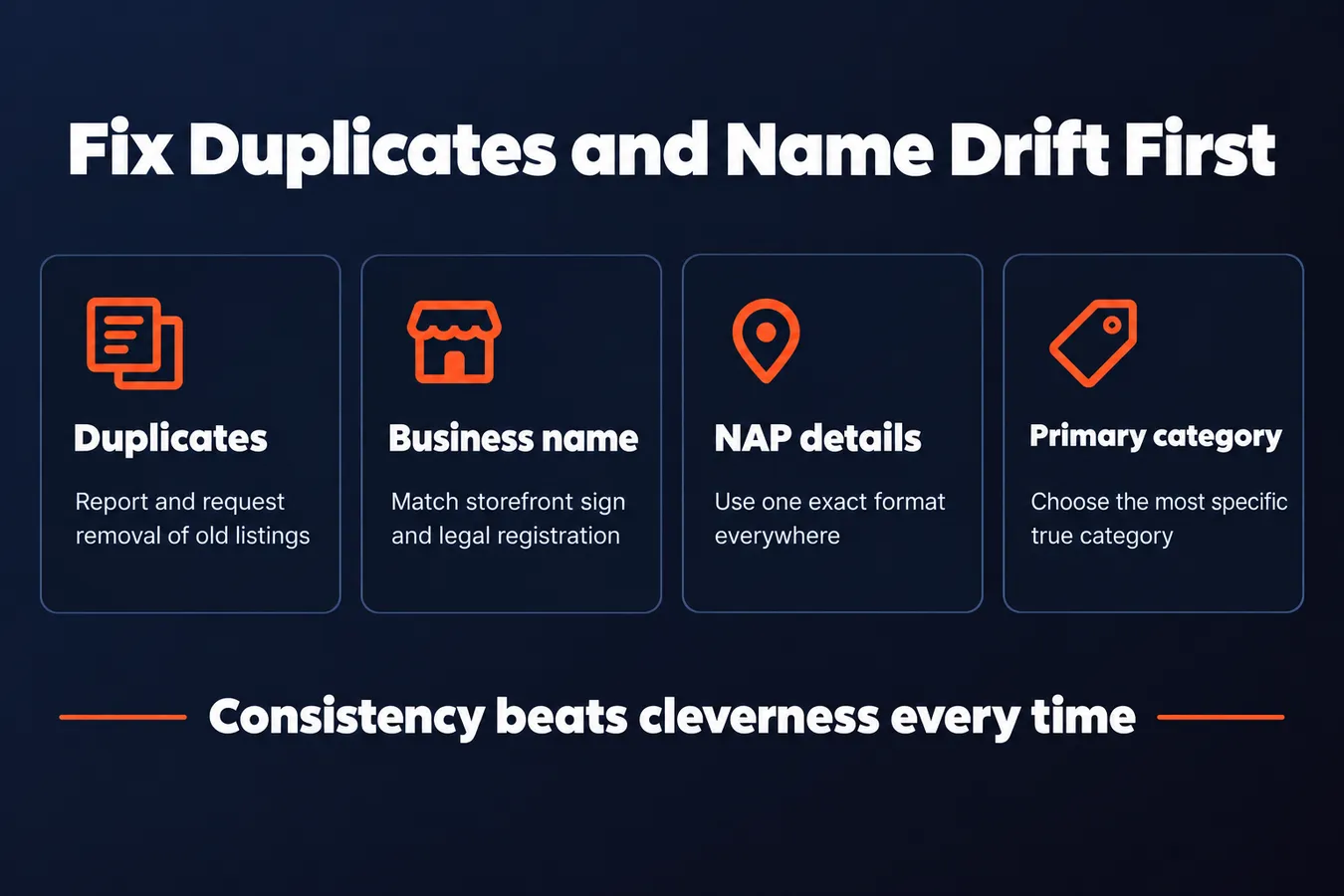
2. Creating Duplicate Google Business Profiles
Duplicates quietly split everything you've worked for.
They usually come from an old listing you forgot about, a move to a new office, or a previous owner's entry that never got cleaned up. I've seen it happen more than once, and the owner rarely knows it exists.
Here's the problem. Your reviews and photos end up on one listing while the other stays thin. Neither one gets enough signal to rank well, so you end up with two weak profiles instead of one strong one.
Search for your business name and address to see what turns up. When you find a duplicate, use the suggest-an-edit or duplicate report flow on that listing to request its removal.
3. Picking the Wrong Primary Category
The primary category is one of the strongest matching signals you control.
It decides which searches you're even eligible for. Pick the wrong one and you can be doing everything else right and still miss the searches that actually bring in customers.
Choose the most specific category that describes what most of your customers pay you for. Not what you do on the side, and not the broadest category you can find.
Secondary categories can add coverage, but only if they're true of the company. Stacking on categories you rarely do is an easy way to look like you're guessing.
4. Using Inconsistent Business Names Across the Web
Name drift confuses Google about which business it's looking at.
It happens when someone adds a city, a keyword or a slogan to the name on one platform and nowhere else. To you it's a small tweak. To a machine it's a different business.
Use the name exactly as it appears on your storefront sign and your legal registration. Copy it the same way everywhere.
Stuffing keywords into the name is the one that really bites. It can get a profile flagged or suspended, and a suspended listing ranks for nothing while you sort it out.
5. Letting NAP Details Drift Between Listings
NAP means name, address and phone number, and small differences count as mismatches.
To a person, "Street" and "St." mean the same thing. To a machine comparing listings, they're two different addresses. The same goes for a missing suite number or a phone number with different formatting.
Old phone numbers and former suite numbers tend to linger on directories you forgot you signed up for. Those stale entries drag down the consistency that Google checks.
Pick one exact format and copy it everywhere, including the footer of your website. Consistency beats cleverness every time.
Duplicate and Name Mistakes Compared
| Mistake | What it does | Fix |
|---|---|---|
| Duplicate profiles | Splits reviews and photos across listings | Report and request removal |
| Wrong primary category | Limits which searches you qualify for | Choose most specific true category |
| Inconsistent business name | Makes Google treat it as different business | Match storefront and legal name |
| Keyword-stuffed name | Can get profile flagged or suspended | Use the exact real name |
Review and Reputation Mistakes Costing You Visibility
6. Ignoring Reviews or Replying to None of Them
Reviews are visible to two audiences: the people reading them and Google. When you leave a review unanswered, both see a business that might not be paying attention.
An unanswered review looks abandoned.
Google looks at whether a business is active, and a profile with reviews sitting untouched for months gives the wrong signal. A reader who sees a 2-star review with no reply will assume you didn't care about it, whether that's true or not.
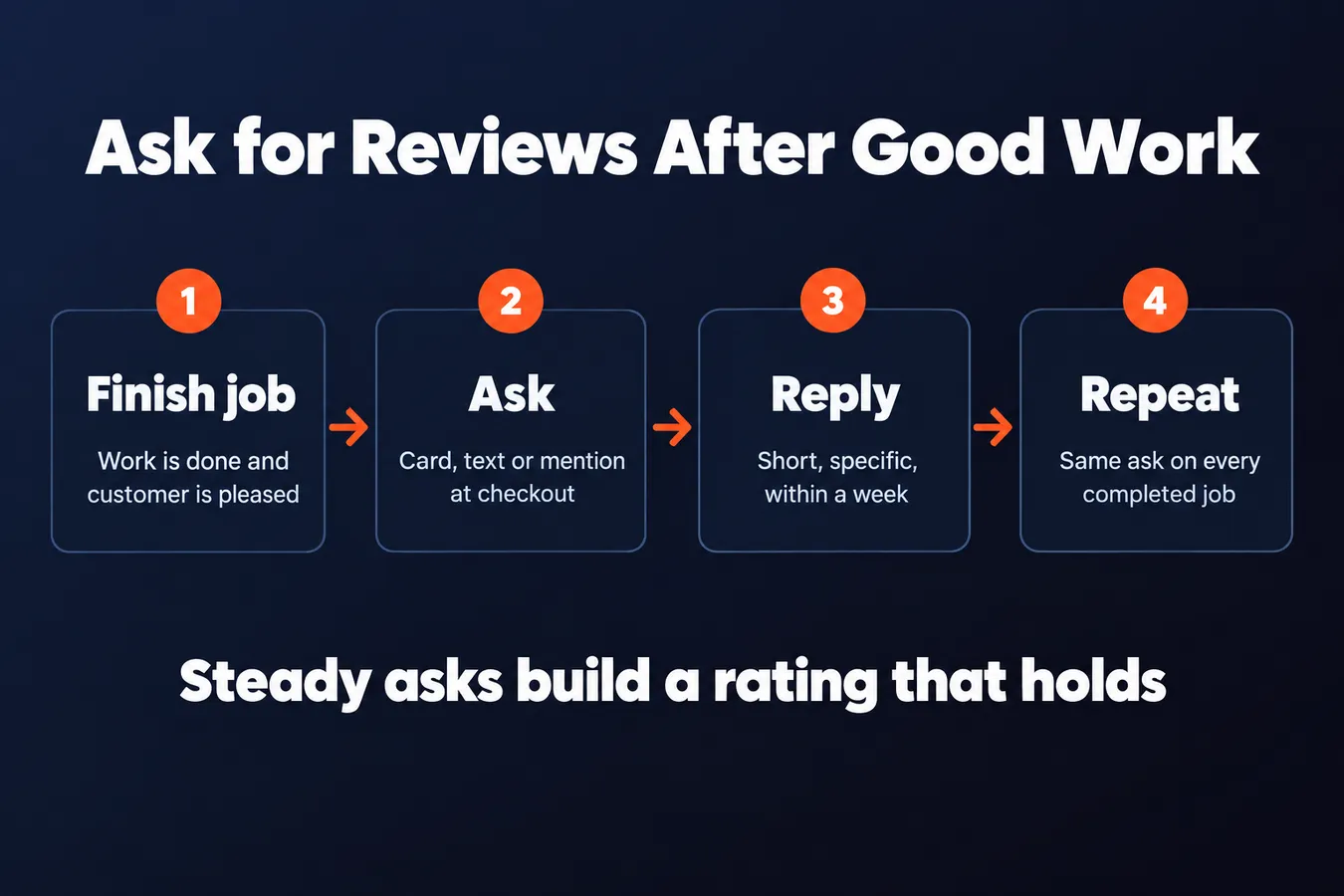
Replies don't need to be long. A short, specific one works better than a generic thank-you. "Thanks for coming in for the brake pad replacement, glad the noise is gone" tells the next reader exactly what you do. "Thanks for your feedback!" tells them nothing.
Set aside 10 minutes a week to go through new reviews. That's usually enough for a small operation with a steady flow of customers.
7. Asking for Reviews Only After Something Goes Wrong
Review volume comes from asking consistently, and most businesses only ask when they're already annoyed. That's the mistake.
If you only ask people who had a bad experience, your rating skews low and stays there. The happy clients who would have left five stars never get the nudge.
Ask right after a good job is finished, while the customer is still happy.
Hand them a card, send a text, or mention it at checkout. The moment the work is done and they're pleased with it is the easiest time to ask. Wait a week and most people have moved on.
Make it routine. Every completed job gets the same ask, good or bad, so the reviews you collect reflect your whole customer base and the complaints are only part of the picture.
8. Breaking Review Rules and Getting Them Removed
Offering a discount in exchange for a review violates Google's policy. Reviews that come with an incentive can get removed, and sometimes the whole profile takes a hit with them.
A sudden burst of five-star reviews from new accounts looks unnatural.
Google's filters are built to spot this pattern. Ten glowing reviews from accounts that have never reviewed anything else, all posted in the same week, get flagged and filtered. The reviews you worked to get disappear, and you've spent effort for nothing.
The fix is boring but it works. Ask for reviews at a steady pace, don't attach a reward to them, and let real people write what they actually think. A rating built slowly from real people holds up. A rating built fast usually doesn't.
Review Request Timing
| Approach | Pros | Cons |
|---|---|---|
| Ask only after a problem | Surfaces complaints quickly | Skews rating low and stays there |
| Ask right after a good job | Customer is still happy and engaged | Requires a routine at every job |
| Offer a discount for reviews | Produces reviews quickly | Violates Google policy and can get removed |
On-Site Mistakes That Undercut Your Local Relevance
9. Having No Location Pages or Only One Generic Page
A single homepage can't rank for five towns at once. Google needs a reason to connect your company to each place you serve, and one page trying to cover all of them doesn't give it one.
If you serve more than one town, each serious service area needs its own page.
Make each page say something specific about that place. Mention the neighborhoods you actually work in, the local landmarks your crew drives past, or the kinds of jobs you've done there. Thin pages that just swap the city name in the headline and leave everything else alone don't help, and I've seen plenty of them that do nothing for rankings at all.
Keep the page useful for the person reading it, too. If someone in that town wants to know whether you cover their street, the answer should be right there.
10. Leaving Your Address and Phone Number Off the Website
Your contact details on the site need to match your Google Business Profile exactly. Same name, same address, same phone number, down to the abbreviations.
Put that NAP (name, address, phone) in the header or footer so it shows on every page.
It's a small thing, but it's the kind of consistency that helps both people and search engines confirm they're looking at the same business. If "Street" becomes "St." on one page and the phone number has a different area code on another, you're making them guess.
Hiding the address behind a contact form makes that harder. A visitor can't easily see where you are, and a crawler has a tougher time matching your site to your listing. Just show it.
11. Skipping Embedded Maps and Local Schema Markup
These are the technical signals that tie your website to a physical place. Most small business sites skip both, and it's usually because no one thought to ask.
An embedded map of your location reinforces the address on the page.
Drop a map showing your location on your contact page. It's a visual confirmation that the address you wrote is real and sits where you say it does.
Local business schema markup is the second piece. It's a bit of code that states your name, address, phone number and hours in a format search engines read directly, instead of guessing from the paragraph text. Your web developer or a schema generator can set it up in an afternoon, and once it's live, there's no ambiguity about who you are or where you are.
Strategy Mistakes That Keep You Stuck
12. Expecting Local Rankings to Move Overnight
You fix your listing on a Monday and check the map on Tuesday expecting a jump. It usually doesn't happen.
Fixing listings and reviews tends to show changes over weeks to a few months. Google has to recrawl your details, see the new activity, and decide what it means for your rankings. That takes time.
So don't judge the work after a week.
While you wait, track the things that move faster. Calls, direction requests and website visits from your Google Business Profile tell you whether people are finding you, even before your position shifts. I'd rather see those numbers climb slowly than watch a rank bounce around for a few days and panic.
If you're doing the job properly, the signals tend to show up before the rankings do.
13. Ignoring Your Competitors' Listings
Most owners never look at the companies ranking above them. That's a mistake, because the top results are the easiest map of what Google expects in your area.
Search your main term, the thing a customer would type, and look at the top three map results. Note their categories, how many photos they have, and what their reviews talk about. Is it parking, speed, a particular service? Write it down.
You don't have to copy them.
But you'll see what Google treats as normal for your area, and you'll spot the gaps. If all three competitors list a service you offer and you don't, that's a fix you can make in an afternoon. I've seen that kind of gap sitting there in plain view, and it's often the cheapest win on the list.
14. Never Checking Your Listings After Setting Them Up
You set up your listing, it looks right, and you forget about it. That's how things go wrong.
Users can suggest edits to your listing. Sometimes those edits change your hours or phone number without you noticing. A wrong number sitting on the map for months is a customer you'll never hear from.
Check each major listing once a month.
Set a calendar reminder so it actually happens. I know that sounds boring, but a five-minute look once a month beats finding out at the end of the year that your Sunday hours are wrong and your phone number points to someone else.
Frequently asked questions
How many Google Business Profiles should one business have?
One. If you find a second listing for the same business, it's almost always a duplicate from an old address, a previous owner or a forgotten signup. Search your business name and address to find them, then use the duplicate report flow on the extra listing to get it removed. Keep your reviews and photos on one profile, so they aren't split across two weaker ones.
How often should I check my business listings?
Once a month is enough for most small businesses. Set a calendar reminder so it actually happens. A five-minute look catches wrong hours or a phone number that someone else's edit changed, before a customer runs into it.
Should I reply to every Google review?
Yes, every one you can. Keep replies short and specific to what the customer said. A reply that mentions the actual job tells the next reader what you do. Set aside about 10 minutes a week to work through new reviews, which is usually enough for a steady flow of customers.
Aha Studio
Get the next playbook first
New playbooks and LaunchWatch reports land in Growth Signals, the free newsletter, along with the case studies and how-tos I find worth stealing.
More in Understand Local SEO Basics
- What Is Local SEO and How Does It Work? A Plain-English Guide for Business Owners
- Local SEO Near Me: How Nearby Searches Get Ranked
- Local SEO Checklist for Small Businesses: 15 Steps in the Order to Do Them
Explore the full Local SEO and Google Business Visibility hub