New from Anthony Hayes: Aha Studio
Get found by the people searching for what you sell.
Local SEO and Google Business Visibility › Understand Local SEO Basics
Local SEO checklist
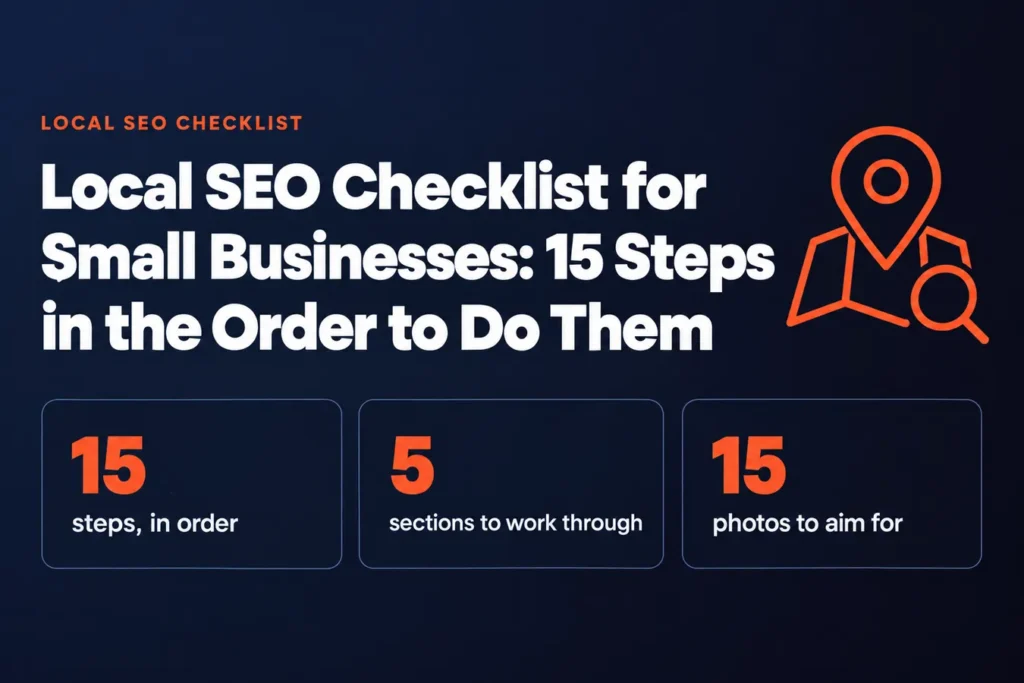
This is a 15-step local SEO checklist for small businesses, arranged in the order you should actually do the work. Start with your Google Business Profile, because it's the first thing most local searchers see and the biggest lever you control without spending a cent on ads. Everything after it builds on that foundation.
Your Google Business Profile is the first thing most people see when they search for a local business.
Before a searcher ever reaches your website, they're already looking at your name, your hours, your star rating and a handful of photos on that listing. Get it right and you're in the conversation. Get it wrong, or leave it half-finished, and the customer is gone before you knew they existed.
This checklist gives you 15 steps, in the order to do them, so you're not guessing what comes first.
The steps run in five sections. We start with cleaning up your Google Business Profile, then make your name, address and phone number consistent everywhere they appear. From there you'll collect and answer reviews, optimize your website pages for local search, and finally track whether any of it is working.
The order matters. A profile with a messy address will drag down everything you do after it, so fixing the foundation first saves you rework.
I've been building marketing software since 2011, and these are the steps I'd want in front of me if I were starting a local business from scratch. Every item is something you can do yourself, and I've kept out anything that only pays off if you're spending money on ads.
If you do nothing else this week, open your Google Business Profile and check it against Step 1.
That's where we start.
The 15 steps at a glance
| Section | Steps | What it covers |
|---|---|---|
| Set up and clean up your Google Business Profile | 1 to 5 | Claiming, categories, fields, photos, posts |
| Make your name, address and phone number consistent | 6 to 8 | Auditing, citations, fixing duplicates |
| Collect and answer customer reviews | 9 to 10 | Review requests and replies |
| Optimize your website pages for local search | 11 to 13 | Location words, location pages, schema |
| Track whether any of this is working | 14 to 15 | Insights, call tracking, rankings |
Find this useful? Add us as a preferred source on Google and more of what we publish will show up in your results.
Set up and clean up your Google Business Profile
1. Claim and verify your Google Business Profile
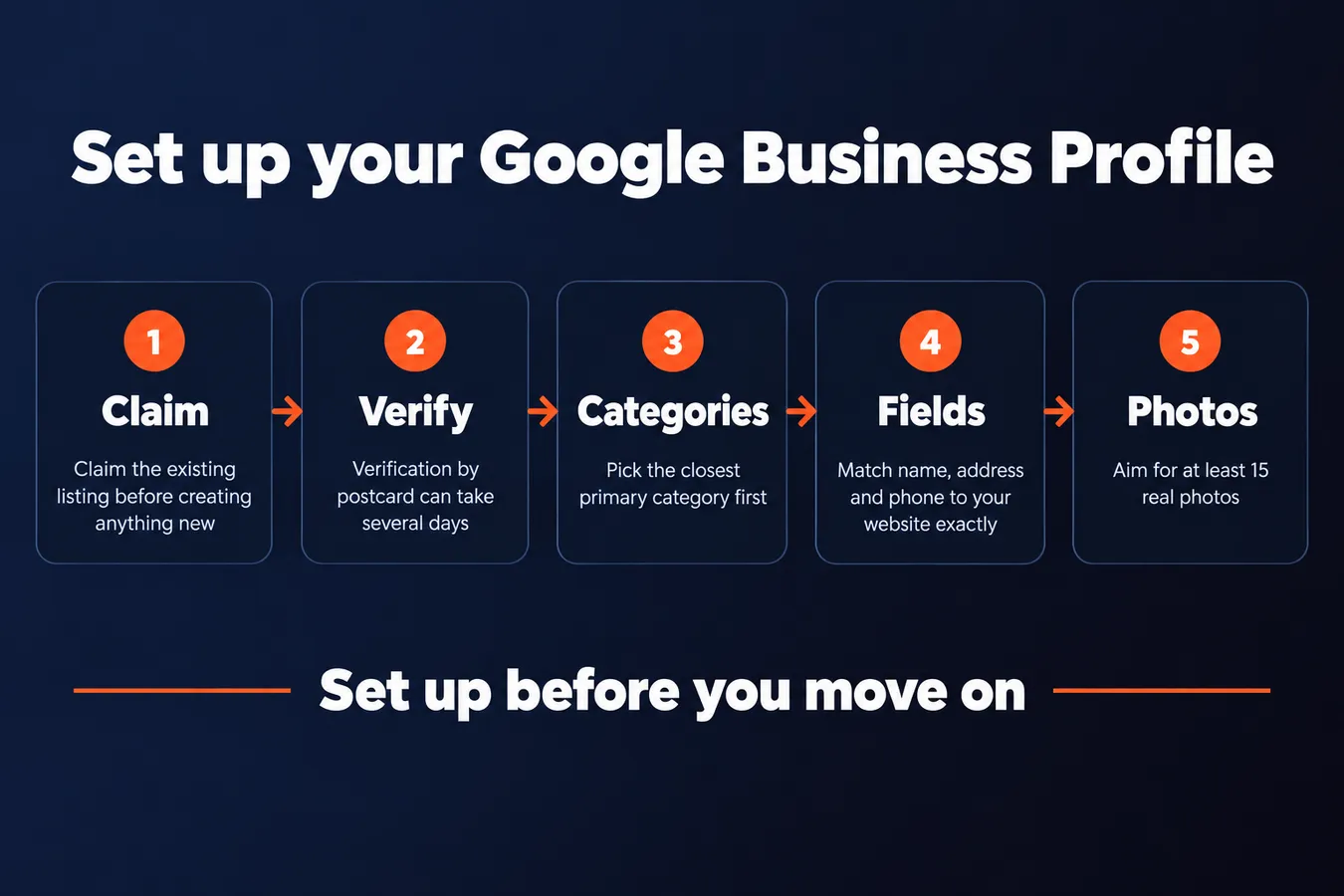
This is the first thing to do, because every step after it depends on the listing. If you skip it or get it wrong, the rest of the checklist just sits on top of a shaky base.
Before you create anything new, search Google Maps for your business name and address. If a listing already exists, claim it. Creating a second one gives Google two competing profiles for the same company, and that split hurts you more than it helps.
Verification is the slow part.
Google usually verifies by mailing a postcard with a code, or sometimes by phone. The postcard can take several days to arrive, so start this early and don't assume you'll be done by the end of the afternoon.
Only one person should hold the owner login. Anyone else who needs to edit the profile gets added as a manager. That way the owner keeps control, and you can remove a manager without losing the listing. I've seen too many small businesses lose access because the one person with the login left and no one else could get in.
2. Pick the right primary and secondary categories
Categories tell Google what you are, and that decides which searches your listing can appear for. Get this wrong and you'll show up for the wrong jobs, or for none at all.
Your primary category matters most. Pick the closest match you can find. "Plumber" beats "Home services" because someone searching for a plumber is far more likely to find you under the narrower label.
Secondary categories are useful, but only add them when they describe real services you offer. Stuffing in categories you don't actually do won't get you ranked for them, and it makes the profile look padded. Keep the list honest.
3. Complete every field, exactly as written
Fill in every field, and make sure the details match your website word for word. Google compares what's on your profile with what's on your site, and mismatches make it less sure about your business.
Use your real business name, street address and phone number. Don't stuff keywords into the name field. "Smith Plumbing" works. "Smith Plumbing | Best Plumber Denver 24/7" will get the listing flagged, and you can lose the profile over it.
Add your hours, including holiday hours. Customers check them right before they call, and a closed-on-the-wrong-day listing is a lost call. If you don't serve people at your door, set a service area instead of showing the street address to the public.
Write a plain description that says what you do and where you do it. Skip the slogans. A sentence like "We repair furnaces and install heat pumps across Jefferson County" does more work than anything clever.
4. Upload real photos and videos
Photos give people a reason to pick you before they ever call. A listing with only a logo and a single blurry shot looks like a business that no one is looking after.
Aim for at least 15 photos covering the outside of the building, the inside, your team, and examples of your work. Take them on a phone in decent daylight. Stock photos get noticed and ignored, and people can spot them instantly.
If you get the chance, add a short walkthrough video of the shop or the job site. It takes a few minutes to film and it does more to build trust than most of the text on your profile.
5. Post updates and use the Q&A section regularly
An active profile looks like a business that's still open and still working. Post something every week or two: an offer, a finished job, a seasonal note. You don't need a marketing plan for it. A photo and two sentences is enough.
Write your own first questions and answers in the Q&A section. Because the public can post a question and the public can answer it, a wrong answer can sit at the top for months if you don't seed the section yourself. Write the questions people actually ask you on the phone, then answer them correctly.
Check the profile once a month. Hours change, phone numbers change, and strangers edit listings. A quick look every month catches problems before a customer does.
Make your name, address and phone number consistent
6. Audit your NAP across the web
Before you change anything, find out where your business details are wrong. NAP means name, address and phone number, and it's the stuff search engines compare across the web to decide whether your business is real and where it sits.
Start by searching your business name in Google and checking the first few pages of results. Look for directory listings, review sites, social profiles and anything that shows up in a map pack. Open each one and write down what it says.
Keep a spreadsheet with one row per listing. Note every spelling of your name, including the "Ltd" you dropped years ago and the "&" someone typed as "and." Write down old addresses and old phone numbers too. Those are the ones that usually cause trouble, because a directory you forgot about is still showing your last office.
Don't fix anything yet. You'll know what to change once the full list is in front of you.
7. Build citations on the major directories
A citation is just a mention of your business name, address and phone number on another site. Search engines use these mentions to confirm your details, so the more places they agree, the more they trust them.
Start with the big ones: Apple Maps, Bing Places, Yelp, Facebook, and your local chamber of commerce or trade association. Those cover most of what people actually use, and they feed data to other sites.
Use the exact same format everywhere. If your address is "Suite 4" on your website, don't write "Ste 4" on Yelp and "#4" on Facebook. Pick one version, copy it character for character, and stick with it.
It's dull work, but it's the sort of effort that pays off quietly for months.
8. Fix or remove duplicate and inconsistent listings
The audit always turns up a mess, and this step is where you clean it up.
Claim any duplicate listings you find, then merge or delete them where the platform lets you. Most directories have a claim button, and once you've verified ownership you can edit or close the extra copies.
If you can't edit an old listing yourself, contact the directory and ask them to remove it. Give them the URL and explain which details are outdated. It takes longer than editing, but it works.
Check back a few weeks later. Some directories are slow to update, and a listing you thought was gone can reappear.
Collect and answer customer reviews
9. Build a simple review request system
Make asking for reviews a routine part of finishing a job.
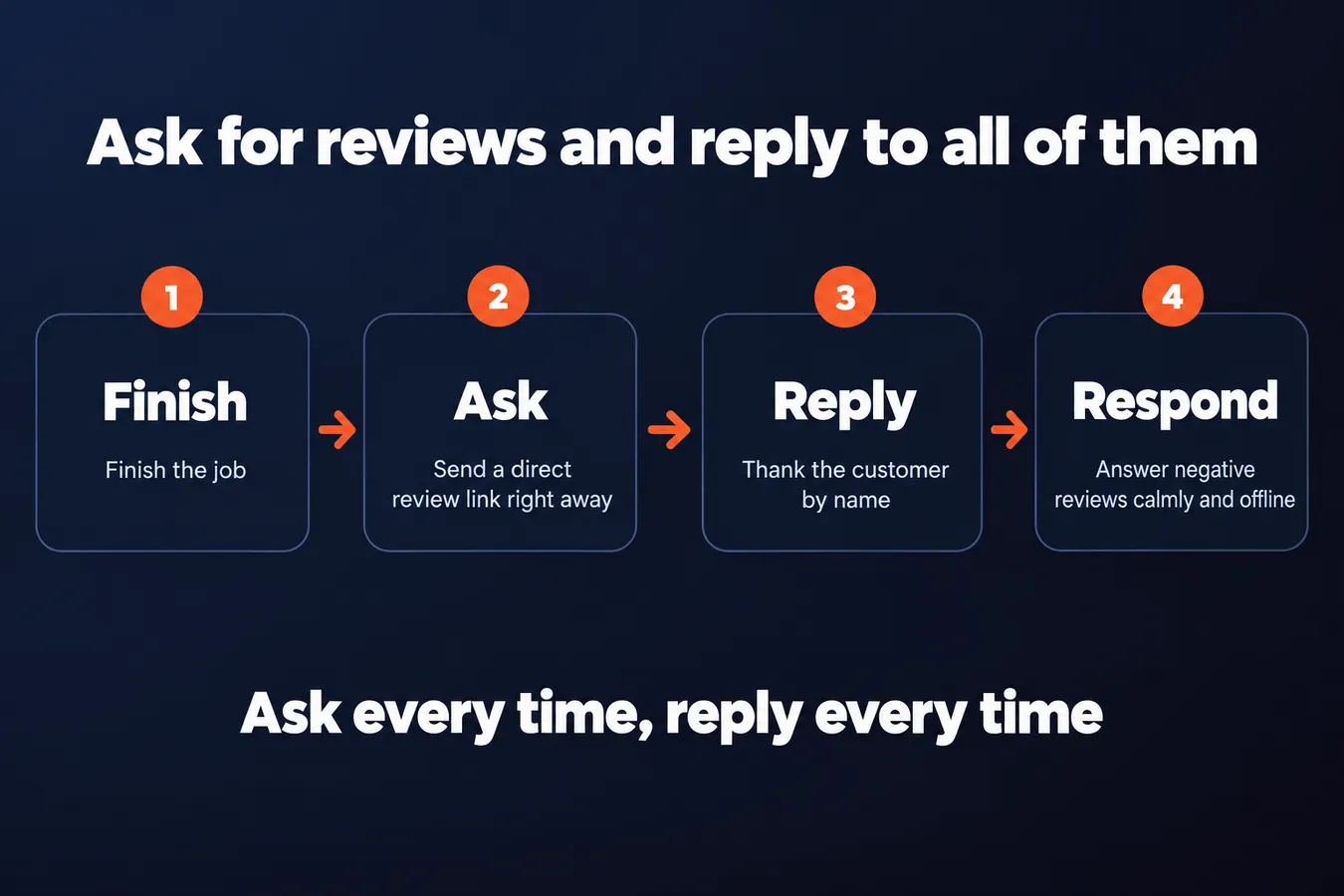
Most businesses wait for happy customers to leave reviews on their own. Most of them never do. The fix is to ask every time, right after the work is done, while the customer still remembers how it went.
Send a text or email with a direct link to your Google review form as soon as the job wraps up. Don't make people hunt for the review button. Copy the link from your business profile, paste it into a message template, and save that template so it takes seconds to send.
Ask in person too. A quick "Would you mind leaving us a review on Google?" at the door often gets a yes, because the customer is already feeling good about the visit. I've found the face-to-face ask lands better than the text, though the text is what actually gets the link clicked, so I do both.
10. Reply to every review, good and bad
Show future customers that you respond and care.
Anyone reading your reviews is also reading your replies. A short, warm answer tells the next customer that someone is paying attention on the other end.
Thank people by name where you can, and keep it short. "Thanks, Maria, glad the kitchen came out the way you wanted" does the job. A paragraph of boilerplate does not.
Negative reviews need a calmer hand. Reply politely, say you're sorry it didn't go well, and offer to fix it offline with a phone number or email. Never argue the facts in public, even when you're sure you're right. Readers judge the business by how the reply sounds.
Optimize your website pages for local search
11. Put your city and service area on the key pages
Search engines need to know where you operate, and the simplest way to tell them is to use the words your customers already use. Someone looking for a plumber in Dayton isn't typing "Montgomery County service provider," so don't write for them like you're filing paperwork.
Work your town or neighbourhood into three places on your main pages: the title tag, the H1, and the first paragraph. That's the spot where Google looks first to figure out what the page is about and where it belongs.
Keep the phrasing natural. Say "emergency plumbing in Dayton" or "serving Oakwood and Kettering," the way you'd say it to a customer on the phone. A string of twelve city names stuffed into one sentence reads badly to people and looks worse to search engines.
Say it like a person, once or twice, and let the page do the rest.
12. Build a location page for each place you serve
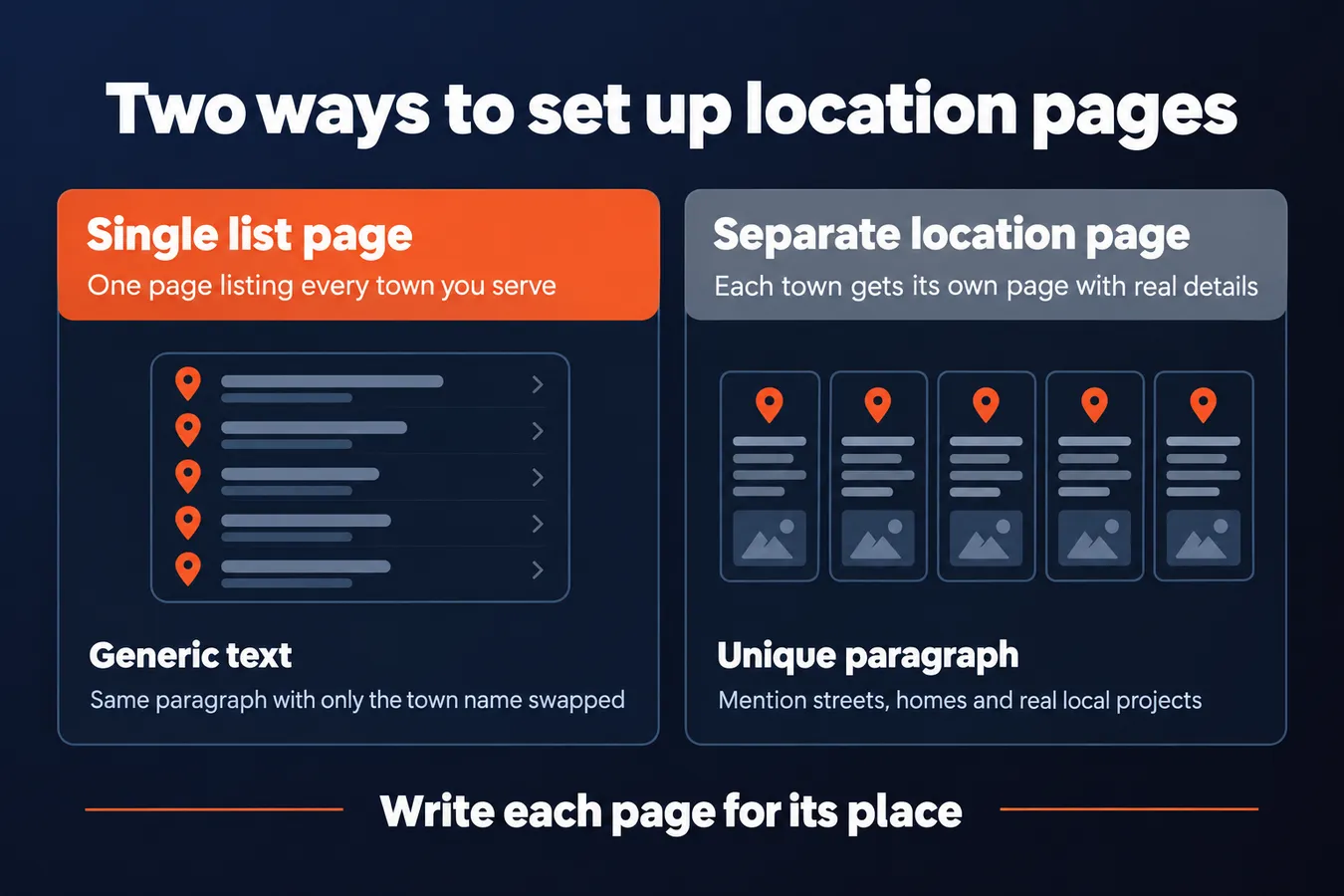
If you serve more than one town, or you have a branch somewhere, give each one its own page. A single "Areas We Serve" page with a list of towns rarely ranks for any of them, and I've never seen one do much for a specific neighbourhood search.
Each page needs a real paragraph about that place. Mention the streets, the kinds of homes or businesses there, or the job you did last spring on the other side of the river. Copying the same text and swapping the town name is exactly what search engines are built to spot, and it's a waste of your time to write.
Put the NAP (name, address, phone number) on the page exactly as it appears on your Google Business Profile. Add a map embed and a couple of local project examples with a short caption each. If a branch covers four towns, one page for the branch is fine. Don't make four near-identical pages.
13. Add local business schema markup
Schema markup is a bit of hidden code that tells search engines your address, hours and services in a format they can read without guessing. You don't need to write it yourself. Most site builders and SEO plugins can output LocalBusiness schema with a few fields filled in.
Use LocalBusiness as the type, and fill in your name, address, phone, opening hours and service areas exactly as they appear everywhere else. Mismatches between your site and your profile are a common reason the markup gets ignored.
Once it's live, paste the page URL into Google's Rich Results Test. It will tell you whether the markup parsed and flag any errors. Run it again after any change to your hours or address, because stale schema is worse than none.
Track whether any of this is working
14. Set up Google Business Profile insights and call tracking
Your Google Business Profile already counts what people do with your listing. Calls, direction requests and website clicks all show up in the Performance section, so you don't need to install anything to start seeing numbers.
Check the insights once a month and watch the trend over the daily number.
A single day can swing wildly for a small business. A dip on Tuesday means nothing. Three months of calls drifting down is worth a look.
If you need to know which source a call came from, you'll need more than the default numbers. Use a tracking number on your listing, or add UTM tags to the website link so you can see which clicks came from the profile. Tracking numbers are the simpler option for phone calls. UTM links work better if most of your leads fill out a form.
15. Review rankings and reviews on a regular schedule
Local SEO isn't a project you finish. Rankings move, competitors add reviews, and your own profile drifts if nobody looks at it. The work only pays off if you keep doing it.
Pick one or two local search terms that matter to your business, something like "plumber near me" or "dentist in [your town]". Search for them logged out or in a private window, so your own history doesn't skew the results. Write down where you appear. Do this the same way every time.
Set a monthly reminder to repeat the profile check, review requests and citation audit.
That reminder is the whole system. Once a month, check your profile for wrong hours or old photos, ask recent customers for reviews, and scan your listings for anything that's changed. It takes an hour or so, and it's the difference between a listing that stays sharp and one that quietly goes stale.
Frequently asked questions
Do I really need to claim my Google Business Profile before anything else?
Yes. Every step after it depends on the listing, so a shaky or duplicate profile drags everything down. Search Google Maps for your business name first. If a listing already exists, claim it instead of creating a second one. Two competing profiles for the same company split your reviews and your trust, and that hurts more than it helps.
How many photos should I put on my Google Business Profile?
Aim for at least 15, covering the outside of the building, the inside, your team and examples of your work. Shoot them on a phone in decent daylight. Stock photos get spotted and ignored, so real pictures do more than polished ones. A short walkthrough video helps too.
How often should I check my citations and profile?
Once a month. Hours change, phone numbers change, and strangers sometimes edit listings. Set a monthly reminder to check your profile, ask recent customers for reviews and scan your listings for anything that's changed. It takes about an hour and keeps a listing from quietly going stale.
Should I make a separate page for every town I serve?
Only if you have real things to say about each place. A single areas-served page with a list of towns rarely ranks for any of them. Each location page needs a genuine paragraph about that place, such as the streets, the kinds of homes there or a job you did nearby. Copying the same text and swapping the town name is something search engines are built to spot.
Aha Studio
Get the next playbook first
New playbooks and LaunchWatch reports land in Growth Signals, the free newsletter, along with the case studies and how-tos I find worth stealing.
More in Understand Local SEO Basics
- What Is Local SEO and How Does It Work? A Plain-English Guide for Business Owners
- Local SEO Near Me: How Nearby Searches Get Ranked
- 14 Common Local SEO Mistakes That Hold Businesses Back
Explore the full Local SEO and Google Business Visibility hub