Keyword Research › Keyword Research Fundamentals
SEO keyword research
SEO and keyword research help you decide which search terms belong on which pages. The key is to group terms by intent, so a long keyword list can turn into a clear, useful page plan.
A list of 100 search terms can lead to just a few useful pages when several terms share the same intent.
That’s the practical side of SEO and keyword research: connect what people look for to the pages that answer their needs. This guide explains how to:
- Connect search terms to the right SEO pages.
- Find keyword ideas from your audience and search data.
- Judge intent and value before choosing a target.
- Group related terms into a page plan.
- Use the plan to guide content and campaigns.
Turn a keyword list into decisions about what to create, what to group, and where each page fits.
I’m Tony Hayes. I’ve been building marketing software since 2011, and today I build everything with AI, without writing code myself. I created NicheBlasta, JV Swaps and the Aha Studio AI workers.
We’ll look at how search terms connect to SEO pages, where to find keywords, how to judge intent, and how to group terms into a plan. The final step shows how that plan can guide content and campaigns.
Find this useful? Add us as a preferred source on Google and more of what we publish will show up in your results.
Keyword research connects search terms to SEO pages
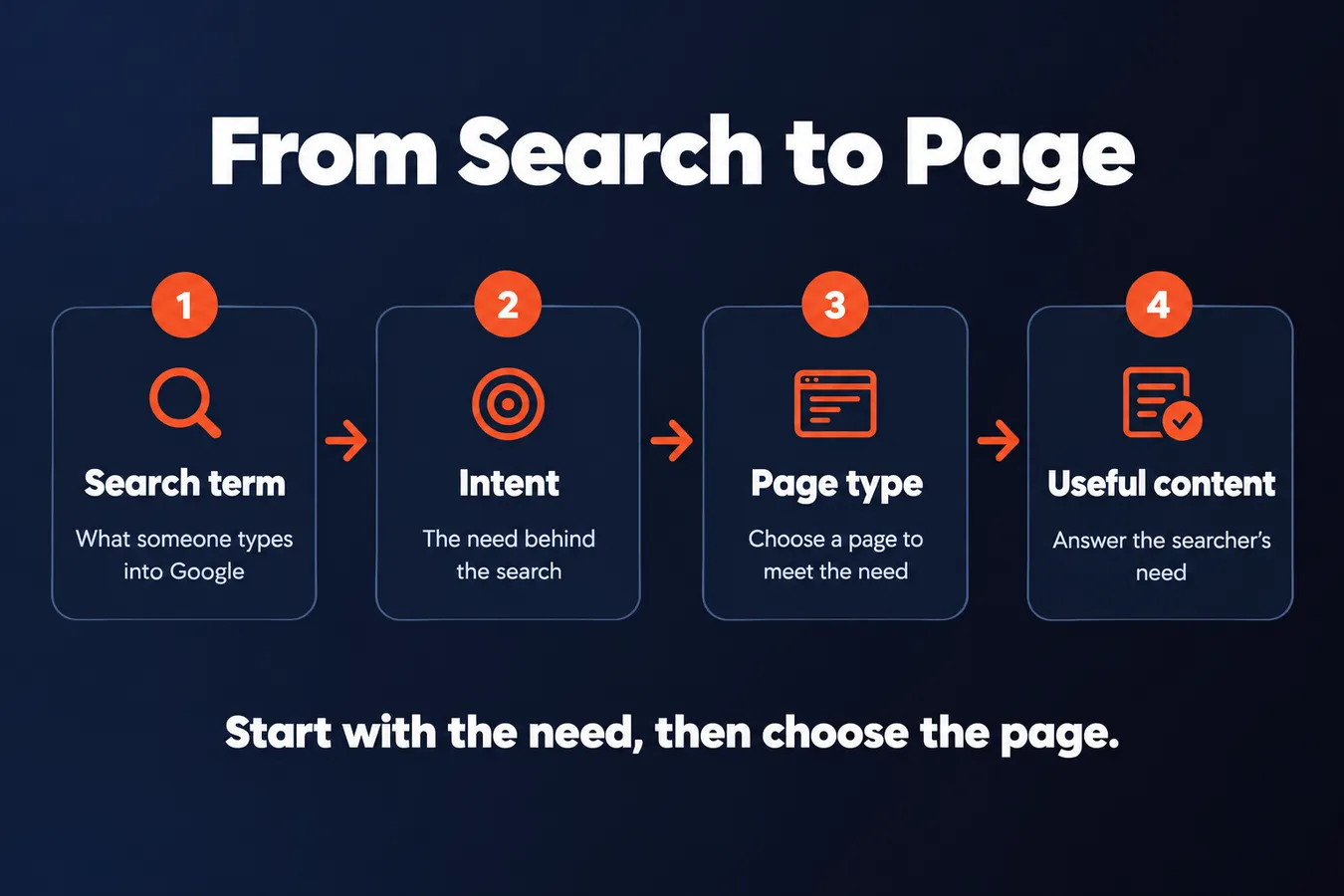
A keyword is a search term someone types into Google. Keyword research helps you work out what they need, then plan a page that meets that need.
Follow the path: search term, intent, page type, useful content. A product comparison points toward a different page than a search for a basic definition. The words matter, but the need behind them tells you what to create.
Start with the need, then choose the page.
Related keywords can belong on the same page when they express the same need. Use them to make the content more complete while keeping the page focused on one clear purpose.
That’s where keyword research and analysis fit into an SEO strategy. Use search data to decide which pages to create, what each should cover, and how related terms fit together. A keyword planner or another research tool can help you find ideas. A free tool may be enough to begin. The numbers support the decision; they don’t make it for you.
Keyword research gives each page a job before you create the content. From there, you can learn how to do keyword research and analysis for SEO, research for online advertising, or plan keywords for a new topic.
Find keywords from your audience and search data
Begin with what your intended audience already cares about. Write down their problems, the questions they ask, and the products or services they look for.
Good keyword research starts with real audience needs.
Take a few ideas and enter them into a keyword research tool, Google Keyword Planner, or Google. These tools can offer suggestions and data such as search volume. Free access and the amount of data available vary.
Use the suggestions to expand your list. A broad seed phrase gives you a starting point, while more specific long-tail searches show how people describe a particular need. Add question-based searches too, such as queries beginning with “how,” “what,” or “where.”
The wording people use often gives you a clearer starting point for content than a broad topic alone.
If your site already has search data, check Google Search Console. Its queries show the terms people used to find your pages, including searches you might not have thought to add to your seed list.
Gather broad terms, specific searches, and questions before deciding which page to create.
Judge search intent and keyword value
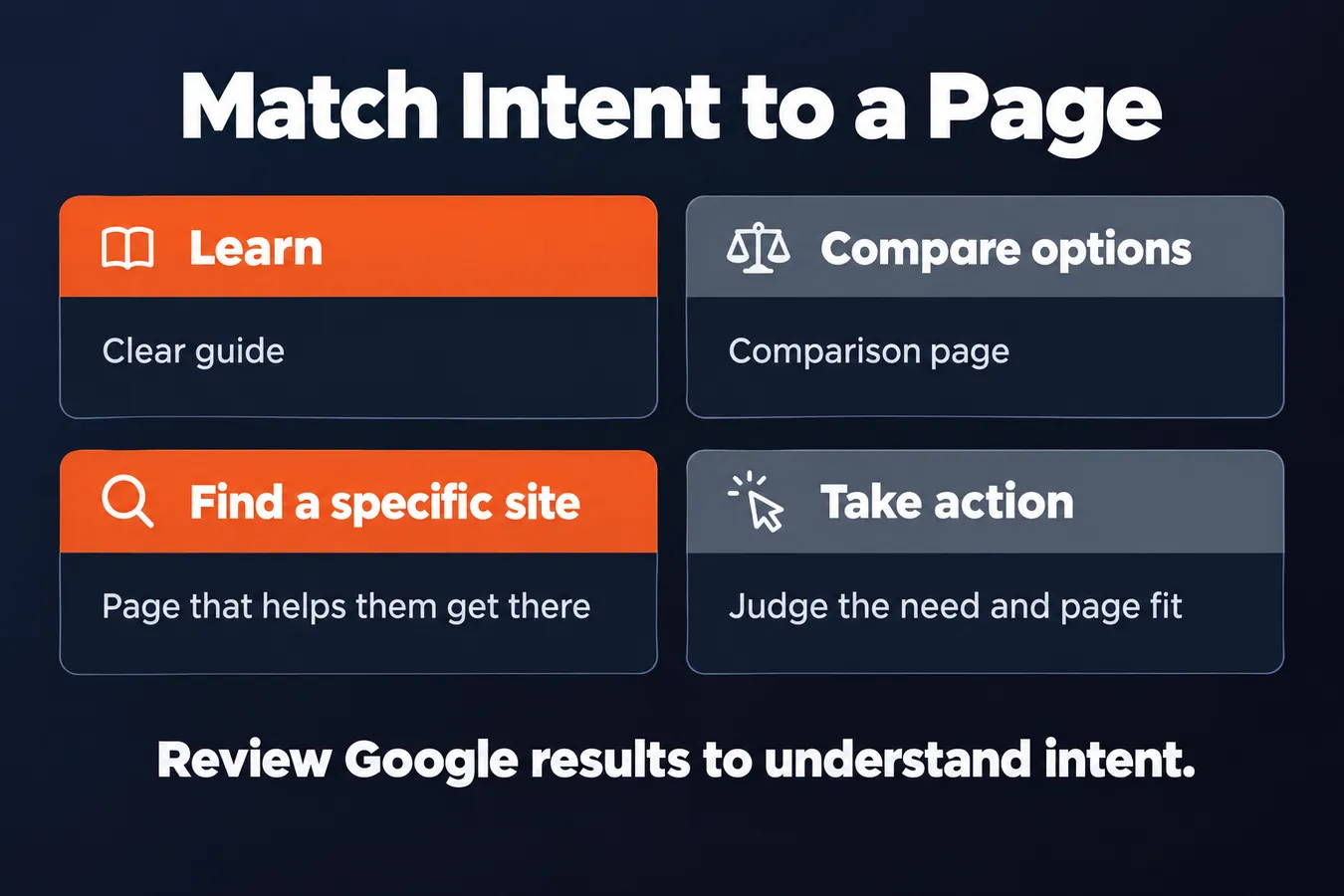
A keyword tells you what someone typed. Search intent gives you a clue about what they need. Are they trying to learn, compare options, find a specific site, or take action?
That need should shape the page. A person looking to learn may want a clear guide. Someone comparing options may expect a comparison page. A search for a specific site usually calls for a page that helps them get there.
The search results show you what Google thinks fits the query.
Enter the keyword in Google and review the results. Notice the formats: guides, product pages, category pages, videos, or local listings. Look at what each covers and how it answers the searcher’s need. This helps you understand what a useful page could include.
Search volume and difficulty are useful estimates, and a keyword research tool can help you compare options. Google Keyword Planner is one choice for finding related keywords and checking planner data. A free keyword research tool can provide a starting point, but the numbers don’t decide whether a page belongs on your site.
Relevance and business value matter just as much as volume.
Ask whether your site has something useful to offer for the keyword, and whether the search connects to what your business does. A term with modest volume may deserve a page if you can serve that searcher well. A high-volume term may be a poor fit if you can’t answer the need.
Cost-per-click data from Google Keyword Planner can inform paid campaign planning. It reflects advertiser interest and bidding, so treat it as a paid-search signal rather than a direct measure of organic SEO value. Judge the keyword by intent, fit, and the page you can create.
Match search intent to a page
| Search need | Page that fits |
|---|---|
| Learn | Clear guide |
| Compare options | Comparison page |
| Find a specific site | Page that helps them get there |
Group related terms into a page plan
Keyword research gives you a list of search terms. The next job is deciding which belong together and what page should answer them.
Group keywords that share the same search intent. If someone entering each term would expect similar content, assign that group to one page. Related wording alone isn’t enough to make a cluster.
One group, one clear page purpose.
Separate terms when the search need or suitable page type changes. Someone looking for a definition may need an informational article, while someone looking for a product or service needs a different page. A single page trying to serve both can lose focus.
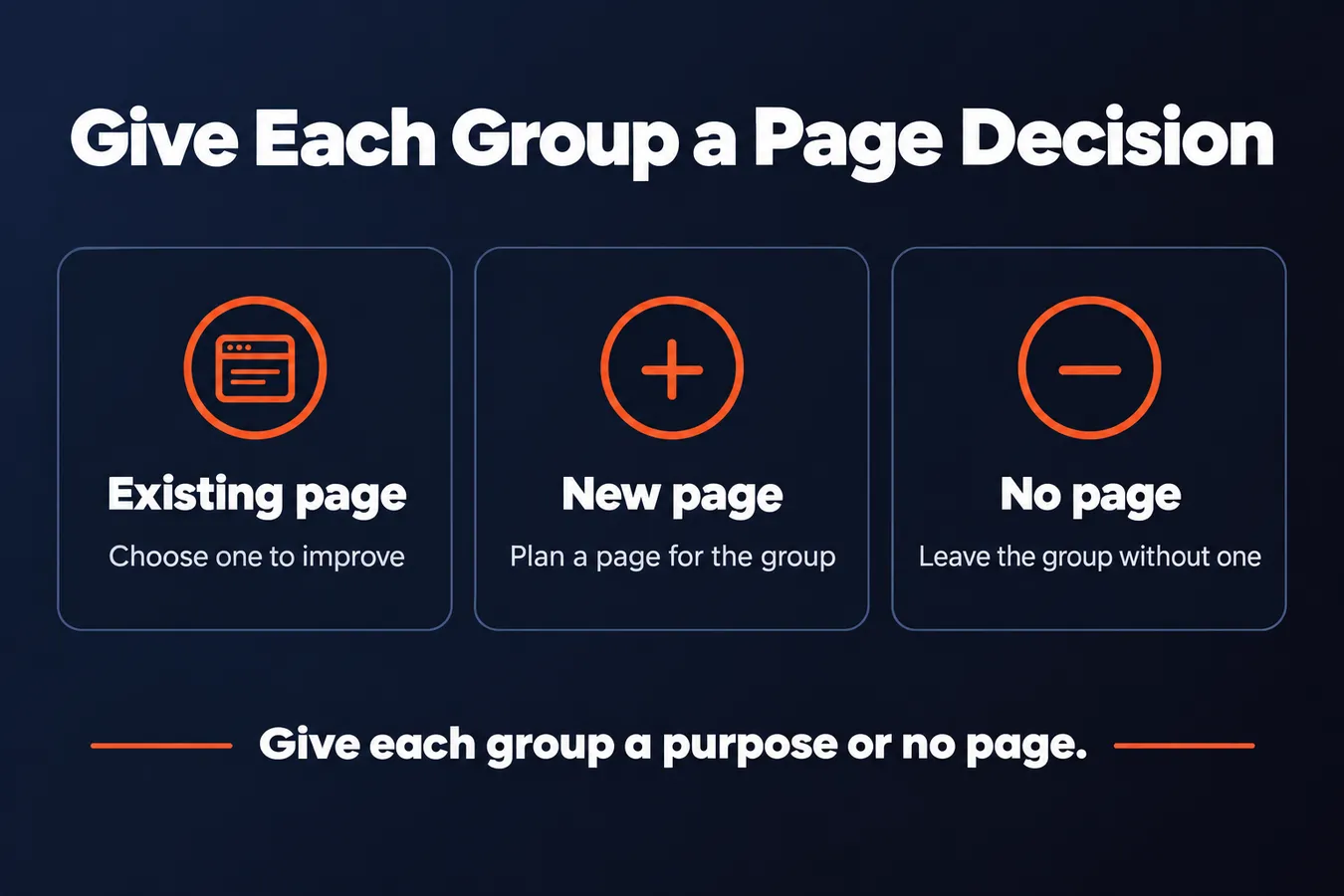
For each group, choose an existing page to improve, plan a new one, or leave the group without a page. Then write down its purpose in a sentence. That gives you a practical SEO strategy, rather than a list with no next step.
A keyword planner or other research tool can help you find terms and review search data, including Google data. Free tools are useful for gathering ideas, but the page decision comes from matching the search need to the content you plan to create.
I build marketing software, so I like plans that connect each piece of data to a clear action. For keyword research, that action is simple: give each group a page, a purpose, or no page.
For the detailed workflow, read my guide on [how to do keyword research and analysis for SEO]. It covers how to find and assess keywords before you turn them into a page plan.
Use keyword research to guide content and campaigns
Your page map turns keyword research into a content plan. Scan it for missing topics, pages aimed at the same search, and opportunities to link related content together.
A missing topic can point to a page worth creating. Overlapping pages can blur which one should answer a search. Useful internal links connect pages that help the same audience with different questions.
The page map gives each page a job.
Use the research to compare ideas before you spend time creating content. I prioritize pages by how well they fit the audience, the likely value to the business, and the work needed to produce a useful answer.
Search volume from a tool such as Google Keyword Planner is one piece of data. Related phrases and what people are actually looking for matter too. Free tools can help you find ideas, but the page still needs to answer the search clearly.
The same research can inform SEO and online advertising. Keywords can show what people look for and help you choose relevant page topics or campaign themes.
Campaign targeting and bidding need their own decisions. An SEO page plan doesn’t decide which audience to target, what to bid, or how to manage an ad budget.
Use research to set priorities, then plan each channel on its own terms.
When you’re starting research for a new topic, use the keyword research checklist on its separate page. It covers that process in detail, while this page map helps you decide what to create across your site.
Frequently asked questions
What is keyword research and analysis in SEO?
Keyword research finds the terms people search for and the needs behind them. Analysis helps you judge intent, relevance, and business value, then decide which page should answer each group of searches. The result is a page plan that maps each group of searches to a page, with keywords as its foundation.
How do I choose the right page for a keyword?
Start with the searcher’s need. Look at the results for the keyword and note which page types appear, such as guides, product pages, or local listings. Then choose an existing page to improve, plan a new page, or leave the keyword without a page.
Should related keywords go on the same SEO page?
Group terms when they share the same search intent and a searcher would expect similar content for each. Related wording alone isn’t enough. Give each group one clear page purpose, and separate terms when the need or suitable page type changes.
Can I start SEO keyword research with free tools?
Yes. Google search, Google Keyword Planner, and Google Search Console are places to gather ideas and search data. Free access and the amount of data available vary. Use the numbers to inform your choices, then judge each term by intent, relevance, and the page you can create.
My Take: That shapes how I look at keyword research. A search term matters because it helps me decide what page to build and what job that page should do. I like plans that connect each piece of data to a clear action. So when I group keywords, I give each group a page, a purpose, or no page. Search volume and tool data support the decision, while intent and business fit tell me whether the page belongs on the site. That keeps the research tied to useful content instead of leaving it as a long list of terms.
Aha Studio
Get the next playbook first
New playbooks and LaunchWatch reports land in Growth Signals, the free newsletter, along with the case studies and how-tos I find worth stealing.