Keyword Research › Search Intent and Content Mapping
Content planning
Turn a long keyword list into a clear plan of pages, each built around one topic and one search intent. The useful unit is the page idea, with closely related searches grouped together.
A keyword list can contain dozens of phrases that belong on a single page.
The useful unit for a content plan is the page idea: one topic, one clear search intent, and a group of closely related searches.
That’s the core of keyword research for content planning. You’ll learn how to sort search terms into page ideas, then arrange those ideas into a practical plan.
Here are the key steps:
- Set the audience and goal before collecting keywords.
- Check each search’s intent and choose terms that fit.
- Group related keywords into page ideas.
- Organize those ideas into a workable content plan.
- Use Google Keyword Planner for content research and paid campaigns.
I’m Tony Hayes. I’ve been building marketing software since 2011, and today I build everything with AI without writing code myself. I’m the creator of NicheBlasta, JV Swaps, and the Aha Studio AI workers.
Start with the pages you need to create, then fit the keywords to them.
Find this useful? Add us as a preferred source on Google and more of what we publish will show up in your results.
Set the audience and goal before collecting keywords
Start with the person you want the content to help.
Who are they, and what do they need to do or understand? A useful page might answer a question, explain a service, compare products, or guide someone toward a next step. Pick the audience and goal first, so your keyword research has a practical focus.
Start with the topics, services, products, and questions that belong on your website. That gives you a clear starting point for finding keywords that fit both your readers and the site.
Then use Google Keyword Planner and other keyword research tools to find relevant suggestions. Search volume is useful data, but it’s only one input. A phrase with modest volume can still make sense if it matches a real audience need and supports the site’s goals.
The keyword needs a job in your plan.
A keyword list becomes useful when each term points toward relevant content and a clear place in your plan.
Once you’ve set that focus, you can group related keywords into page ideas and organize them into a practical content plan. Search intent deserves its own look before you write, and keyword placement can come later.
Choose the right keywords and analyze what each search needs
A keyword earns a place in your content plan when it fits your website, has enough search demand, and points to a useful page idea. Check each query for relevance, volume, specificity, and likely value to your site.
Google Search, Keyword Planner, and other SEO tools give you data and suggestions to compare. Treat volume as one signal. A broad keyword might draw more searches, while a specific phrase can make the searcher’s need clearer.
The wording of a keyword gives you a first clue about the answer someone expects.
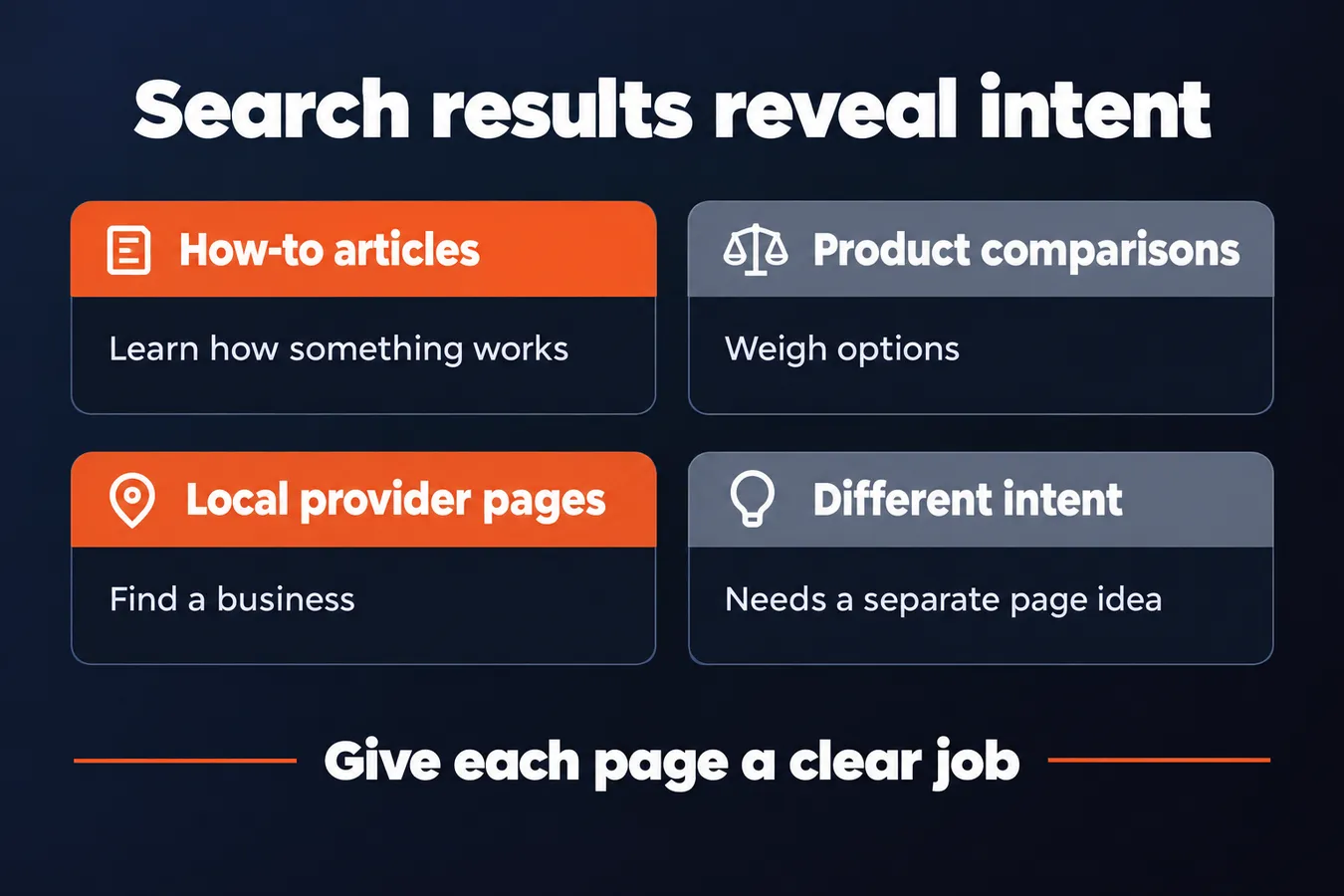
Then review the search results. Look at the pages Google shows and the formats they use. A results page full of how-to articles suggests a learning need; product comparisons suggest someone is weighing options. If local provider pages dominate, the searcher likely wants to find a business.
Keep queries with different purposes on separate page ideas. For example, a person learning how a service works needs different content from someone comparing providers or ready to contact one. Combining those needs can muddy the page and make your plan harder to follow.
I use that distinction when I group keywords into pages. The goal is to give each page a clear job, then organize those pages into a plan that fits the website.
Before you assign a keyword, identify the job behind the search.
For a deeper guide to that step, read How to Identify Search Intent Before Writing. Once you know what the searcher needs, you can decide which related keywords belong together and what kind of content the page should provide.
Search results can reveal the intent
| Search results | Likely need |
|---|---|
| How-to articles | Learn how something works |
| Product comparisons | Weigh options |
| Local provider pages | Find a business |
Group related keywords into page ideas
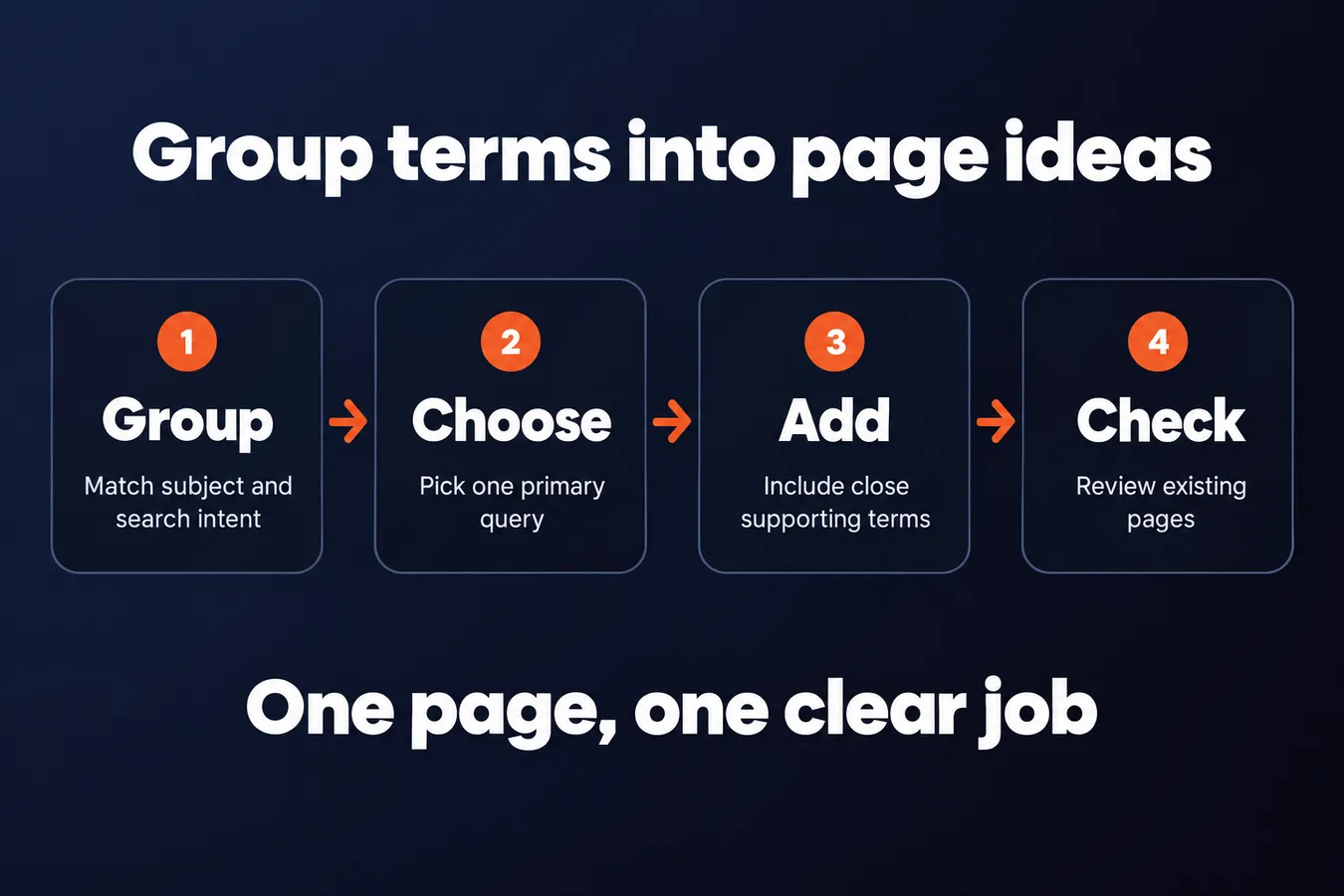
Start by grouping keywords that share a subject and search intent. Search results are a useful check: if Google shows similar pages for several queries, they likely belong together.
Choose 1 primary query for each page idea. Add close variations and related terms as supporting keywords, so the content answers the main question without turning into a pile of loosely connected topics.
One page idea should have one clear job.
Queries with overlapping wording can still need separate pages when the reader wants a different answer. For example, someone searching for “keyword research tools” wants options, while someone searching for “how to do keyword research” wants a process. The subject overlaps; the page idea changes with the intent.
Build the page plan around the answer the reader needs.
Use a simple table to keep each decision visible. Include the keyword, intent, page idea, primary query, supporting terms, and existing URL. Keyword Planner, other tools, and search data can provide volume and suggestions, but they don’t decide which page belongs on your website.
Before you add a new idea to your content plan, check your current pages. An existing URL may already cover the topic, or 2 pages may be competing for the same keywords and search intent.
I keep the plan tied to specific pages. That makes it easier to spot gaps, account for content you’ve already published, and give each page a clear role in the SEO strategy. If you’re unsure whether 2 queries belong together, compare the answers Google is showing, then choose the page idea that matches the reader’s need.
Turn page ideas into a practical content plan
A list of keyword groups gives you options. Your content plan tells you what to work on first.
Rank each page idea by 4 things: how relevant it is to your audience, how well it fits your business, whether your website already has a gap on the topic, and how much effort the page will take to produce. Search volume and suggestions from tools like Google Keyword Planner can inform your research, but they don’t decide the priority on their own.
Start with the pages that matter to your audience and your business.
Group related pages into topic hubs, then show how they connect. A main page can link to more specific pages that answer narrower questions, and those pages can link back to the main topic. That gives each keyword a clear place in the plan and gives readers a path through the content.
Some pages depend on others. If a specific page needs a broader page to explain the topic, sequence the broader page first. Research into search intent can help you shape those page ideas, and the page on using a keyphrase in an introduction covers what to do when you begin writing.
Every planned page needs a next action.
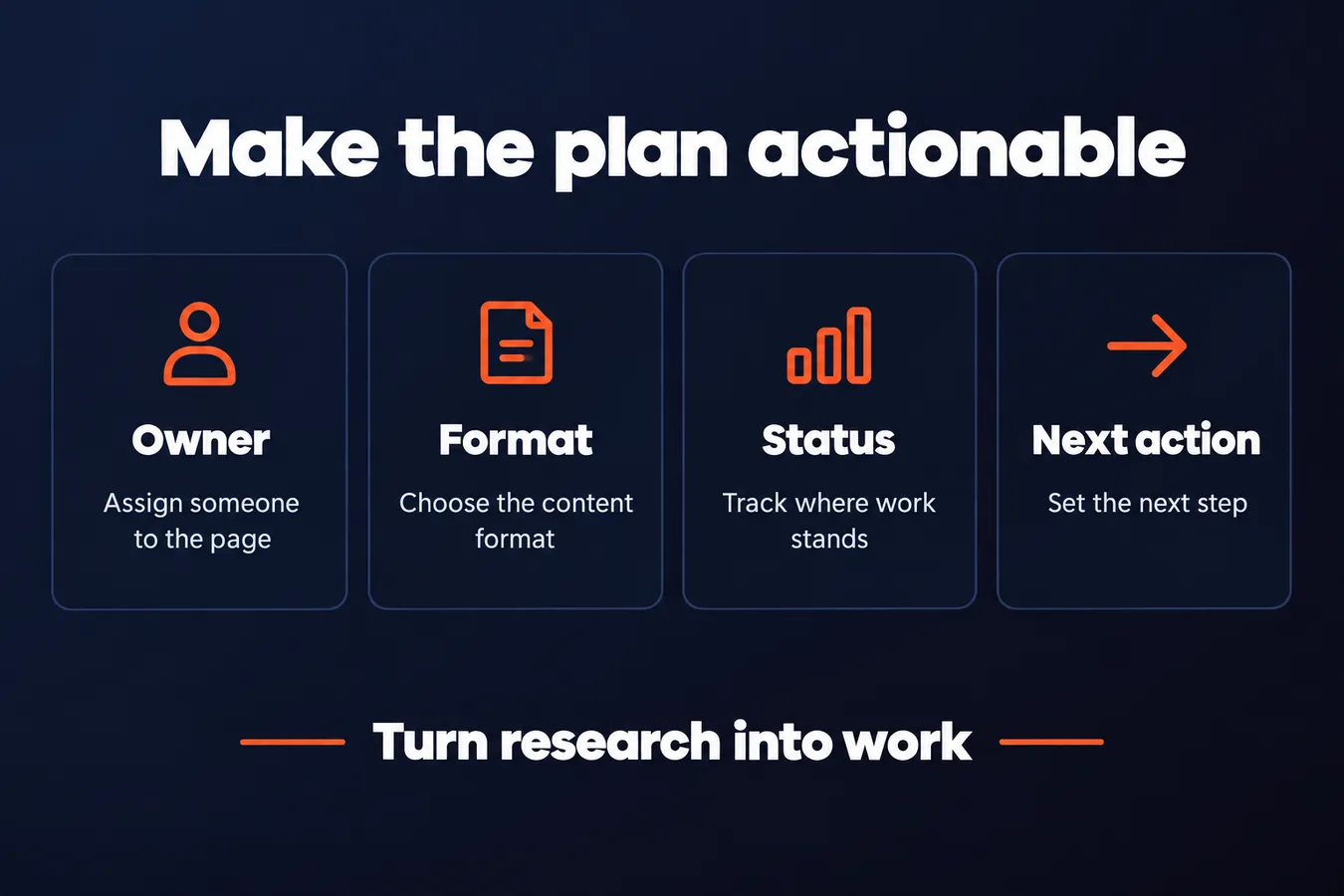
Give each page an owner, a format, a status, and one next action. For example, the action might be to review existing content, confirm the page’s focus, or start a draft. That small bit of detail turns keyword research into work someone can pick up and publish.
Keep the plan small enough to act on. I build marketing software, including content hubs, and I prefer a plan with a few clear next steps over a long list that sits untouched. Revisit it when new questions show up in your research or a change to the website makes a page more relevant.
Use Google Keyword Planner for content research and paid campaigns
Google Keyword Planner can give you keyword suggestions and data to review as you shape a content plan. It’s a useful tool for finding search terms around a topic and comparing their estimated search volume.
Keep its Google Ads focus in mind. The data is built for paid campaigns, so use it as one input for SEO research, alongside your knowledge of the website and the people you want to reach.
A keyword suggestion becomes a page idea only when it fits.
Check whether the term is relevant, what the searcher wants, and whether a page in your plan already covers that need. For a deeper look at intent, see [How to Identify Search Intent Before Writing].
If you’re launching an ad campaign, a Google Ads expert can help with campaign setup, targeting, and the paid strategy. Keep that work separate from choosing topics for organic content. They serve different jobs.
Questions about keywords and pages
How many keywords should a page target? Give each page 1 main keyword or topic, then include related keywords where they fit naturally. A page can answer several closely connected searches without forcing every phrase into the copy.
When should related terms become separate pages? Split them when they point to distinct search intent or need their own useful answer. Keep them together when one clear page can satisfy the searches.
How often should you review a content plan? Review it every few months, and sooner when your priorities or the needs of your audience change. Update the plan when new research reveals a relevant page idea or shows that 2 ideas belong on one page.
Frequently asked questions
How many keywords should one page target?
Give each page 1 main keyword or topic, then include related keywords where they fit naturally. One page can answer several closely connected searches when they share the same intent and need the same kind of answer.
When should related keywords become separate pages?
Separate them when the searches point to different intents or need distinct answers. Compare the search results for each query. If Google shows different types of pages, give each need its own page idea.
What should I include in a keyword content plan?
Track the keyword, intent, page idea, primary query, supporting terms, and any existing URL. Then give each planned page an owner, format, status, and next action, so the plan tells you what to work on.
How often should I review my content plan?
Review it every few months, and sooner when your priorities or audience needs change. Update it when new research points to a relevant page idea or shows that 2 planned ideas belong on one page.
My Take: That work shapes how I approach keyword research for content planning. I start with the pages the website needs, then fit the keywords to those page ideas. A list of search terms is raw material. The useful part is deciding what each page should do, which searches belong together, and where existing content already covers the need. I keep the plan tied to specific pages and clear next steps. A few well-defined ideas are easier to act on than a long keyword list with no page, owner, or job attached. Search volume and tool suggestions belong in the research, but the website’s audience and goals shape the plan.
Aha Studio
Get the next playbook first
New playbooks and LaunchWatch reports land in Growth Signals, the free newsletter, along with the case studies and how-tos I find worth stealing.