New from Anthony Hayes: Aha Studio
Get found by the people searching for what you sell.
Local SEO and Google Business Visibility › Paid Local Visibility
Local Service Ads setup
Google Local Service Ads put your business at the top of search for the jobs you want, but they only pay off if you can verify your business and answer leads fast. This guide covers who qualifies, how the setup works, what verification involves, what you pay per lead, and how to turn leads into booked jobs.
A lead that sits unanswered for even a short while is often a lead that calls a competitor.
That's the part most home service owners underestimate. The ad gets the phone to ring. What happens in the next few minutes decides whether it turns into a job.
Here's what you'll get from this post: a clear path through google local service ads, from checking whether you qualify to handling each lead so it actually books.
You'll see what you need before you start, how the profile is built, what the background checks and license and insurance steps look like, and what you're charged for each lead. The last two parts are where most of the money is won or lost.
I've been building marketing software since 2011, and I see the same pattern again and again: the ad is working, but the leads sit in an inbox for hours. Fixing that is cheaper than buying more leads.
We'll go through the setup first, then verification, then the cost per lead, then the handling process, and finally how Local Service Ads fit with the rest of your marketing. If you want the ad mechanics in more depth, our pages on Google Maps Ads and on Local SEO vs Google Ads cover those separately.
Find this useful? Add us as a preferred source on Google and more of what we publish will show up in your results.
Who Qualifies for Google Local Service Ads and What You Need First
Before you spend an hour on this, check whether you can run it at all. Eligibility depends on your trade and where you operate. Google only offers Local Service Ads in certain categories and countries, and that list changes, so check the current list on Google's site before you invest time in the setup.
Once you know you qualify, gather your paperwork. You'll need your business license and your insurance details, since Google asks for both during verification. Have those documents ready before you start, or the process stalls at the first step.
You'll also need the names of the people who will answer leads. Google's verification and the way leads reach you both depend on knowing who's picking up the phone. Write down the names and make sure each person can take a call during your posted hours.
Next, decide your service area. You can set it by ZIP code or by a radius around your shop. Either way, the ads only show to people inside that area.
Here's the thing about size. A sprawling service area dilutes your leads. If you cover a 60-mile radius, you'll pay for calls from homes you can't reach in a reasonable time. Tighten the area to the places you can actually drive to on the same day.
Get these four things sorted and the rest of the setup goes a lot faster.
How the Setup and Profile Work, Step by Step
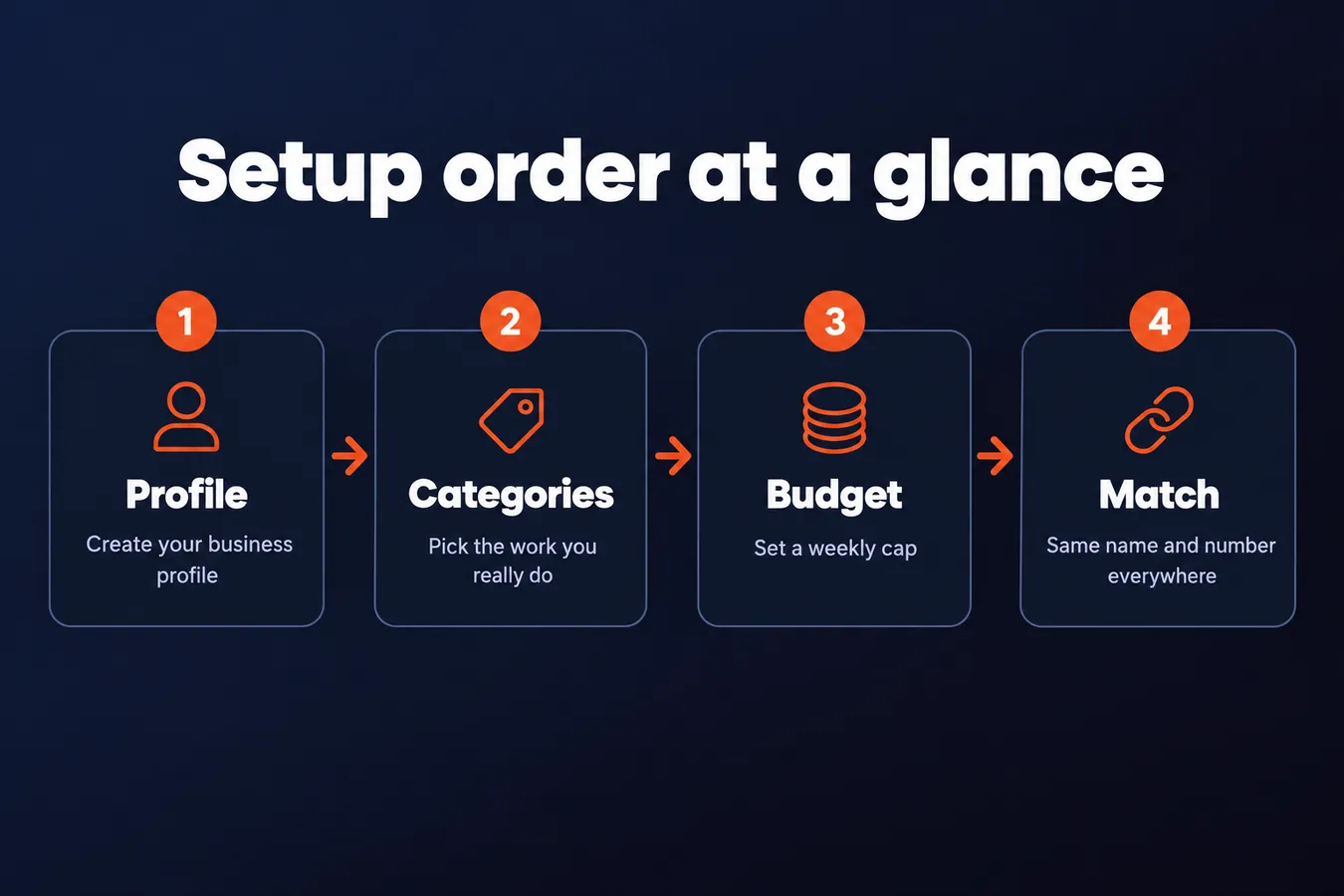
Setup starts with creating the profile. You'll sign in, pick your business details, and then move on to the part that does the most damage if you rush it: categories.
Pick your categories carefully.
Categories control which searches you show up for. Choose a category that matches the work you actually want, and avoid picking the broadest-sounding one. If you pick a category your crew doesn't really do, you'll get calls you can't use, and you'll pay for them.
Next comes your budget and weekly cap. Set a weekly cap you can live with, because that's the number that stops the spend when leads come in faster than you can handle them. Start conservative, watch what comes in, and raise it once you know your close rate.
Your business name and phone number need to match what's on your website and your Google Business Profile. I know it's tempting to tidy up the name on one place and not the others, but mismatches are exactly what make verification messy. Use the same spelling, the same punctuation, and the same main number everywhere.
Check whether Direct Business Search applies to you.
Direct Business Search only matters if people already search your business name. If they do, your ad can show up when they type it in directly, which is useful for protecting your name from competitors. If no one searches for you by name yet, you can skip this and come back later.
Keep in mind that the profile is where everything else hangs off. Get the categories and the name-and-number match right at this stage, and the verification and lead handling later on are far less painful. (Learning this the hard way is cheap enough, but it still costs you a week of calls.)
Getting Verified: Background Checks, Licenses and Insurance
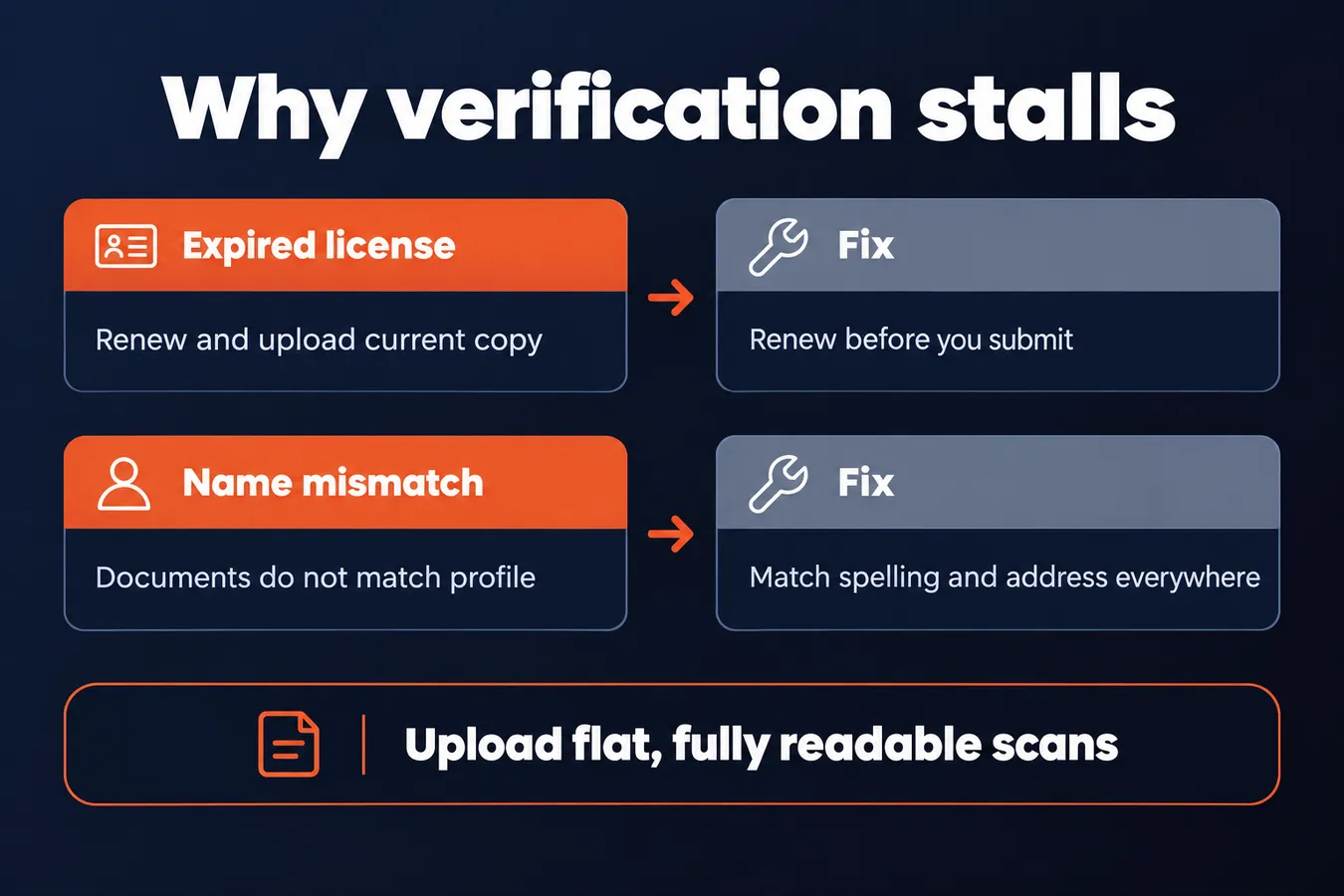
Verification is the step that holds most businesses up. Google screens your license, your insurance and your background before your ads can go live, and that check is where things tend to stall.
A missing or expired document is the most common reason approval stalls.
So before you submit anything, pull up every document and check the expiration date. A license that lapsed last month will sit in the queue until you fix it, and nothing about the rest of your profile will move it along.
Next, look at the names and addresses. Your license, your insurance certificate and your Google profile all need to match, down to the business name spelling and the street address. If they don't, a mismatch can send you back to the start, and you'll be waiting all over again.
Upload clean copies. A blurry phone photo with a thumb over one corner is a good way to get kicked back. Scan the documents flat, make sure every line is readable, and include the whole page.
Then plan for delay. Verification can take a while, and I'd rather you hear that now than find out after you've already told your crew the phone will be ringing next week.
Don't assume the ads are live the day you submit. Submitting only starts the review. Keep your normal lead sources running until you see the ads actually showing, and watch your Google Ads account for status changes so you know where things stand.
Common reasons verification stalls
| Problem | Why it causes delay | Fix |
|---|---|---|
| Expired license | Fails the license check | Renew and upload current copy |
| Name or address mismatch | Documents do not match profile | Match spelling and address everywhere |
| Blurry upload | Documents get sent back | Scan flat with every line readable |
Understanding What You Pay for Each Lead
Google Local Service Ads charge you per lead. That's the big difference from regular Google Ads, where you pay every time someone clicks your ad, whether they ever call you or not.
The catch is that "lead" doesn't mean the same thing in every trade. For some categories a lead is a phone call, for others it's a message through the app, and for some it's a booking made through the platform. Read the lead definition for your category before you set anything up, because it decides what you're actually paying for.
A call that was a wrong number, spam, or someone outside your service area isn't a real lead, and you can dispute it. I'd check your disputed leads every week rather than letting them pile up. A week is short enough that you still remember the calls, and it keeps the claim window from closing on you.
Set a weekly budget cap, even if it feels too tight.
A cap is the simplest guard you have. Slow months happen to every trade, and without a cap, a few busy days can spend more than the slow weeks can justify. Pick a number you could absorb if the phone stayed quiet, then raise it only once you've seen what the leads actually turn into.
What Local Service Ads charge versus regular Google Ads
| Ad type | How you are charged | Notes |
|---|---|---|
| Local Service Ads | Per lead | A lead can be a call, message or booking |
| Regular Google Ads | Per click | Charged whether or not the click leads to a call |
Handling Leads So They Turn Into Jobs
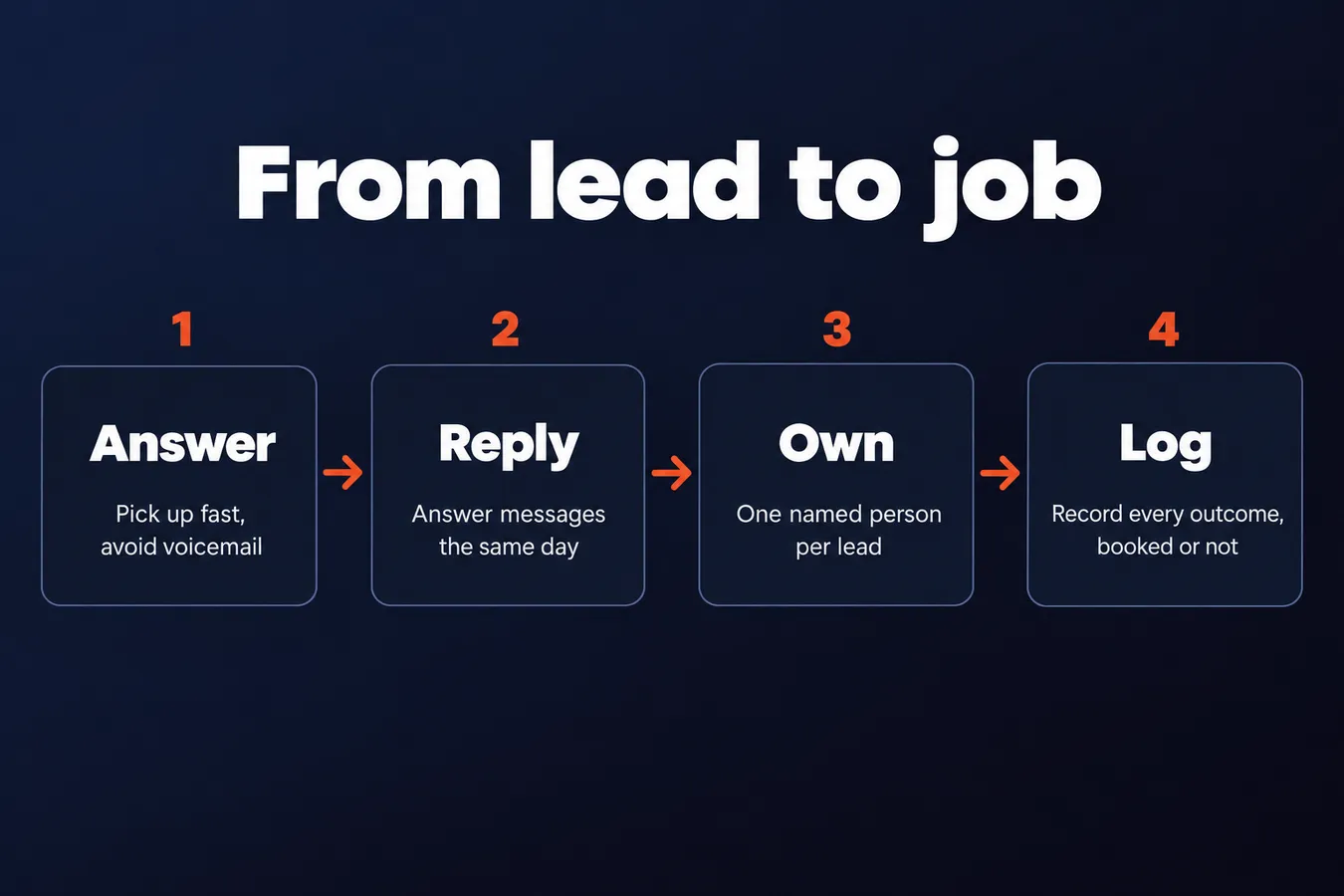
Paying for a lead is the easy part. Keeping that lead from calling the next business on the list is where the money either works or leaks away.
If you miss the call, you've probably lost the job.
Answer calls quickly, and if you can, have a person pick up instead of letting it go to voicemail. Someone searching for a plumber or an electrician is usually calling a few businesses in a row. The one that answers first often gets the job, and the caller rarely comes back to the voicemail.
Messages need the same speed. Use Google Business Messages and the lead dashboard to reply the same day. A same-day reply is a low bar, and plenty of businesses still miss it.
Assign one person to own each lead. When two people can see the same lead, the lead often goes unanswered. Pick one name for each lead, and make that person responsible for the call back, the quote, and the booking.
Log the outcome of every lead, including the ones that never booked.
I know the temptation is to only record the jobs that closed. Don't. The leads that went nowhere tell you as much as the ones that paid, maybe more. A quick note on each one (booked, quoted and lost, no answer, out of area, wrong service) shows you which services and which areas actually pay for the ads.
After a few weeks of that log, you'll see patterns. Some jobs bring in steady work, and others eat your budget with nothing to show for it. That's the information you need to adjust what you pay for, and it's the only way to know whether the spend is worth it.
Connecting Local Service Ads to the Rest of Your Marketing
Local Service Ads are one channel, and they are not the whole plan. The ad sits at the top of a search results page, but the business profile next to it does a lot of the persuading. People look at it before they decide which name to call.
That's why your Google Business Profile needs the same attention as the ad. Keep the reviews coming in and reply to them. Upload fresh photos of finished jobs, your trucks, and your team, so the listing looks like an active business and not a placeholder. When two businesses bid for the same lead, the one with recent reviews and current photos tends to get the call. (I can't tell you exactly how Google weighs those signals against your ad settings, so treat the profile as part of the lead flow, with no guaranteed effect on ranking.)
Don't judge the ads on their own either. Work out what one booked job costs you from each channel. Divide what you spent on Local Service Ads by the number of jobs they actually booked. Then do the same for your other sources: referrals, your website, paid search, flyers, and whatever else brings work in. A channel that looks expensive per lead can still be the cheapest per booked job, and the reverse happens too.
Pay per click and pay per lead work differently, so compare them on the same basis. Only count the leads you actually answered and quoted, because a lead you never called back didn't cost you a job, it cost you money.
Once you have the numbers, decide how much weight each channel gets. Don't put everything into one source because it looks fast. If you want to see the other options before you decide, read the Google Maps Ads and Local SEO vs Google Ads guides in this hub. They cover the choices in more depth than this page can, and they'll help you put Local Service Ads in the right place in your budget.
Frequently asked questions
How do I know if my trade qualifies for Google Local Service Ads?
Check the current category and country list on Google's site before you spend time on the setup, because the list changes. Once you know you qualify, gather your business license and insurance details, since Google asks for both during verification. Having those ready before you start stops the process stalling at the first step.
Why is my Local Service Ads verification taking so long?
A missing or expired document is the most common reason. Check every expiration date, then make sure your license, insurance certificate and Google profile all match on business name spelling and street address. Upload flat, fully readable scans, and expect a delay: ads usually take a few business days to get approved, so don't assume they go live the day you submit.
Should I set a weekly budget cap on Local Service Ads?
Yes, even if it feels too tight. Pick a number you could absorb if the phone stayed quiet, then raise it only once you've seen what the leads actually turn into. Without a cap, a few busy days can spend more than the slow weeks can justify.
What should I do if a lead call was spam or outside my area?
Dispute it, since a wrong number, spam or someone outside your service area isn't a real lead. Check your disputed leads every week rather than letting them pile up, so the claim window doesn't close on you. A week is short enough that you still remember the calls.
Aha Studio
Get the next playbook first
New playbooks and LaunchWatch reports land in Growth Signals, the free newsletter, along with the case studies and how-tos I find worth stealing.
More in Paid Local Visibility
Explore the full Local SEO and Google Business Visibility hub