New from Anthony Hayes: Aha Studio
Get found by the people searching for what you sell.
Local SEO and Google Business Visibility › Research Local Competitors and Keywords
Local SEO competitors
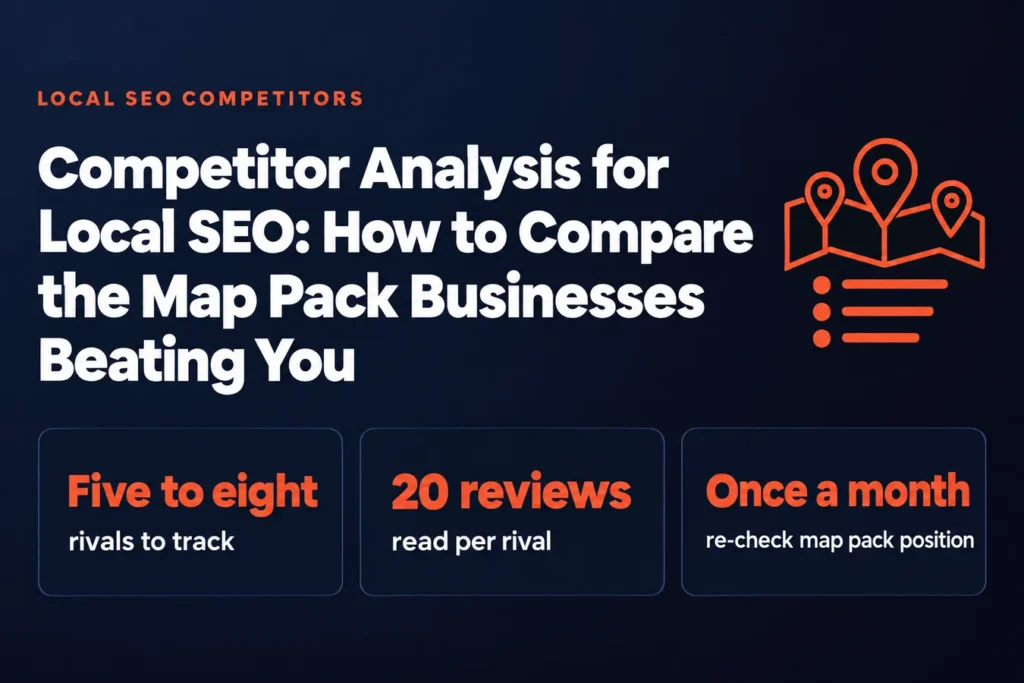
Your map pack rivals are already doing the work you haven't gotten around to, and you can read exactly what they're doing. This method compares their Google Business Profiles, reviews and pages side by side, then turns the gaps into a short fix list you can act on this week.
Across the ten ranking pages I looked at for this topic, only one actually targets the search itself. The rest are mostly about SEO in general with local words sprinkled in, which is why so much of it doesn't help when you're trying to beat the three businesses sitting above you in the map pack.**
That's the gap this page is meant to fill. If you're looking for competitor analysis local SEO advice that stays on the local pack and nothing else, you're in the right place.
Here's what you'll get: a repeatable way to see why the businesses beating you are ranking, using only things you can check yourself.
You won't need a paid tool to start. You'll need a notepad, a spreadsheet and about an hour for your first pass.
I've spent years building marketing software, and I build the local landing pages and lead tools I'm describing here with AI, so I've looked at a lot of these comparisons from the inside. My view is that most of the answer sits in the profiles and reviews, where the ranking signals you can actually control live.
We'll go through five steps. First, we pick the searches and the rivals that actually matter. Then we compare their profiles side by side, read their reviews for patterns, check the pages and local signals behind their rankings, and finish with a ranked fix list.
If you're after keyword research for local searches, that's covered on its own page in this hub. Here we stick to the comparison itself.
The five steps at a glance
| Step | What you do |
|---|---|
| Step 1 | Pick the searches and the map pack rivals that matter |
| Step 2 | Compare the Google Business Profiles side by side |
| Step 3 | Read rival reviews for patterns, not just scores |
| Step 4 | Check the pages and local signals behind rankings |
| Step 5 | Turn the gaps into a short, ranked fix list |
Find this useful? Add us as a preferred source on Google and more of what we publish will show up in your results.
Step 1: Pick the searches and the map pack rivals that matter
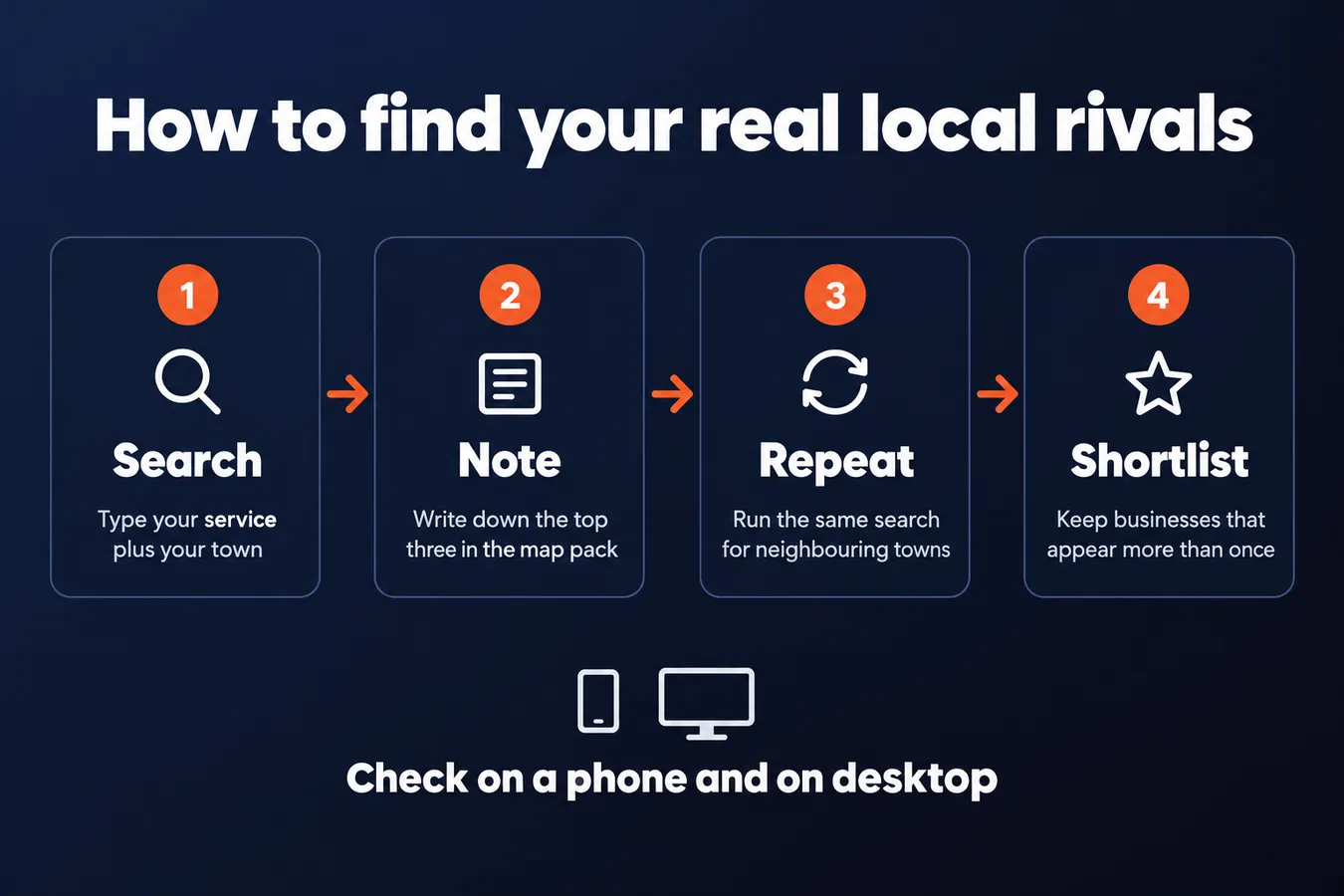
Start by searching the way a customer would. Open an incognito window, type your main service plus your town (something like "plumber Springfield"), and write down the top three businesses in the map pack.
Then do the same for two or three neighbouring towns you actually serve. Don't pad this list with places you'd never take a job in.
Check all of this on a phone. The map pack looks different on each, and the phone view is what most people see when they're standing in a driveway with a leaking pipe. I've seen desktop results and phone results disagree enough that I wouldn't trust one without the other.
Your real competitors show up more than once.
Once you've run the searches, look at the names. Build a list of five to eight businesses that appear more than once across your searches. Those are your real local competitors.
A rival across the county that shows up once doesn't count yet. Park them and move on. They might matter later, but right now they're not the ones taking your calls.
Keep the list short. Five to eight is enough to work with, and a longer list just makes the next steps slower without telling you anything new.
Step 2: Compare the Google Business Profiles side by side
Open a spreadsheet and make one row for each business ranking in your map pack, plus one row for yourself. Five or six rows is plenty to start.
Start with categories. Log the primary category and every secondary category each profile uses. A missing secondary category is one of the most common reasons a profile loses ground, and it's the easiest thing to fix. If three of your rivals list "Emergency Plumber" as a secondary category and you don't, that's a gap you can close today.
Next, log the review count, the average rating, and the date of the most recent review. That last column matters more than the total. A rival with 40 reviews from last month is growing faster than one with 300 reviews that stopped coming in two years ago. I'd sort the sheet by recency before I looked at anything else.
Then go through the rest of the profile. Note whether each business has filled in the services list, how many photos they've uploaded, and how often they post updates. Check whether the description names the town or neighborhood they serve. Plenty of profiles skip this, and it's a cheap signal for Google to read.
Once the sheet is full, look for the pattern. Mark every cell where a rival has something you don't. Those are the things you skipped, and they're usually the quickest wins on the list.
Don't try to copy everything at once. Pick the two or three gaps that show up across most of the top profiles, and fix those first.
Step 3: Look at their reviews for patterns across the full set, and read beyond the star scores
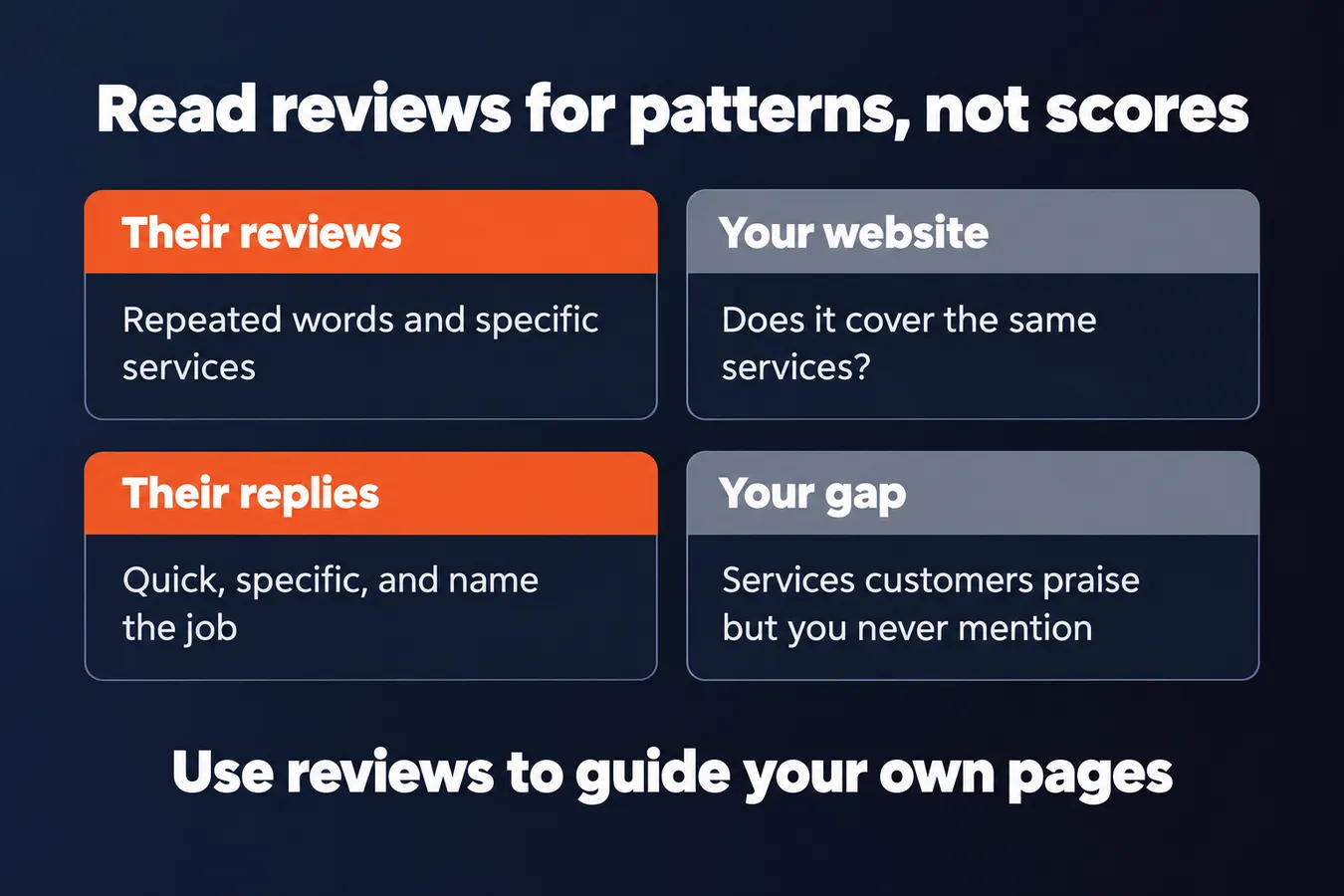
Star ratings tell you how a rival is doing. The reviews themselves tell you why, and that's where the useful stuff is.
Open the 20 or so newest reviews for each top rival and read them properly. Don't skim for the number at the top. Write down the words customers keep repeating. A specific service, a neighbourhood name, a turnaround time like "back in two days" or "same-day fix." Those phrases are what real people want from a business like yours.
Look for the gaps between their reviews and their website.
Check whether reviews mention a service you offer but never talk about on your site. If a rival gets five reviews praising emergency call-outs in one suburb and you've got no page about that, you've found a content gap. Usually it's the cheapest one to close, because you already do the work. You just need a page that says so.
I'd rather spend an hour on this than a month guessing at keywords.
Then read how the owners reply. Quick, specific replies, the kind that name the job and the person, are a visible habit, and they're easy to copy. Vague "thanks for your feedback!" replies are a sign the owner isn't paying attention, which is a gap you can exploit.
Don't copy the reviews themselves. Use them to see what customers care about, then write about it better on your own pages. Other pages in this hub, like Local Business SEO Keyword Research, will help you turn those patterns into search terms.
Step 4: Check the pages and local signals behind their rankings
Once you know who's in the map pack, the next question is what they're doing to get there. Their website and their off-site footprint usually tell you more than their profile does.
Start with their website. Look for location pages, service pages and any blog posts aimed at your town. Note the page title, the main headings and roughly how many words each page runs. You'll often find a rival with a dozen thin "plumber in [town]" pages, or one solid service page with 900 words and a clear list of neighborhoods served. Both tell you something about where to put your own effort.
Next, look at who links to them.
Local directories, chambers of commerce, sponsorships and local news mentions are the usual sources. A sponsored youth league or a mention in the local paper is hard to fake, and it's often why a business sits where it does. Pull up their backlink profile with a free tool and compare it to yours. The gaps will show you exactly which sites you're missing, and those are usually the easiest ones to chase.
Then check the basics: name, address and phone number. Search each main directory and see whether the details match exactly. A "Suite 4" on one listing and "Unit 4" on another, or an old phone number still sitting on a directory from 2016, is more common than you'd think. Inconsistent listings quietly hold a business back, and fixing yours costs nothing but an afternoon.
Step 5: Turn the gaps into a short, ranked fix list
By now you've got a pile of differences between you and the businesses beating you. Probably too many. Don't work through them in the order you wrote them down.
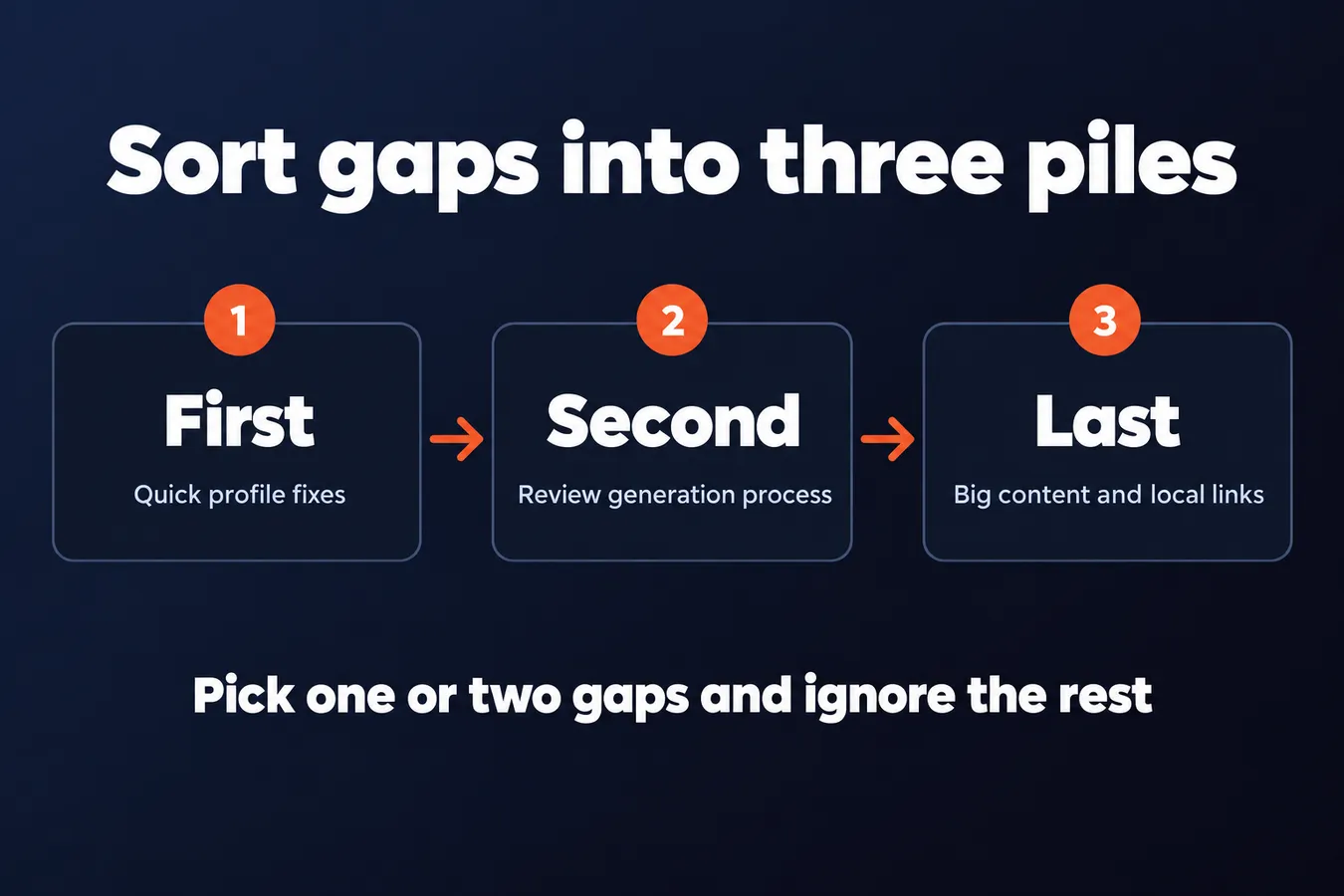
Sort every gap into one of three piles. The first is quick profile fixes: categories, service lists, hours, photos, the business description, the website link. These usually take an afternoon, so do them first.
The second pile is review generation. If the competitors have more reviews, or newer ones, that's a process gap, and it can be closed. Set up a simple way to ask customers for a review after the job is done, and keep at it.
The third pile is the big stuff: new service pages, deeper content, or links from local sites. These take real time, so put them last and only touch them if the first two piles didn't close the gap.
Pick one or two gaps and ignore the rest.
Only chase the differences that match a service you actually want more of. If you want more emergency calls, the gap that matters is the one for emergency-related searches, and a rival's lead in photo count is a much smaller concern. Chasing every difference between you and five rivals is how people burn a month and see nothing move.
Once you've made the changes, re-run the same local searches about once a month and write down where you land. Keep the search terms, the location you searched from, and your position in the map pack each time. Without that log you won't know whether anything you did made a difference, and memory is a bad substitute for a spreadsheet.
Three piles for sorting gaps
| Pile | Typical work | Order |
|---|---|---|
| Quick profile fixes | Categories, service lists, hours, photos, description | First |
| Review generation | A simple process to ask customers for reviews | Second |
| Big content and links | New service pages, deeper content, local site links | Last |
Frequently asked questions
How many competitors should I actually analyze for local SEO?
Five to eight is enough to start. Pick the businesses that show up more than once across your searches, because those are the ones actually taking calls from your area. A rival that appears once across the county can wait. A longer list just makes every later step slower without adding anything new.
Which matters more, a competitor's review count or their review dates?
Dates, usually. A rival with 40 reviews from last month is growing faster than one with 300 reviews that stopped two years ago. I sort the sheet by recency before I look at anything else. The total tells you history, the newest reviews tell you where things are heading.
What should I do first if my competitors have more complete profiles?
Start with the quick profile fixes: categories, services list, hours, photos and the business description. Log every place a top rival has something you don't, then pick the two or three gaps that appear across most of the top profiles. Those usually take an afternoon, so they're the cheapest place to start.
How often should I re-check my map pack position?
About once a month, using the same local searches each time. Write down the search terms, the location you searched from and your position in the map pack. Without that log you won't know whether the changes you made did anything, and memory is a poor substitute for a spreadsheet.
Aha Studio
Get the next playbook first
New playbooks and LaunchWatch reports land in Growth Signals, the free newsletter, along with the case studies and how-tos I find worth stealing.
More in Research Local Competitors and Keywords
- Local Business SEO Keyword Research: How to Pair Service Terms with Locations That You Can Actually Rank For
- 13 Local SEO for Law Firms Moves That Actually Get Calls
Explore the full Local SEO and Google Business Visibility hub