
Keyword Research › Keyword Research Tools
Keyword research tools
Choose a keyword research tool by the work you need it to do: generate ideas, show search data, or organize a content plan. The best fit depends on how you’ll use the results, since a long list of suggestions alone won’t tell you which searches deserve a page.
A keyword generator can return hundreds of suggestions without telling you which ones are worth building a page around. The right tool depends on whether you need ideas, data, or a way to organize your work.**
When you compare keyword research and tools, start with the job you need done. That gives you a better way to judge a free keyword tool, a paid SEO platform, or a keyword generator.
You’ll learn how to choose a tool, read its data, and turn the keywords you keep into a content plan.
- Match the tool to the job: Decide whether you need suggestions, search data, or help organizing your work.
- Compare free and paid options: See what each type of tool can do for your research.
- Find related searches: Use suggestions to uncover long-tail queries.
- Read query meaning: Look at search data to understand what someone wants from a search.
- Plan your content: Group the keywords you keep into a practical plan.
I’m Tony Hayes. I’ve been building marketing software since 2011, and today I build everything with AI without writing code myself.
I compare keyword tools by the task they support, because each tool is built to do a different job.
We’ll start with choosing a tool, then compare free keyword tools with paid SEO platforms. After that, we’ll look at suggestions, search data, and how to build a content plan from the keywords you keep.
Find this useful? Add us as a preferred source on Google and more of what we publish will show up in your results.
Choose a keyword research tool by the job it needs to do
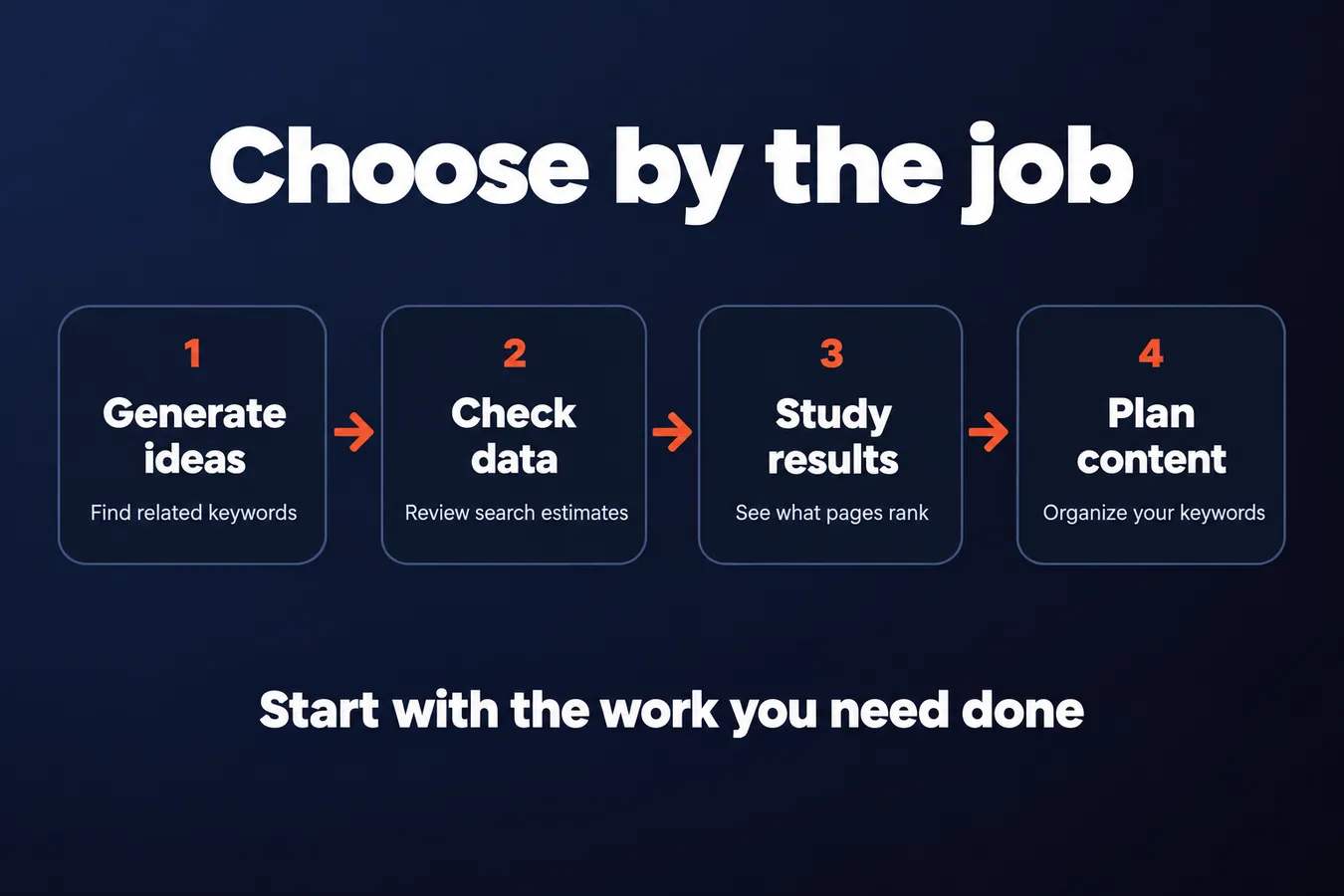
A keyword research tool can help with 4 different jobs: generate ideas, check search data, study search results, and organize a content plan. Decide which job matters first, then compare tools built to do it.
A free keyword generator is useful for finding related keywords and getting a first batch of topic ideas. It usually leaves questions about search volume, competition, intent, and what kind of page ranks unanswered. Those details matter when you’re choosing what to create for your website.
A list of keywords is a starting point. Your page strategy comes next.
To find high-value topics, look at audience fit, search intent, and the page you can create. A keyword can have appealing search data and still be a poor target if it doesn’t match what your audience needs or the content you’re ready to publish.
Search Google for the keyword and study the results. Are the top pages guides, product pages, or local landing pages? The search results give you clues about the intent behind the query and the kind of page you’ll need to compete.
The right tool depends on the work you need it to do.
I’m the creator of NicheBlasta, JV Swaps, and the Aha Studio AI workers. When I compare keyword research tools, I start with the job they support, then look at whether their data and features fit the content plan I want to create.
Compare free keyword tools with paid SEO platforms
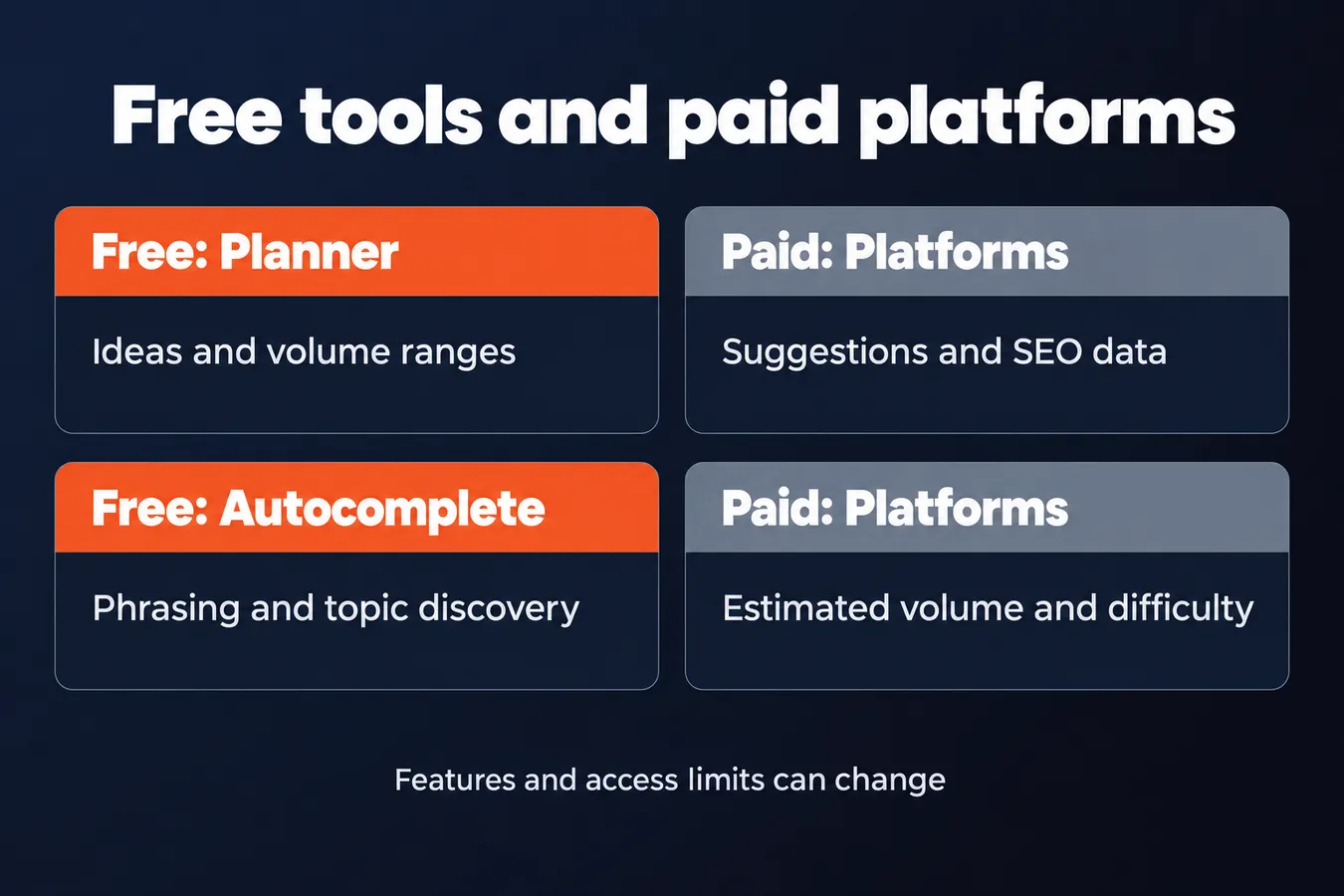
Google Keyword Planner gives you keyword suggestions and search volume ranges, with data shaped around Google Ads. It’s a useful place to start research, though its numbers are designed for advertisers and don’t show organic ranking difficulty.
Autocomplete-based tools pull phrases people type into search boxes. They’re good for finding question wording and related topics, but usually give you little or no reliable volume, difficulty, or intent data.
Each tool answers a different question.
Paid SEO platforms combine suggestions with estimated search volume, keyword difficulty, and features that help you judge search intent. That extra data is useful when you’re choosing which keywords deserve a page in your content plan, especially across a larger website.
When I need a starting list, I use a free keyword tool to gather phrases around a topic, then check whether each one fits the page I want to create. A free keyword generator can give you enough to shape an initial strategy. Extra metrics become useful when you need to compare many keywords or decide where to spend time and budget.
So, what’s the best free keyword research tool?
The right pick depends on the information you need. Google Keyword Planner is a solid option for volume estimates and ideas; autocomplete tools are handy for phrasing and topic discovery. Free access often comes with limits on searches, exports, or detailed metrics, so you may need a paid plan for deeper SEO data.
I build marketing software, and I choose tools by the job they do. Check each tool’s current access limits and features directly before you settle on one. Plans change, and the best keyword research tool for your needs is the one that gives you enough data to make the next decision.
Which tool fits your research task?
| Tool | Useful for | Limits stated |
|---|---|---|
| Google Keyword Planner | Ideas and volume ranges | Ads data, not organic difficulty |
| Autocomplete based tools | Phrasing and topic discovery | Little or no reliable metrics |
| Paid SEO platforms | Suggestions and SEO data | Plans and features can change |
Use keyword suggestions to find related and long-tail searches
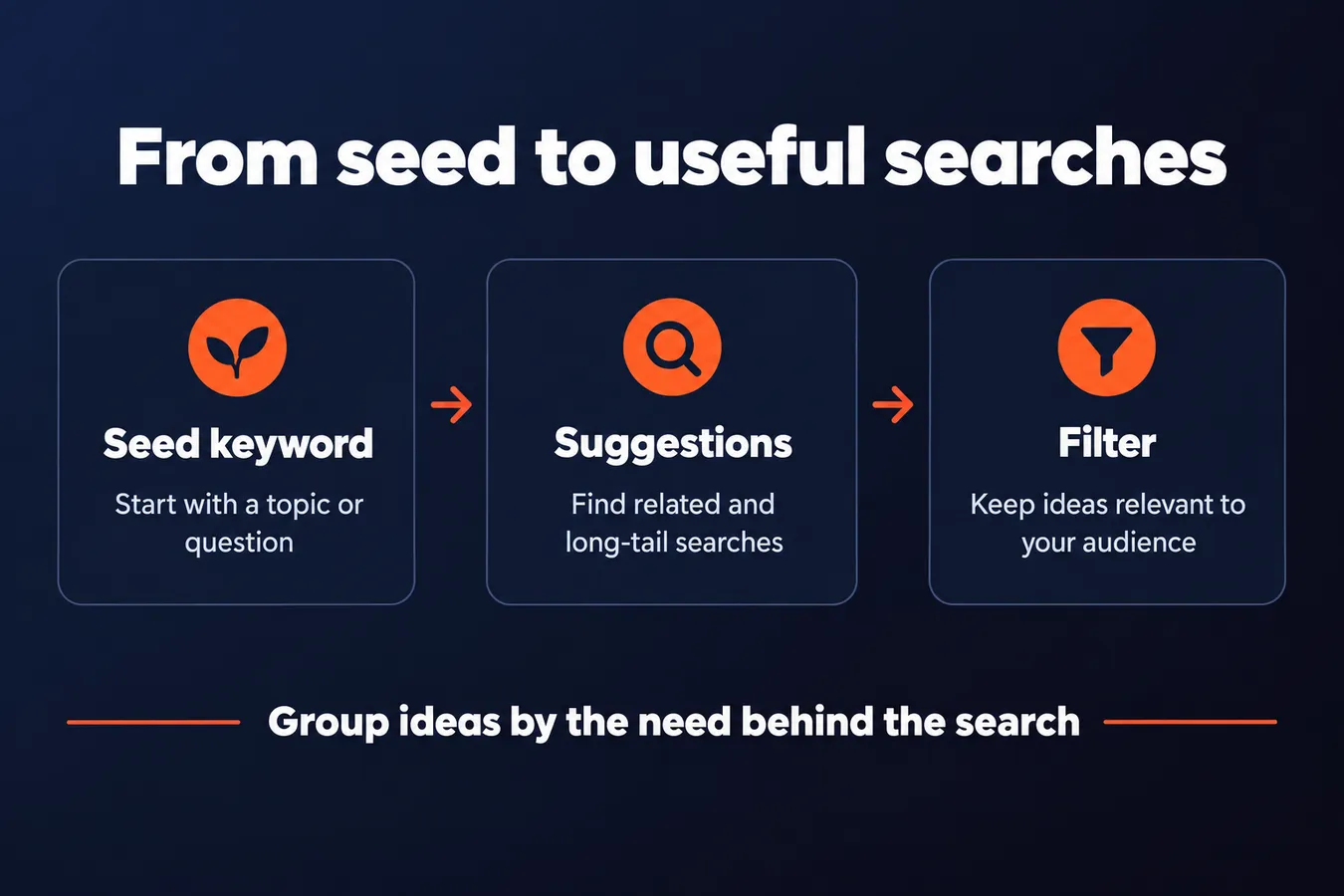
Start with the product, service, or question your intended reader has. A clear seed keyword gives you a place to begin, whether you’re planning a page for a service or content that answers a specific search.
The seed is a starting point for a page plan.
Use autocomplete, a keyword planner, and a dedicated keyword generator to find related searches. Google autocomplete is useful for seeing how people extend a phrase; keyword research tools can surface variations and long-tail keywords you might not think to enter yourself.
You can use a free keyword tool to gather ideas, then compare options based on the task you need done. A keyword generator is built to produce suggestions, while a planner may also provide search data. The right tool depends on the research you’re doing.
Group ideas by the need behind the search.
A long-tail search often gives you a clearer picture of the problem or question someone wants answered. Put searches about the same need together, then decide whether they belong on one page or call for separate content.
Before you spend time comparing search volume or other metrics, filter the suggestions for relevance. Remove phrases that don’t fit your website, audience, product, or target topic. A large list of keywords is easy to create. A useful list takes judgment.
Read search data and uncover what a query means
Search volume, difficulty, and cost-per-click are clues. Volume estimates how often people search for a keyword, difficulty estimates how hard it could be to rank, and cost-per-click reflects advertiser bids. Each figure has limits, so treat them as context rather than a promise of traffic or value.
The search results show you what people expect to find.
Search a keyword in Google and look at the pages that appear. Are they guides, product pages, comparisons, or local listings? That pattern gives you evidence about intent and the kind of page you need to create.
If the results are mostly how-to guides, a sales page probably won’t answer the query well. If they’re product comparisons, build a page that helps readers compare options. Check the actual results before you choose a format.
Related keywords can point to one shared topic. If several phrases ask closely connected questions, one useful page may answer them all. Splitting those questions across separate pages can leave you with thin content and pages competing for the same search.
Use the data to choose the page, then check the page against the search.
I’ve been building marketing software since 2011, and I use tools to handle work across websites, landing pages, content hubs, and lead calculators. That’s why I look at keyword research as part of the whole job: the right tool should support the task you’re doing, whether you’re planning content or a paid campaign.
For content research, use search volume and results to decide what to create. For paid campaign planning, bid estimates and cost-effective targeting matter more. A free keyword tool or keyword generator can help you find ideas, but the numbers still need a human read.
Build a content plan from the keywords you keep
Once your keyword research gives you a useful list, sort the terms into topics. Give each group a suitable page on your website, so closely related searches support one piece of content rather than pulling your plan in different directions.
Every keyword group needs a clear home.
For each page, choose one primary target keyword. Then add supporting questions that fit the same search intent and your audience. A broad topic might suit a guide; a specific question might deserve its own page. The right choice depends on what the searcher wants and what your website needs to explain.
A keyword tool gives you data to work with, including estimates that can change. I keep a note of the tool and data used for each decision, so a newer estimate doesn’t get mistaken for a fixed fact. That small bit of context makes future content updates easier to judge.
Use the tool for the job you need done.
A free keyword generator can help you find ideas, while another tool may be a better fit for comparing search terms or planning SEO content. The best free keyword research tool, or the best keyword research tools for content and SEO, depends on your strategy and the work you need to do.
If your next step is learning Google Keyword Planner, use the hub’s separate practical guide and how-to pages for instructions. They cover the setup and process in detail, so this section can stay focused on turning research into a content plan.
Frequently asked questions
What is keyword research and analysis in SEO?
Keyword research is finding the searches related to your topic, audience, product, or service. Analysis is deciding which terms fit your site and what kind of page can answer them. Search volume and difficulty offer clues, while the search results help you judge what people expect to find.
What is the best free keyword research tool?
It depends on the information you need. Google Keyword Planner offers keyword ideas and search volume ranges shaped around Google Ads. Autocomplete-based tools are useful for finding question wording and related topics. Check each tool’s current access limits and features before you settle on one.
How do I choose a keyword research tool?
Start with the job you need done: generating ideas, checking search data, studying search results, or organizing a content plan. Then see whether the tool gives you enough information for your next decision. A keyword generator can start your list; deeper metrics become useful when you’re comparing many terms.
How do I turn keyword research into a content plan?
Filter your suggestions for relevance, then group searches that share the same need. Give each group a suitable page and choose 1 primary target keyword for it. Supporting questions belong on that page when they fit its intent. Check Google’s results to confirm the page format matches the query.
My Take: That’s how I approach keyword research, too. A keyword generator can give me a starting list, while search data helps me compare terms and plan what to create. The numbers are estimates, so I read them alongside the actual search results and the needs of the audience. A keyword with appealing volume still has to fit the site and the page I’m ready to build. That work keeps me focused on the next useful decision and the features that support it.
Aha Studio
Get the next playbook first
New playbooks and LaunchWatch reports land in Growth Signals, the free newsletter, along with the case studies and how-tos I find worth stealing.