Keyword Research › Keyword Research Tools
Keyword research
Google Keyword Planner helps you find keyword ideas, read search-volume ranges, and compare forecasts. Its competition metric describes advertiser competition, so it doesn't show how hard a keyword will be to rank for in organic search.
Google Keyword Planner’s competition metric describes competition among advertisers, so it can't tell you how difficult a keyword will be to rank for in organic search.
That distinction matters when you're using the google keyword planner to choose topics. The tool gives you useful data, as long as you read each number for what it measures.
I'll show you how to find keyword ideas and turn Planner data into content decisions.
I'm Tony Hayes. I've been building marketing software since 2011, and today I build everything with AI, without writing code myself. I create tools that handle marketing jobs, from niche websites and local landing pages to content hubs and lead calculators. I'm also the creator of NicheBlasta, JV Swaps, and the Aha Studio AI workers.
Here are the 5 steps we'll cover:
- Access the tool: Find Keyword Planner in Google Ads.
- Find ideas: Start with a topic or seed keyword.
- Read the data: Understand search volumes, advertiser competition, and forecasts.
- Compare options: Filter keyword ideas to narrow your choices.
- Make content decisions: Use the data to plan what to create.
Google Keyword Planner is a free keyword research tool in Google Ads. This guide focuses on what it does, what its data means, and how you can use it for keyword discovery.
Let's start with access.
Google Keyword Planner workflow at a glance
| Step | What you do |
|---|---|
| Access the tool | Find Keyword Planner in Google Ads |
| Find ideas | Enter a topic, phrase, or website |
| Read the data | Review volume, competition, and forecasts |
| Compare options | Filter and compare keyword ideas |
| Make content decisions | Use the data to plan content |
Find this useful? Add us as a preferred source on Google and more of what we publish will show up in your results.
Step 1: Access Keyword Planner in Google Ads
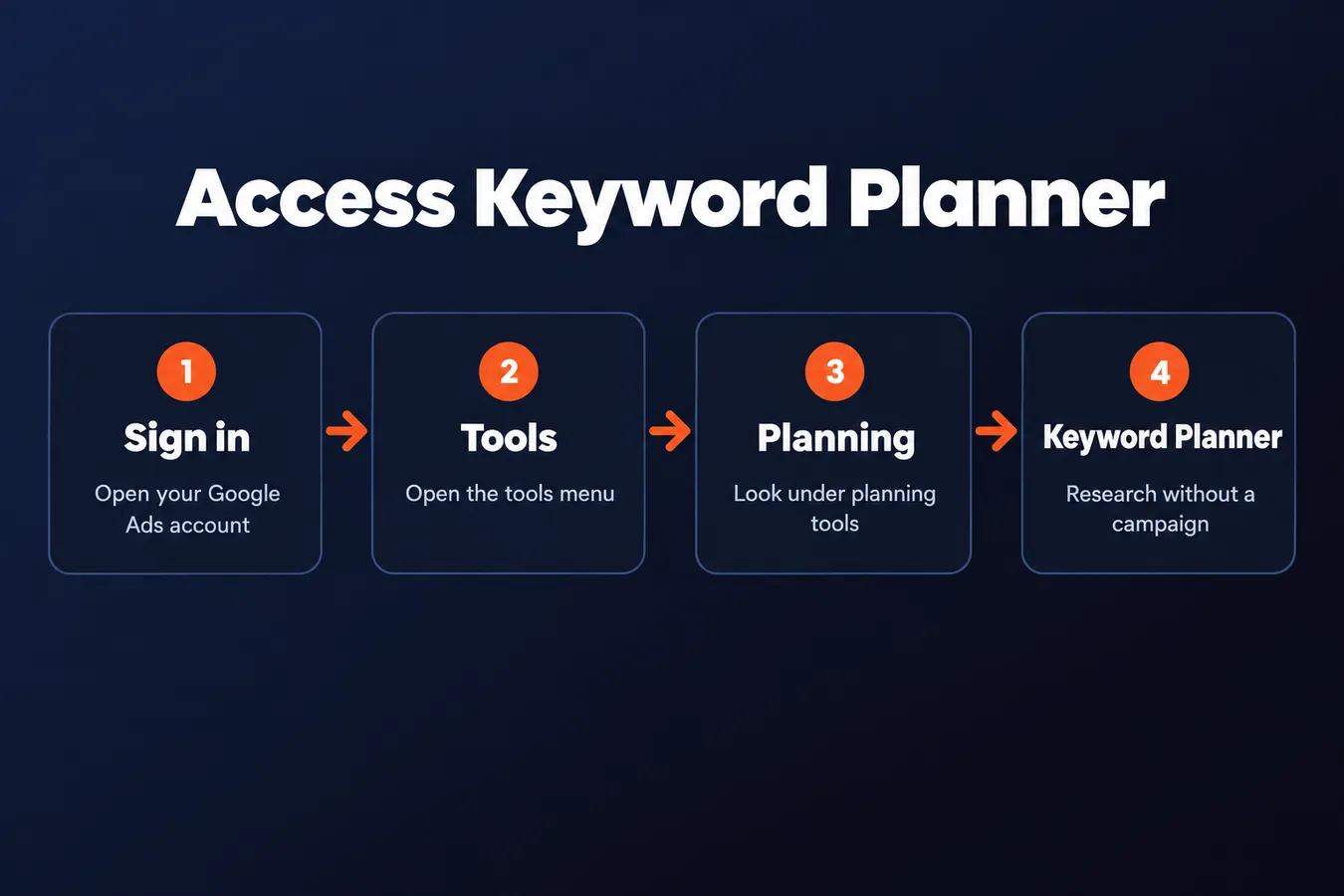
You’ll find Keyword Planner inside Google Ads. Sign in, open the tools menu, then look for Keyword Planner under planning tools. Google updates its interface from time to time, so the menu label or placement may shift.
You need a Google Ads account to access the planner. The tool is free to use, including its keyword research features.
You can use Keyword Planner without creating a campaign.
Google may prompt you to set up a campaign while you create an account. Look for the option to switch to expert mode and set up the account without a campaign. That gets you to the planner without starting an ad.
There’s a clear difference between accessing Google Keyword Planner and running ads. You can research keywords, review estimated search volume, and explore the available data without launching a campaign or paying for clicks. Ads only run when you create and activate a campaign.
If Google Ads asks for billing details during setup, check the account options carefully before proceeding.
I’ve been building marketing software since 2011, and I use tools like this as part of the research behind marketing work. For SEO, the planner gives you a place to start exploring keyword ideas and search volume inside Google’s ad platform. The next step is learning how to read that data.
Step 2: Discover New Keywords from a Starting Idea
In Google Keyword Planner, choose Discover new keywords. Enter a phrase that describes your topic, product, or service. You can add several starting terms to give the tool more context, then select “Get results” to see related keyword ideas.
You can also enter a website. The planner uses its content to suggest keywords, which gives you another route into keyword research when you’re still shaping the right starting phrase.
Your settings shape the ideas you see.
Set the location and language to match the people you want to reach. A local business, for example, should use its service area rather than a broad country setting. The search network setting determines whether results include Google Search alone or Google Search Partners as well. Keep the settings aligned with your audience and campaign plans.
Now scan the suggestions for terms that fit your subject. Look for close variants, related questions or needs, and phrases that point to a useful page or article. Search volume gives you a rough sense of demand, while the wording tells you what people are trying to find. Treat the list as raw material; the planner’s data helps with decisions, but relevance comes first.
A competitor’s website can also be a useful starting point. Enter its URL and review the ideas Google Keyword Planner returns. You may spot topics or product categories worth researching for your own SEO, then check whether each term fits your audience and site.
I’m Tony Hayes. I’ve been building marketing software since 2011, and I use tools to handle work across the whole marketing job. For this step, I keep the focus on a simple question: does this keyword belong on a page I’d actually want to publish?
Step 3: Read Search Volumes, Competition, and Forecasts
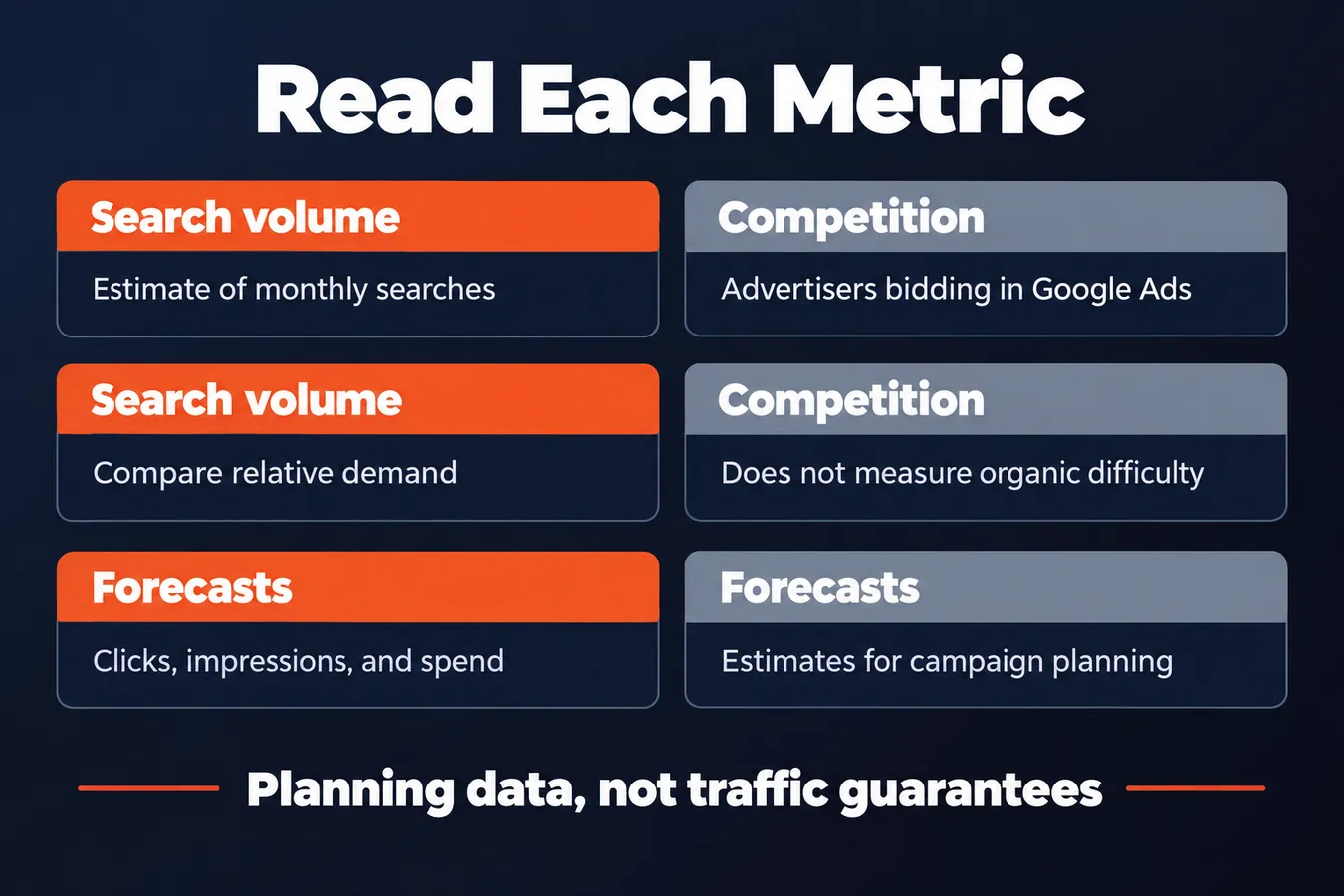
Average monthly searches gives you an estimate of how often people search for a keyword. Treat it as a guide to relative demand, since Google Keyword Planner data can be grouped into ranges rather than showing a precise count.
Use the volume to compare keywords and spot topics worth researching. It doesn't tell you how much organic traffic a page will get. Rankings, search intent, and the pages competing for the query all shape that outcome.
Competition describes advertisers bidding on a keyword in Google Ads.
High competition means more advertisers are bidding. It says nothing about how difficult it’ll be to rank in organic search, so keep paid-ad data separate from your SEO decisions.
Top-of-page bid ranges are estimates of what advertisers have paid to show near the top of search results. They can give you a sense of commercial interest, but they don’t promise clicks, traffic, or conversions. A high bid is a signal to investigate; assessing the keyword’s value for your business requires more.
There’s another useful option in the planner: Get search volumes and forecasts. Enter keywords to see campaign-focused estimates for clicks, impressions, and spend. These forecasts are built for planning Google Ads campaigns, so they answer a different question from the historical search volume data.
I use those two views for different jobs: search volume helps me compare keyword demand, while forecasts help me think through a paid campaign. For SEO research, don’t read either figure as a guarantee of visits.
Step 4: Filter and Compare Keyword Ideas
A long list of keywords gets useful when you narrow it to the people you want to reach. In Google Keyword Planner, set the location and language to match your audience, then choose a date range that fits the comparison you’re making.
A phrase searched in one country can show a different pattern in another. The same goes for language and time period, so keep those settings consistent when you compare terms in the planner.
Search volume is one signal. Read it alongside the rest of the data.
Group related keywords and compare their relevance to your subject, their search volume patterns, and the advertising data shown in Google Ads. Volume can point to demand, while ad data gives you another angle on how advertisers approach those searches. Neither one tells you by itself whether a keyword belongs on your site.
Look at the date range for seasonal patterns, too. A phrase might rise or fall at certain times of year, which changes how you interpret its volume. Then ask a practical question: does the wording match your site's subject and the audience you plan to serve?
I’ve been building marketing software since 2011, and I use tools to plan work across different kinds of sites and content. For keyword research, I want a working list grounded in the site’s actual plans, with each phrase earning its place beyond attractive numbers.
Keep the promising terms in that list for closer review. You can then decide which ones fit your SEO content and which belong in a Google Ads campaign.
Step 5: Turn Planner Data into Content Decisions
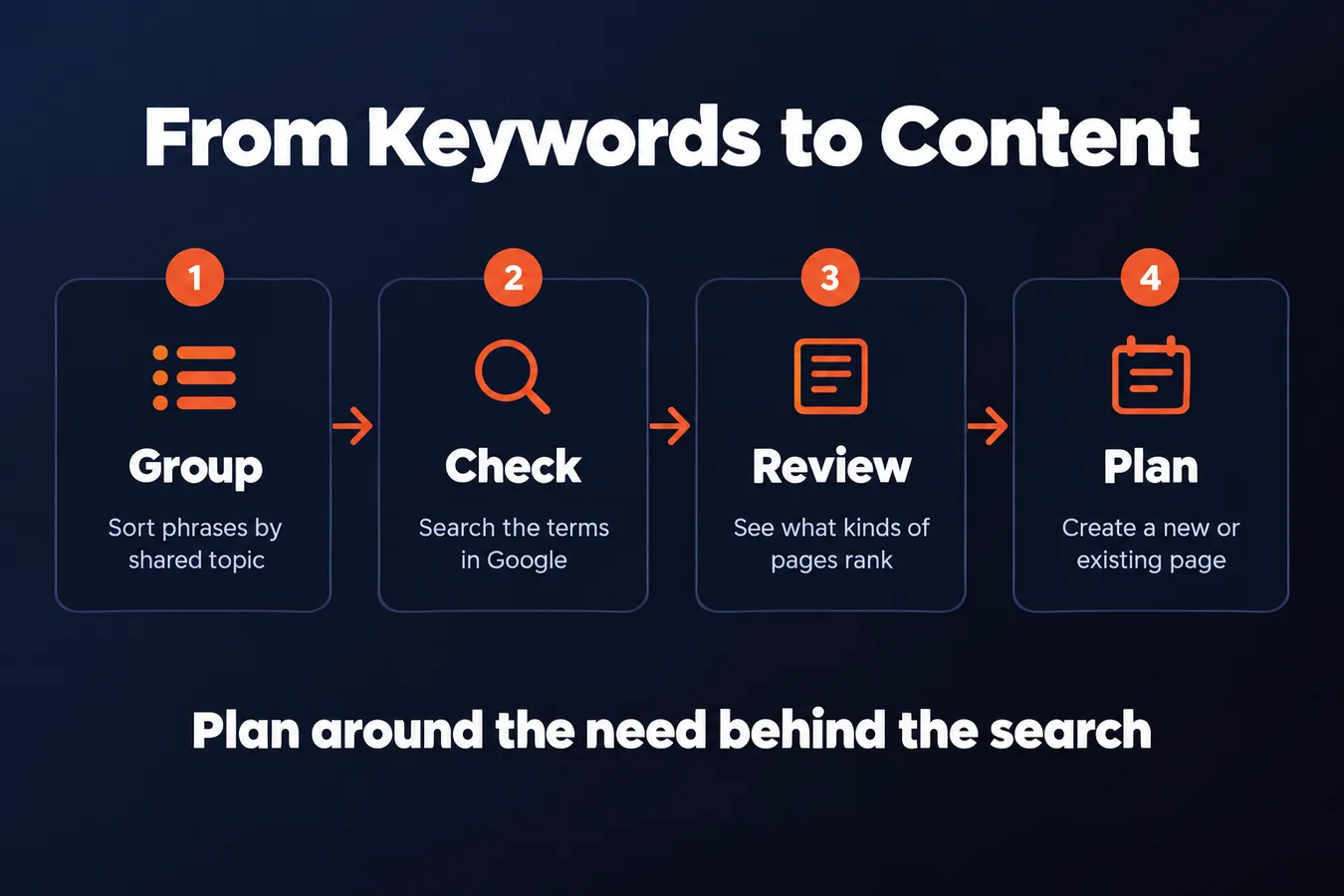
A keyword list is a starting point for content planning. Group related keywords around a shared topic and the search need behind them. Several phrases might point to one useful page, while a term that looks similar on the surface could call for a different answer.
Plan around the need behind the search.
Use Google Keyword Planner suggestions to spot topics worth checking. Then search those terms in Google and review the actual results. Look at the kinds of pages ranking and the questions they answer before deciding whether to create a new page or cover the topic in existing content.
Planner data can guide that decision, but paid-search metrics are not SEO guarantees. Search volume is an estimate for planning, and campaign data reflects Google Ads use. Treat both as clues, then use your judgment about the topic and the results you see.
Competitor keyword ideas are clues about topics a competitor may be targeting. They don’t show the full strategy, so don’t treat a Planner list as a complete picture of what that site publishes or how it earns search traffic.
Use the data to ask better content questions.
I’m Tony Hayes. I’ve been building marketing software since 2011, and I build everything with AI without writing code myself. That work has made me value tools that help operators move from research to a finished marketing job. Keyword Planner is useful for finding ideas, then the search results help you decide what to make.
For the next step, read my separate guides on [using Google Keyword Planner for SEO] and [choosing among keyword research tools].
Frequently asked questions
How do I check keyword search volume in Google Keyword Planner?
Open Keyword Planner in Google Ads and choose Discover new keywords. Enter a topic or seed phrase, set the location and language for your audience, then review the average monthly searches in the results. Treat the figure as an estimate. Google may show a range, and search volume doesn't predict how much organic traffic a page will get.
Can I use Google Keyword Planner without creating a campaign?
Yes. You need a Google Ads account, but you can access the planner without launching an ad campaign. During account setup, look for the option to switch to expert mode and set up the account without a campaign. You can research keyword ideas and search volume without paying for clicks.
Does Google Keyword Planner competition show how hard it is to rank organically?
No. The competition metric describes advertisers bidding on a keyword in Google Ads. It doesn't measure organic ranking difficulty. For SEO decisions, use the planner to find ideas and compare estimated demand, then review Google’s search results to see what kinds of pages rank.
What’s the difference between search volume and forecasts in Keyword Planner?
Average monthly searches estimates how often people search for a keyword and helps you compare demand. The Get search volumes and forecasts view estimates campaign-focused figures such as clicks, impressions, and spend. Use each for its intended job, and treat both as planning data rather than a guarantee of traffic.
My Take: I use Keyword Planner as a starting point for research. It gives me a place to explore keyword ideas and compare estimated search volume, but the numbers need context before they turn into a content plan. The distinction I keep clear is what the data measures. Advertiser competition describes bidding in Google Ads, while forecasts are built around paid campaigns. Neither tells me how difficult a keyword will be to rank for in organic search or how much traffic a page will earn. When I review a keyword, I ask whether it belongs on a page I’d actually want to publish. Then I check the search results and look at the pages already answering that query. I build marketing software and tools across different kinds of sites, so I want a working list that fits the site’s real plans and supports pages I’d want to publish.
Aha Studio
Get the next playbook first
New playbooks and LaunchWatch reports land in Growth Signals, the free newsletter, along with the case studies and how-tos I find worth stealing.