New from Anthony Hayes: Aha Studio
Get found by the people searching for what you sell.
Local SEO and Google Business Visibility › Set Up and Optimize Your Google Business Profile
Google Business Profile categories
Your primary category tells Google what your business is, and that decides which local searches you show up for. This post covers how to choose your primary category, when secondary categories are worth adding, and how to build a service list that matches what customers actually buy.
Your primary category is the single field Google uses most to decide which local searches your business shows up for, and most owners pick it in under a minute and never look at it again.
That one click shapes a lot of what happens next. It affects which searches you appear in, which categories sit beside your listing, and how Google matches you to the people looking for what you sell.
Good news: getting it right takes about ten minutes, and you only have to do it once.
I'll walk you through choosing categories and services on your Google Business Profile step by step. You'll pick one primary category that names what you are, add secondary categories only for work you really do, build a service list that reflects what customers buy, and then check your profile against your competitors and your own website.
You'll also see where this fits in the rest of the setup. The profile basics live in the setup guide, reviews get their own page, and the business details you publish need to match everywhere else online, which is covered in the citations and NAP page.
For this one, I'm only going to cover categories and services. That's the part most guides mention and then skip past.
Find this useful? Add us as a preferred source on Google and more of what we publish will show up in your results.
Step 1: Pick one primary category that names what you are
How do you choose the right primary category for your business?
Your primary category is the one that tells Google what your business is. Everything else on your profile builds on it, so it's worth getting right before you touch anything else.
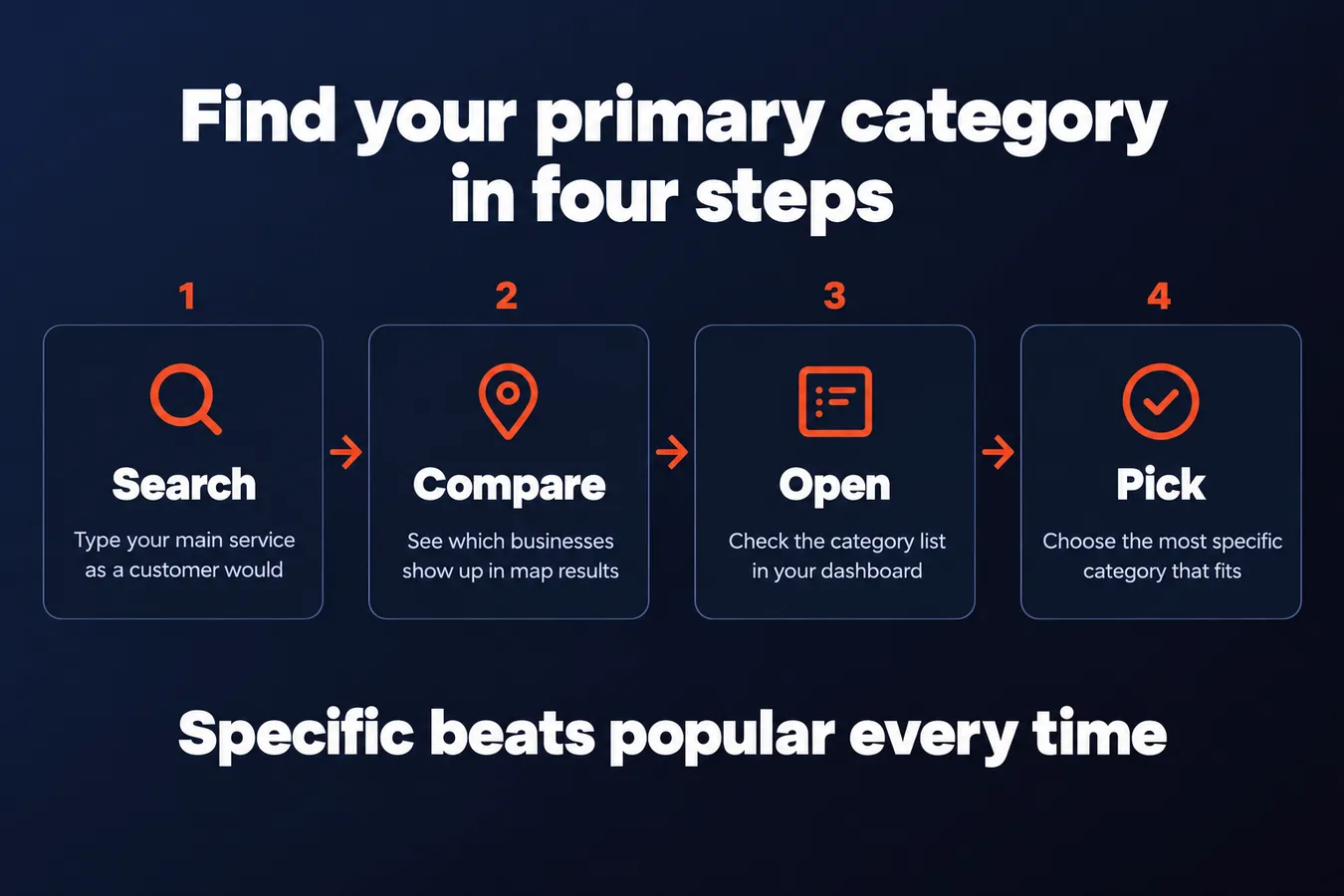
Start by searching for your main offering the way a customer would. Type in "emergency plumber" or "dentist near me" and look at which local businesses show up in the map results. Then open the category list in your dashboard and compare. Chances are the top results share a category, and that's a good sign you've found the words Google uses for your work.
Pick the most specific category that fits. A plumber should choose Plumber. Contractor covers a huge range of trades, so you'll compete with everyone and match fewer of the searches that actually bring in calls.
Don't pick a category just because it's popular. If it doesn't match what you do most of the time, it'll send you the wrong searches. I've seen people grab a category that sounds impressive and then wonder why the calls never come. A category that fits your daily work beats a flashy one every time.
Your primary category does the most work, so spend a few minutes on it.
Step 2: Add secondary categories only for work you really do
When should you add a secondary category?
Secondary categories are where a lot of profiles go wrong. The temptation is to add every related label you can think of, and before long your business looks like a catch-all. Google has to work out what you actually are, and so do your customers.
Keep it to 2 or 3 secondary categories for most businesses. Your primary category does the heavy lifting, so the secondaries are there to cover real extra work and nothing else.
Only add a secondary category if you'd happily do that work this week.
If you have to stop and think about whether you really do it, leave it off. A category you're lukewarm on will show up in searches you can't serve well, and that means unhappy customers and bad reviews.
A restaurant that also runs a catering side business is a fair example. Catering might earn a secondary category if it's a real, regular part of the operation. A bakery that once made a wedding cake doesn't need one.
Once you've picked your secondaries, check that each one has its own services listed beneath it. A category with no matching services looks like a claim you can't back up. The profile should show the work as well as name it.
Every secondary category needs services to match it.
Go through the list the way a customer would. If the category says one thing and the service list says nothing about it, cut the category or write the services in. Either way, the business profile should agree with itself.
Primary versus secondary categories
| Category type | How many | What it does |
|---|---|---|
| Primary category | One | Names what the business is |
| Secondary categories | 2 or 3 for most businesses | Covers real extra work |
Step 3: Build a service list that describes what customers actually buy
What should your service list include?
Your service list is where people look once they've found you. It tells them whether you do the job they need done, so it should read the way they talk.
Name services the way customers ask for them.
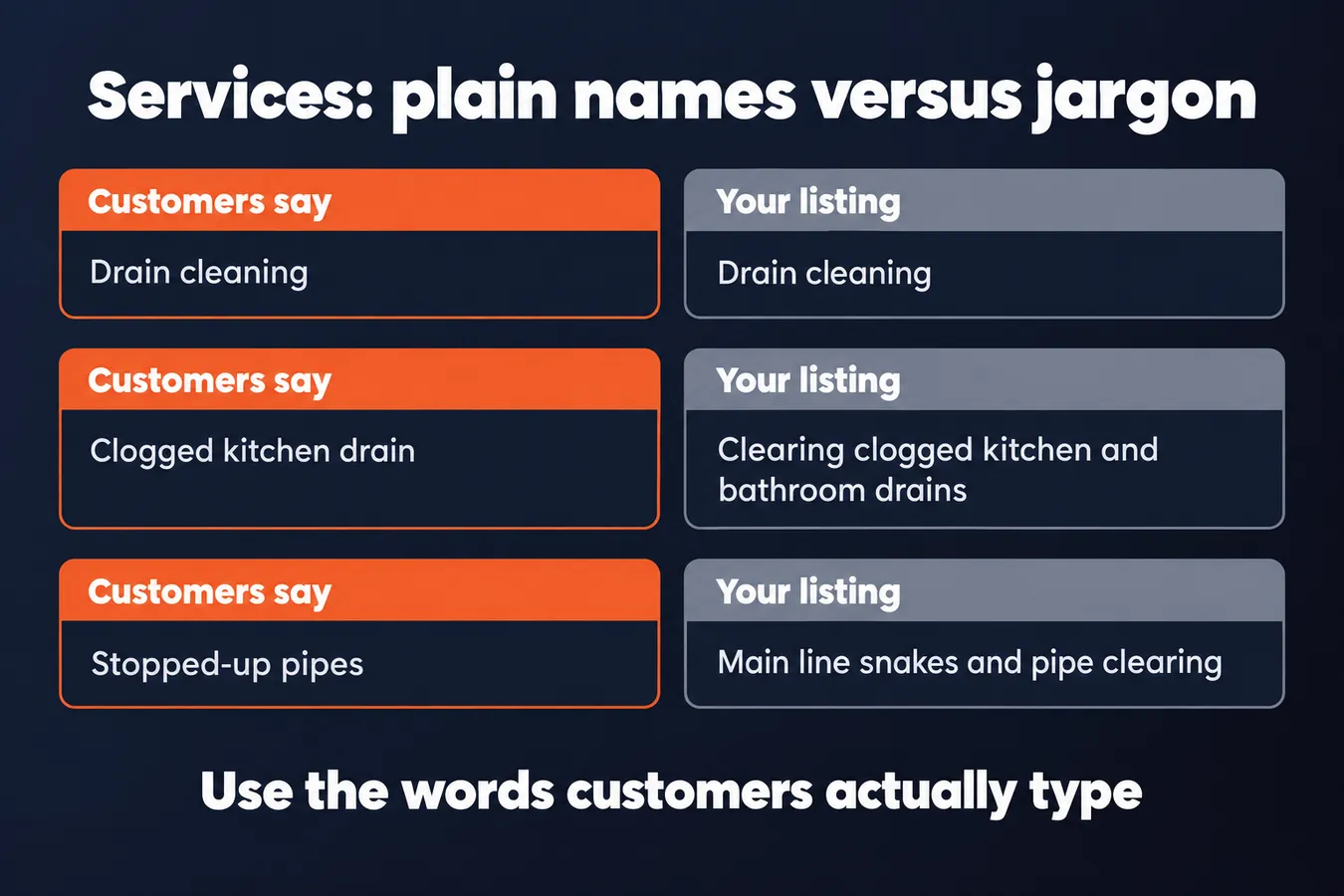
Most people searching for a plumber type "drain cleaning" rather than "hydro-jetting." Even if hydro-jetting is the more precise term, it's the one few customers type. Use the plain name first, and if you want to mention the specialty, put it in the description.
Look at what people actually ask you on the phone. Those words are usually the ones to use.
Each service can carry a short description, and that's your chance to add the detail. Keep it to a sentence or two. For example: "Clearing clogged kitchen and bathroom drains, including main line snakes." Plain and specific beats clever.
Where the field allows a price or price range, add one you can stand behind. A quoted range like "from $120" only works if you'd honor it on the phone tomorrow. If you can't give a number you trust, leave it off. Vague is better than wrong.
Remove any offering you no longer provide.
This one gets skipped more than anything else. Maybe you stopped doing gutter work two years ago, but the listing still shows it. A customer who calls about gutters and gets a "no" has wasted their time, and the stale entry makes the whole profile look neglected.
Go through the list every few months. If you wouldn't take the job today, delete it.
Step 4: Check your profile against local competitors and your own site
How do you check whether your categories match what Google rewards?
Start by searching your main term on Google, the way a customer would. Look at the top three or four local results and note which categories they use. You can see this by checking their business profiles, or by seeing what they're listed as in the results.
Pay attention to patterns. If most of the businesses ranking above you share a primary category, that's a strong sign Google is matching that category to your main search. If they all use one category and you use another, that's worth a hard look.
Don't copy them blindly, though. A competitor might be ranking for reasons that have nothing to do with categories, like more reviews or a longer history in the area. Use their choices as a clue, not a rulebook.
Next, compare your Google business profile to everything else that describes the business. Your website, your citations and your profile should all say the same thing about what you do. If your site says "plumbing and drain cleaning" and your primary category says "plumber," that's close enough. If your site says you run a bakery and your profile says you're a coffee shop, Google has to guess, and it often guesses wrong.
Mismatches are easy to miss, because each one usually made sense when it was set up. Check the service names too, and make sure they match the wording on your pages.
Last, come back to the categories every few months. Google adds new ones and renames or retires old ones, and a category that was the best fit last year might have a closer match now. Some changes you'll never see coming, so a quick check on a schedule is cheaper than finding out your listing drifted months ago.
Frequently asked questions
How do I choose my primary category on Google Business Profile?
Search for your main service the way a customer would, like "emergency plumber" or "dentist near me," and see which businesses appear in the map results. Then open the category list and compare. Pick the most specific category that fits what you do most of the time. A plumber should choose Plumber, since that matches what customers search for.
How many secondary categories should I add?
For most businesses, keep it to 2 or 3 secondary categories. Only add one if you'd happily do that work this week. Every secondary category needs services listed beneath it, so the profile shows the work rather than just naming it.
How do I list services on my Google Business Profile?
Name each service the way customers ask for it, like "drain cleaning" rather than "hydro-jetting services," and put any specialty detail in the description. Keep each description to a sentence or two. Remove any service you wouldn't take today, and review the list every few months.
Aha Studio
Get the next playbook first
New playbooks and LaunchWatch reports land in Growth Signals, the free newsletter, along with the case studies and how-tos I find worth stealing.
More in Set Up and Optimize Your Google Business Profile
- Google Business Profile for Local SEO: 15 Setup Steps That Affect Ranking
- Local SEO Google Reviews: How to Get More, Respond Well, and Stay Within the Rules
- Local Citations and NAP Consistency Explained: What to Check and How to Fix It
Explore the full Local SEO and Google Business Visibility hub