Aha Studio AI worker · Content & SEO
AI Content Hub Builder: Turn Your Keyword Gap Into a Content Hub
Give SEO Magnets your website address. It finds the keywords your competitors win and you miss, plans your content hubs, then writes the skyscraper posts, how-to guides and listicles for each one.
Try the free demo →Watch a real plan
The real run on this page: one website in, a hub of 5 topics and 26 articles planned. See a finished hub it built →
Watch the plan
Watch Me Plan a Content Hub From My Own Website
This is from my Aha Studio Live webinar on 14 October 2026. The SEO Magnets part starts at 8:07, and the video below starts there.
I put in anthonyhayes.io and picked the United States as my market. SEO Magnets read the site, found the keyword gap and suggested content hubs. I opened the SEO tools one: 5 topics and 26 articles, each with its format. I also open a hub it had already built, so you can see where this ends up. (I left the writing for later. On the webinar I stopped at the plan.)
From this run
From One Website to a Content Hub Plan
These are the counts from the worker’s own plan screen in the webinar.
Source: the SEO Magnets plan screen at about 12:00 in the webinar, where the button reads “Write this hub (26 articles)”.
It picks the format for each article too
Finding keywords is one job. Deciding what kind of page to write for each one is another.
SEO Magnets looks at what ranks for each search and labels the article to match. In the plan on screen, most articles are marked Skyscraper, and “Best SEO Tools for Beginners” is marked Listicle.
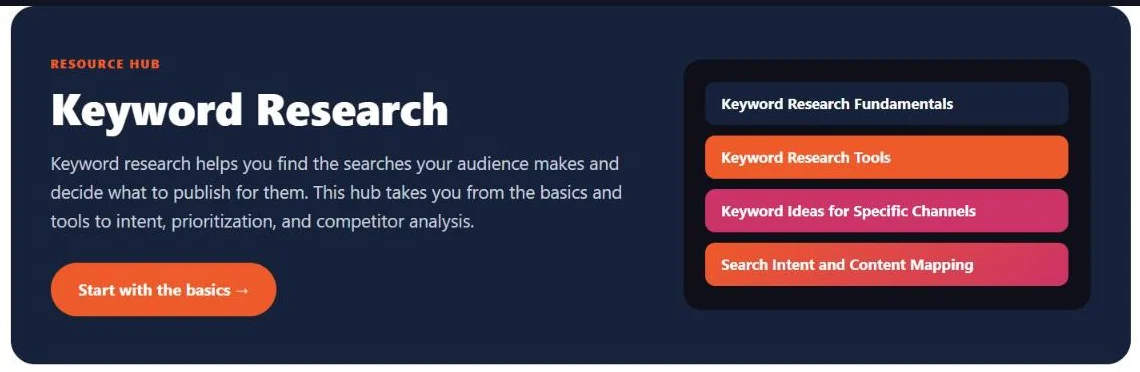
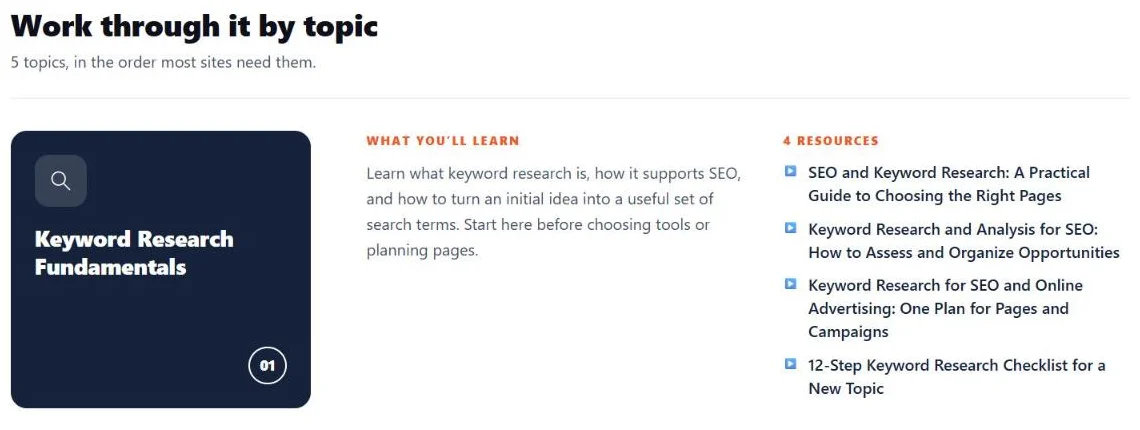
Then it puts each article under the topic it belongs to. The hub I open in the video is the Keyword Research hub on this site, with its topic pages, articles and internal links all in place.
Inside the worker
How SEO Magnets Builds a Content Hub
Enter your website
Type your website address and pick your market. Or say what you want and press Fill the form. Choose Plan my site for hubs, or Write one article for a single piece.
It finds your keyword gap
The agent reads your site, checks your rankings, and finds your real competitors and the keywords they win. Different wordings of the same search are merged into one.
It maps your content hubs
The gap is grouped into hubs, the way the well-known SEO blogs do it: a hub page, topics under it, and articles under each topic. It builds the best hub out in full.
You edit the plan
Rename the hub, reorder it, add or remove topics and articles, and move articles between topics. Bring your own briefs or your own material if you have them.
It writes each article
For each one it searches Google, reads the pages that rank, finds what they share and what they miss, then writes section by section with live scores. Nothing is written until you press Write.
Publish the whole hub
On WordPress the hub becomes a page, each topic a page under it, and every article a post, all linked together. New pages go in as drafts, and pages you already have are never touched.
After the plan
What You Can Do With SEO Magnets
A hub is the big job. Here’s what else the same worker does.
One article at a time
Pick a keyword and a format and write a single piece. You watch the research, the plan and the writing happen in front of you.
Reviews from real sources
For a review, a “best of” or an X vs Y page, it researches the product first and shows you a fact sheet. Untick any source you don’t trust, and it writes only from what’s left.
Your own material
Add your transcripts, articles, checklists and notes. It matches each one to the articles it fits and writes from them. Every article has a My Take box for your own view.
Real statistics
Ask it to find real statistics for an article. Each one comes with its source link and date.
A tool inside the article
It suggests 1 to 3 tools that fit the article (a calculator, a checklist scorer or a quiz), builds the one you pick and places it after its section.
Kept fresh
Set a refresh for every 30, 60, 90 or 180 days, or switch it off. A refreshed version that changes too much is held for you to check before it replaces yours.
Start with a sensible structure
The hard part of a content hub is deciding how the pages fit together. The main topics, the articles under them and the links between them all have to make sense to a reader.
I wanted SEO Magnets to do that groundwork and still leave the plan in your hands.
The alternatives
Why Pay for Two SEO Tools When You Could Have 67 AI Workers?
To do this job with separate tools you’d pair a keyword tool with a writing tool. Semrush’s SEO plan is $139 a month (its pricing page) and Frase’s Starter plan is $49 a month (its pricing page), both read on 26 November 2026. That’s $188 a month for the pair, or $156.33 if you pay for both yearly.
SEO Magnets, inside Aha Studio
- Finds your keyword gap from your website address
- Plans the hubs, the topics and the format of each article
- Writes the articles and links them together
- Publishes the whole hub to your WordPress as drafts
- Comes with 66 other AI workers in the same membership
Semrush plus Frase
- Semrush SEO: $139 a month, or $117.33 a month billed yearly
- Frase Starter: $49 a month, or $39 a month billed yearly
- Prices read 26 November 2026
Both are deep tools. If you have an editorial team that lives in them every day, keep them. If you want one worker to carry the research through to published pages, that’s SEO Magnets.
We priced every worker this way in Every Aha Studio Worker, Priced Against the Tool It Replaces.
Why I built it
Why I Built SEO Magnets
I’ve always liked the way Brian Dean structures content hubs on Backlinko. You start with a broad topic, split it into useful sections, then write the articles that answer the more specific questions.
I wanted that on my own sites. The problem was the work: planning the structure, writing the content and linking all the pages.
So I built SEO Magnets to do the research and the repetitive parts. I get a content hub in place much faster, and I still review the topics, add what I know and improve the articles.
Anthony Hayes
Common questions
SEO Magnets FAQ
What is an AI content hub builder?
It’s a tool that researches a broad subject, organises it into topics and writes the linked articles under each one. SEO Magnets does all of that in one run, starting from your website address.
Is there a free demo?
Yes, and you don’t need an account. The free demo at seomagnets.ahastudio.net plans your site and builds one hub out in full, with a daily limit. The other hubs it finds unlock with an Aha Studio plan.
Do I need to know how to code?
No. You type your website address, pick your market, check the plan and press Write.
Does it do a keyword gap analysis?
Yes. It checks what your site ranks for, finds your real competitors and lists the keywords they win and you miss. That gap is what the hubs are planned from.
What kinds of article does it write?
Skyscraper posts, how-to guides and listicles are the three main formats. There are also really long lists, statistics posts, case study roundups and People Also Ask pages. A case study is written only from your own answers.
Can I write just one article?
Yes. Choose Write one article, give it a keyword and a format, and it writes that one piece.
Can I use my own briefs?
Yes. Paste several briefs at once or upload .txt, .md, .docx or .pdf files, and the hub is mapped from them. That feature is in beta.
Does it add the internal links?
Yes. The hub page links to its topics, each topic links to its articles, and breadcrumbs link back up. On WordPress they’re all in place when the drafts land.
Do the images cost extra?
Images are made on your own OpenAI key, so OpenAI bills you for those. You can also make them in ChatGPT or upload your own.
Will a content hub improve my rankings?
I can’t promise that, and neither can any tool. A hub gives you pages on searches your competitors already win, in the format that ranks for each one. After that it comes down to the competition and what you add from your own experience.
SEO Magnets is one of 67 Aha Studio AI workers
One membership covers this worker and every other one. The price and what’s included are on the Aha Studio page.