Turn any YouTube video into infographics, thumbnails & community posts — in one click.
A Chrome extension that turns any YouTube video into a save-worthy infographic, a high-CTR thumbnail or a ready-to-post community graphic — in about thirty seconds. No watching, no transcripts, no prompts. This is the full version, with every mode and the Niche Style Packs unlocked.
The video is only half the job.
What actually grows a channel is the stuff around the video — the infographic that gets saved and shared, the thumbnail that earns the click, and the community post that keeps you in the feed between uploads.
Making those by hand is the grind: finding a video, digging out the transcript, cleaning it up, and wrestling prompt after prompt to get something that doesn’t look like everyone else’s. TubeGraphics kills the whole grind — one click, on your brand, straight from any video.
One video in. Three branded assets out.
Flip between three modes in the same side panel — each one generated on your brand, in a single click.
Save-worthy infographics
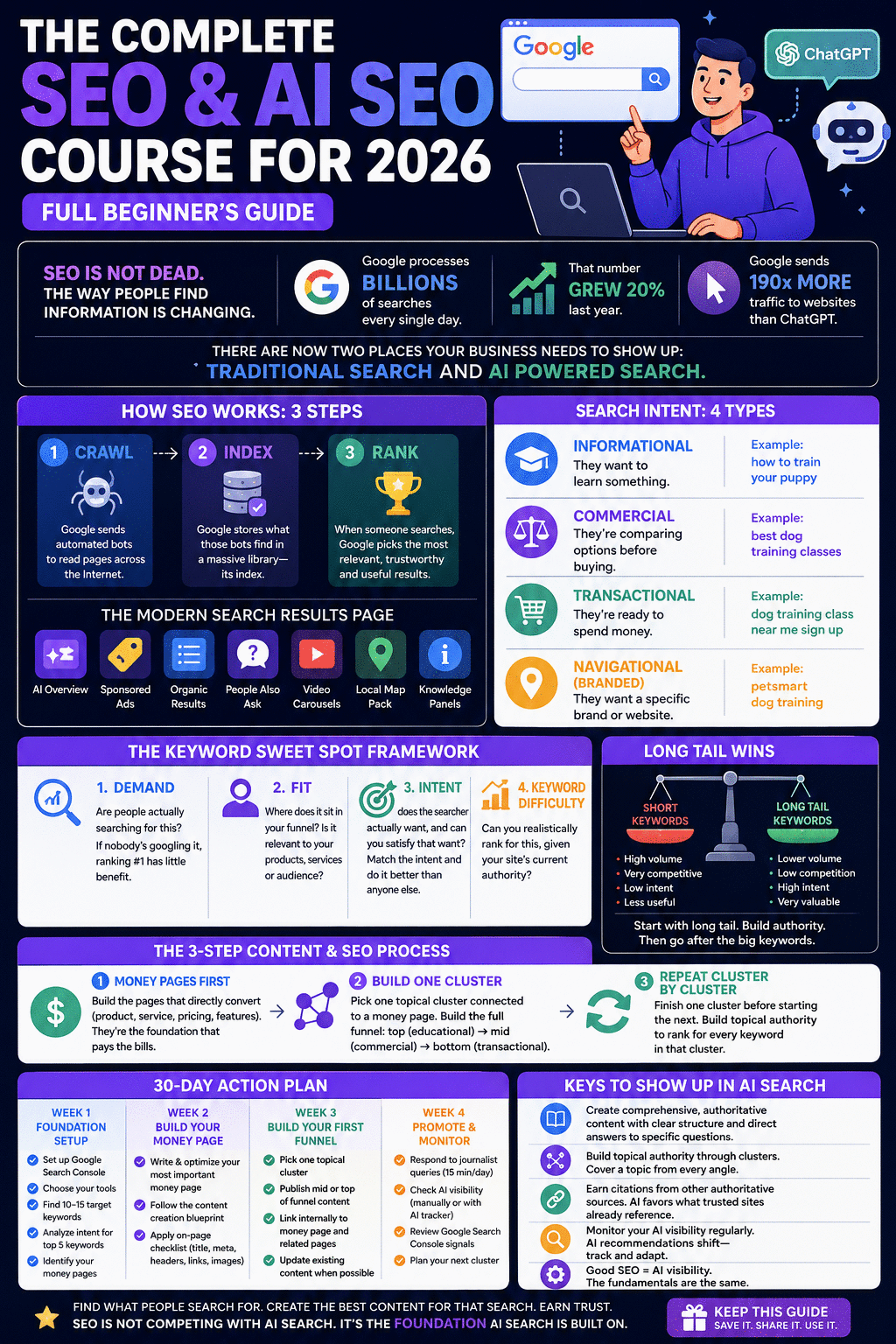
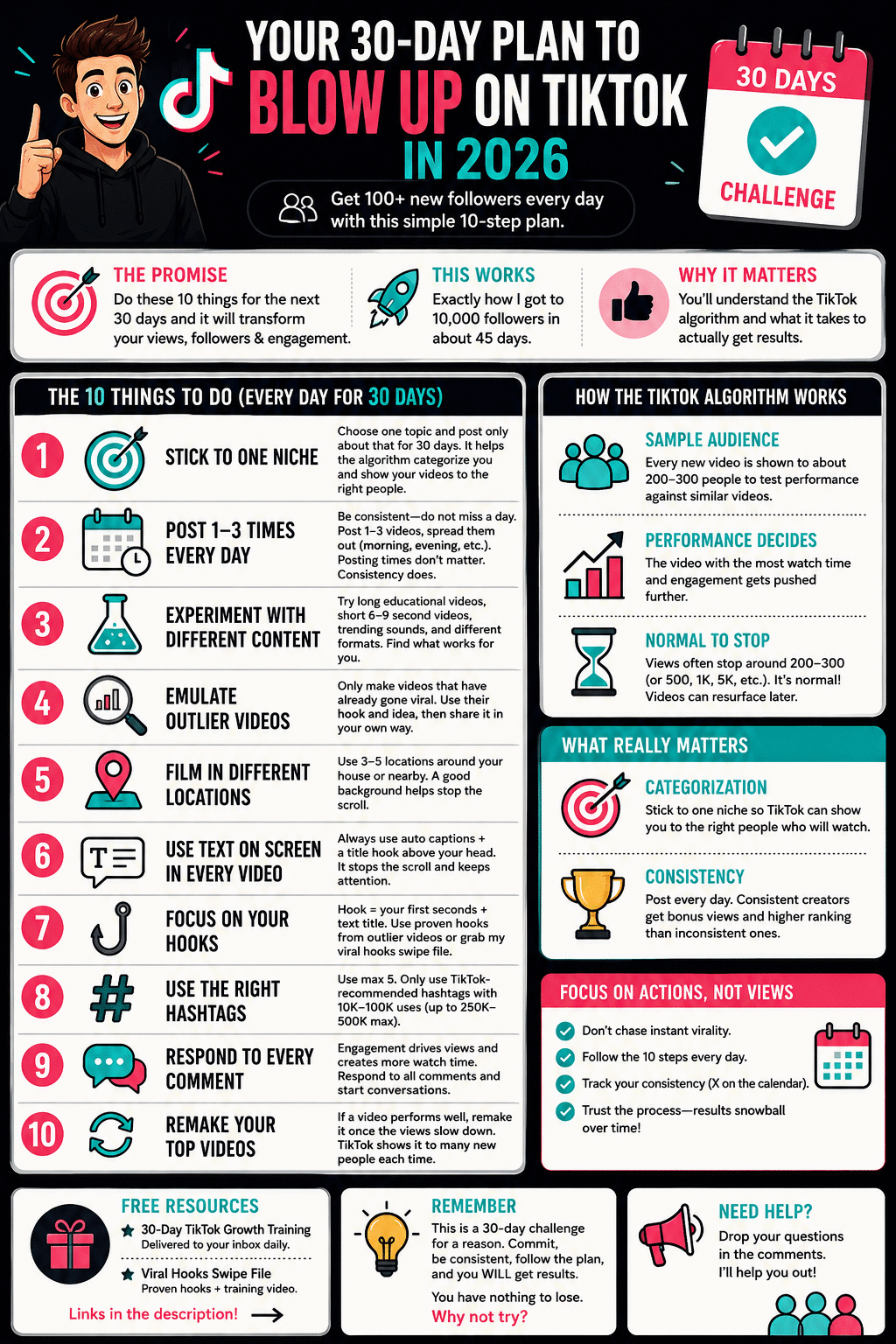
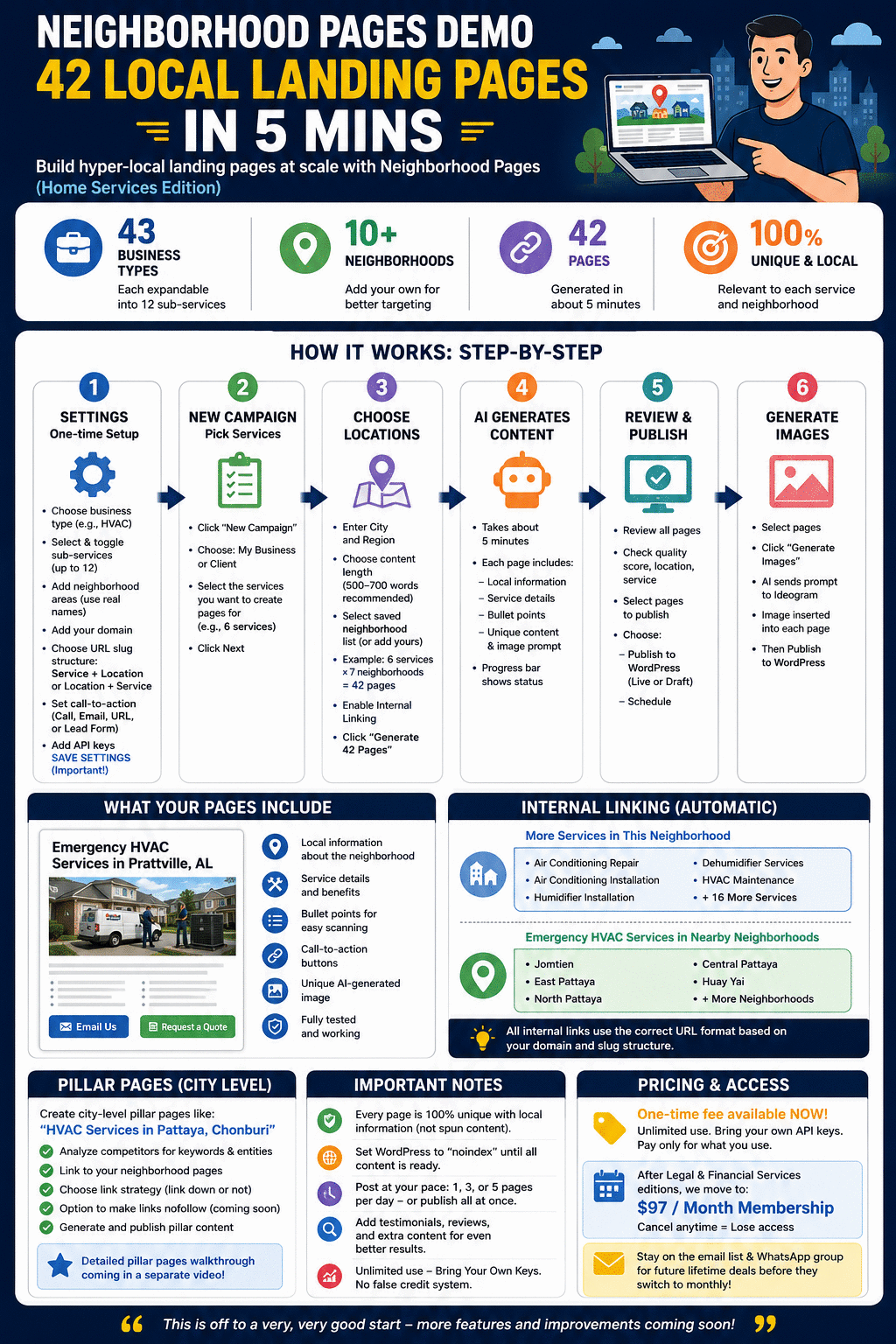
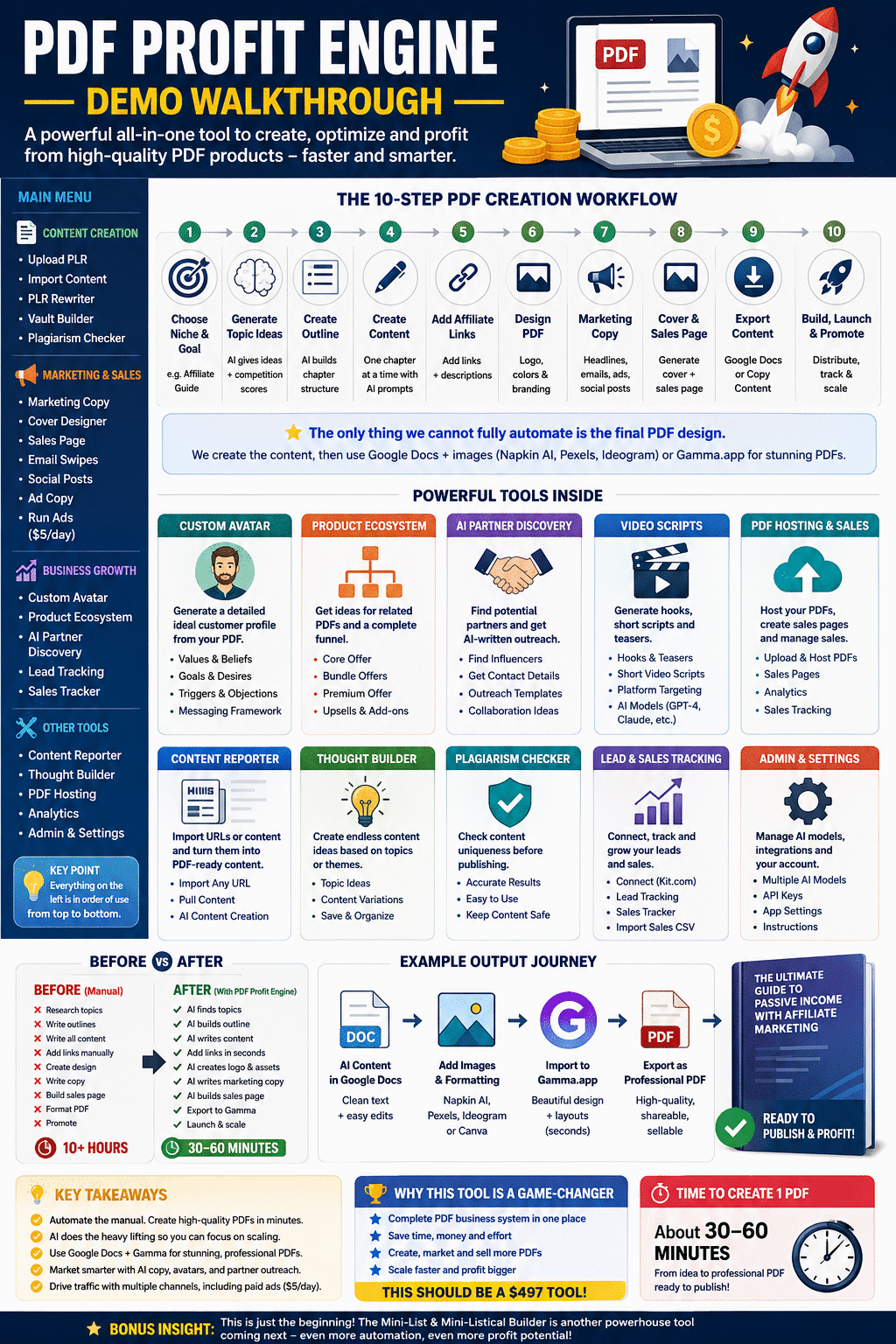
Turn any YouTube video into a branded infographic — without watching it. It grabs the transcript automatically and picks the right structure (steps, myth vs reality, checklist, mistakes) to fit the content.
High-CTR thumbnails
Feed it any video — or paste your own script — and get 3 distinct click-worthy thumbnail concepts to choose from. Add a photo with “use my face” and it puts you on the thumbnail.
Ready-to-post community graphics
From any video, get a 1:1 (1080×1080) social graphic plus a ready-to-paste caption — hook, value, soft CTA and hashtags — and a bonus poll idea to spark comments.
See what comes out
Every graphic below started as a single YouTube video — no design work. Pick a mode, pick your brand, click. This is the actual quality you get.



Everything in the full version
All four upgrades, unlocked in one tool: infographics, the Niche Style Packs, thumbnails and community posts.
One Chrome extension, three modes
Infographic, Thumbnails and Community Post all live in one side panel on YouTube. Nothing else to install — switch between them in a click.
One-click transcript
It captures captions straight from the player — the part nobody else automates — even on videos that normally return nothing. No copy-paste.
Niche Style Packs
Ready-made style presets tuned to popular niches, so your graphics look on-brand for your space right out of the box — before you even set your own colours.
Unlimited brand styles
Save your own colours, fonts and look once. Every graphic comes out matching your brand, not generic AI.
One-click refine
Bolder, simpler, brighter, fix the text, more emotion — adjust any result without writing a single prompt.
Free to run
Works on your own ChatGPT account. No API keys, no subscriptions, no per-image fees — ever.
Lifetime & commercial use
One-time price, lifetime access, free updates — and you can use it for your own business or for client work.
Find a video → one click → on-brand graphic
Install the extension
A 60-second setup in Chrome — full step-by-step included. Then open any YouTube video.
Grab the video in one click
Open the side panel and click to capture the transcript instantly — the whole video, no copy-paste, no watching.
Pick your mode & brand
Choose Infographic, Thumbnails or Community Post, and a saved brand style or a Niche Style Pack. Your look gets baked into the result.
Generate, refine & post
One click and ChatGPT creates it on your brand. Refine in a click, then download and post. Repeat as often as you like.
Built for operators like you
Creator / YouTuber
Turn every video you publish into save-worthy graphics, click-worthy thumbnails and posts that pull people back to the channel.
Marketer / Agency
Spin up on-brand visual content for yourself or clients in minutes — no design skills needed.
Faceless / Niche page
Mine the top videos in your niche and post a steady stream of shareable infographics and community graphics.
Coach / Solopreneur
Repurpose expert videos into lead-magnet visuals and social posts without hiring a designer.
Get TubeGraphics today
All four upgrades in one tool — infographics, the Niche Style Packs, thumbnails and community posts. Bought separately in the launch these were four purchases; here it is one full version, one price. No subscription, no API keys, no per-image fees — it runs on the ChatGPT account you already have.
- Infographics mode — save-worthy branded infographics from any video
- Thumbnails mode — 3 high-CTR concepts, with optional “use my face”
- Community posts mode — 1080×1080 graphic + ready-to-paste caption
- Niche Style Packs — ready-made style presets for popular niches
- Unlimited saved brand styles + one-click refine
- Runs on your own ChatGPT — no API keys, no per-image fees
- Lifetime access, free updates, commercial use included
Try it risk-free for 30 days
Install it, grab a transcript, and generate an infographic, thumbnail or community post. If it doesn’t do exactly what you just saw, email us within 30 days for a full refund — no questions asked.
Questions, answered
What exactly do I get for $67?
The full TubeGraphics Chrome extension with everything unlocked: infographics, thumbnails and community posts, plus the Niche Style Packs — generated from any YouTube video, on your brand, in one click.
Do I need to pay for an AI API?
No. It runs on your own ChatGPT account — there are no API keys to set up, no subscriptions to us, and no per-image fees.
Is this a monthly subscription?
No. It’s a one-time $67 for lifetime access to the full version, including free updates.
How do I install it?
It’s a quick 60-second setup in Chrome, with full step-by-step instructions included. You’ll get access by email right after purchase.
Does it work on any video?
It pulls captions the same way the player does, so it works on videos other tools choke on. Captioned videos work best.
Can I use it for client work?
Yes — commercial use is included. Use it for your own business or to create content for clients as part of your services.
Will this get me more views?
It makes high-quality, on-brand graphics fast — but no tool can promise views, clicks or income. Your results depend on your content, niche and many factors beyond the graphics.
One video. Three branded assets. One click.
Turn every video into an infographic, a thumbnail and a community post — on your brand, running on your own ChatGPT. The full version, one-time $67.