New from Anthony Hayes: Aha Studio
Get found by the people searching for what you sell.
Build in Public · #16
For years I have been staring at the footers on big SaaS sites and thinking there is a system buried in there. This week I finally built the thing that pulls it out: enter your product once, get back the exact landing pages worth creating. Then I ran it on my own product and it humbled me, which turned out to be the most useful part.
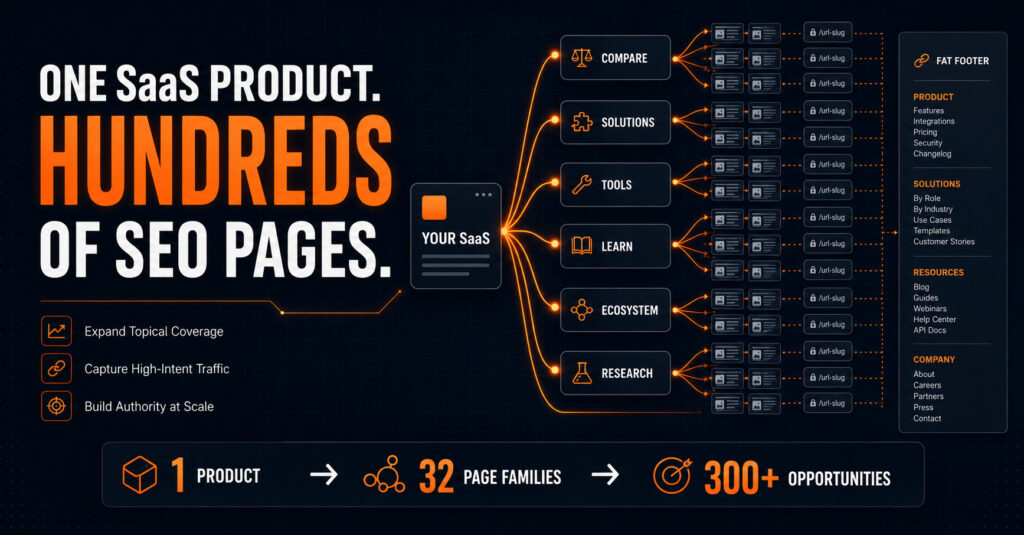
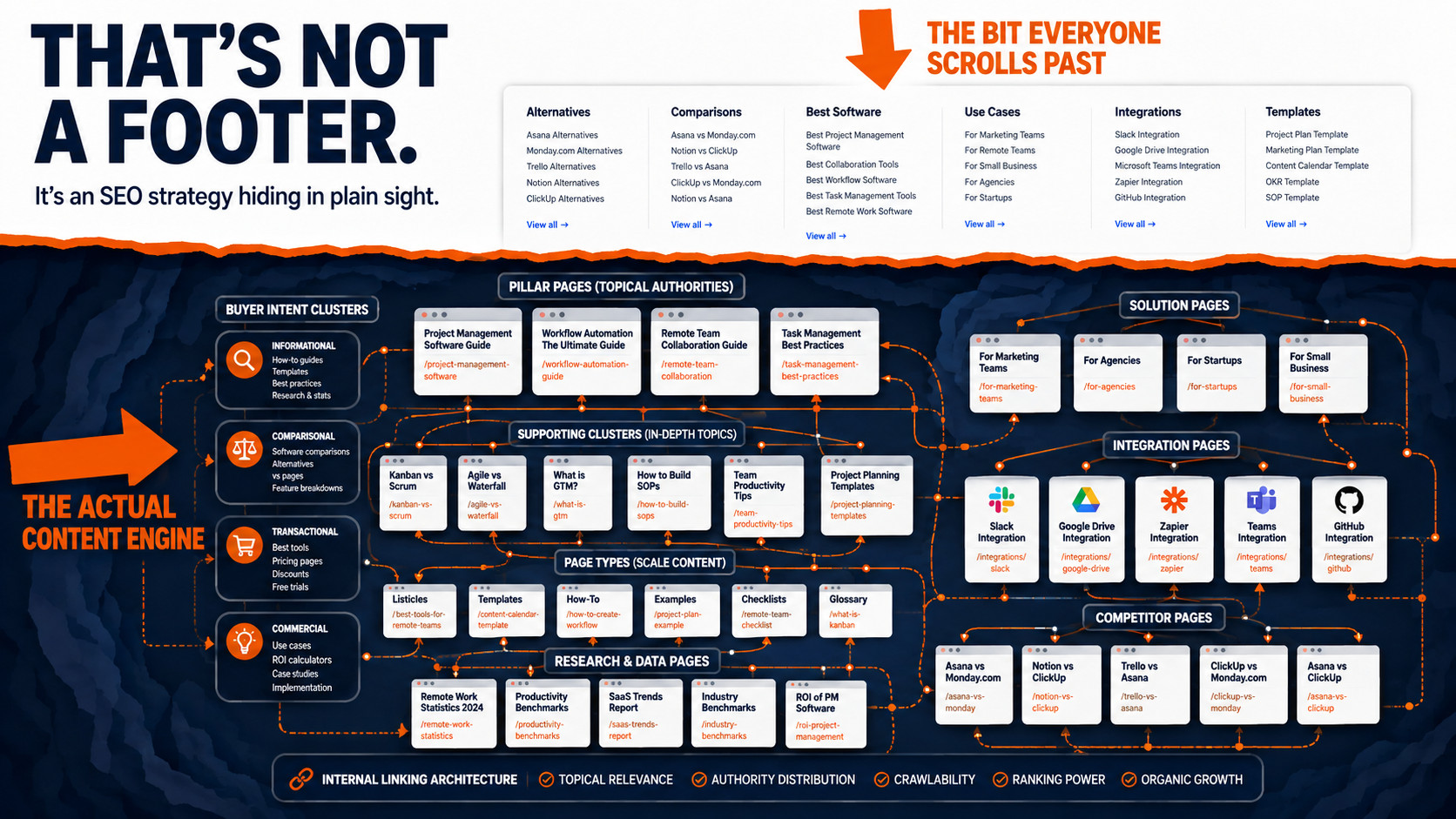
Go and look at the bottom of a Zapier, ClickUp or Notion page. Not the logo and the privacy link, the other bit. The wall of links to alternatives, comparisons, best-of lists, integrations and use cases. Hundreds of pages, organised into neat columns.
Most people scroll past it. Every time I see one I think the same thing: that is not a footer, that is a map of a content strategy someone ran deliberately.
Find this useful? Add us as a preferred source on Google and more of what we publish will show up in your results.
What those footers are actually hiding
The footer is the visible edge of something bigger. Underneath it sits a set of page families, each one aimed at a different moment in how somebody buys software.
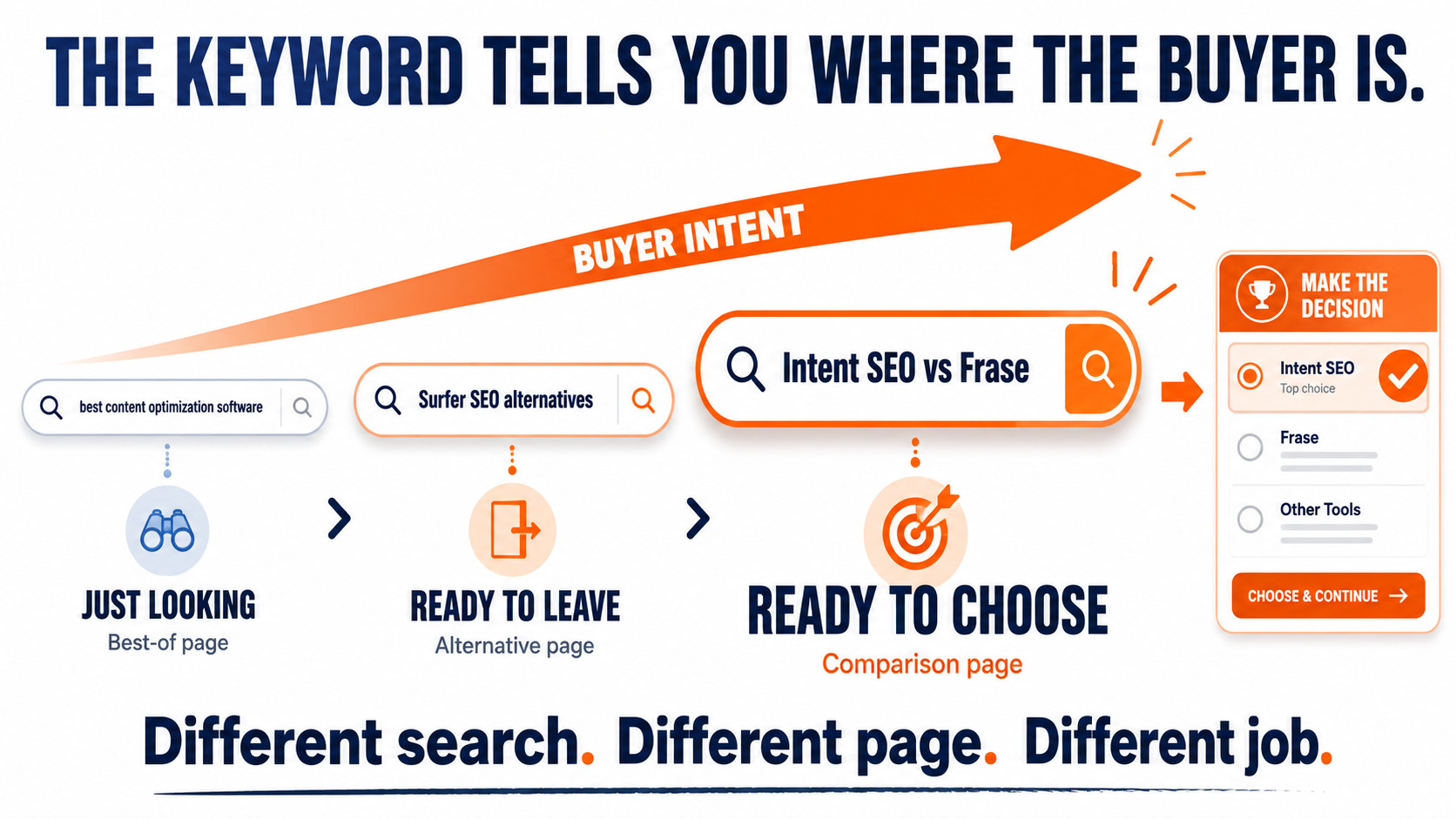
Someone who searches “best content optimization software” is browsing. Someone who searches “Surfer SEO alternatives” has already decided they want out of something. Someone searching “Intent SEO vs Frase” has a shortlist of two. Those are three completely different pages, and the big SaaS sites build all three, plus about thirty more variations, and then use the footer to make sure every one of them is reachable.
That last part is the bit people miss. You can write a hundred comparison pages, but if nothing links to them they may as well not exist. The footer is the internal linking system that keeps them alive.
The page families, in plain terms
Once you start listing them, the same families show up on every serious SaaS site:
- Compare. Best-of lists, competitor alternatives, you versus them, competitor versus competitor, pricing pages, switching guides.
- Solutions. By job to be done, by audience, by industry, by platform, by company size, and the “how to do this without that expensive tool” angle.
- Tools and resources. Free generators, checkers, calculators, templates, prompt libraries. The linkable stuff.
- Learn. How-tos, workflows, checklists, playbooks, glossary, problem and fix pages.
- Ecosystem. Integration pages. Your product plus the tools your customers already use.
- Research. Statistics, benchmarks, original studies. The pages that earn links rather than chase them.
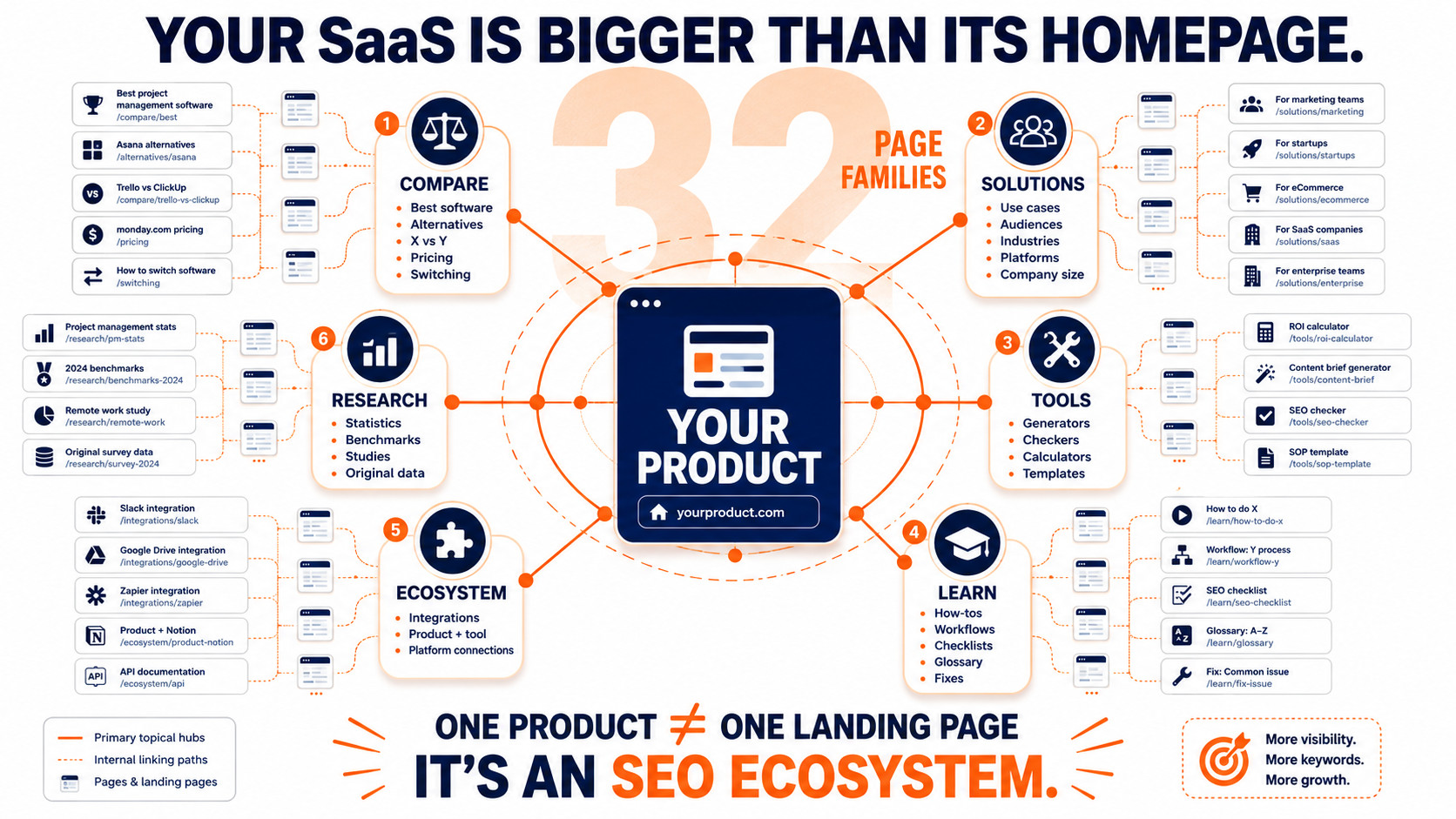
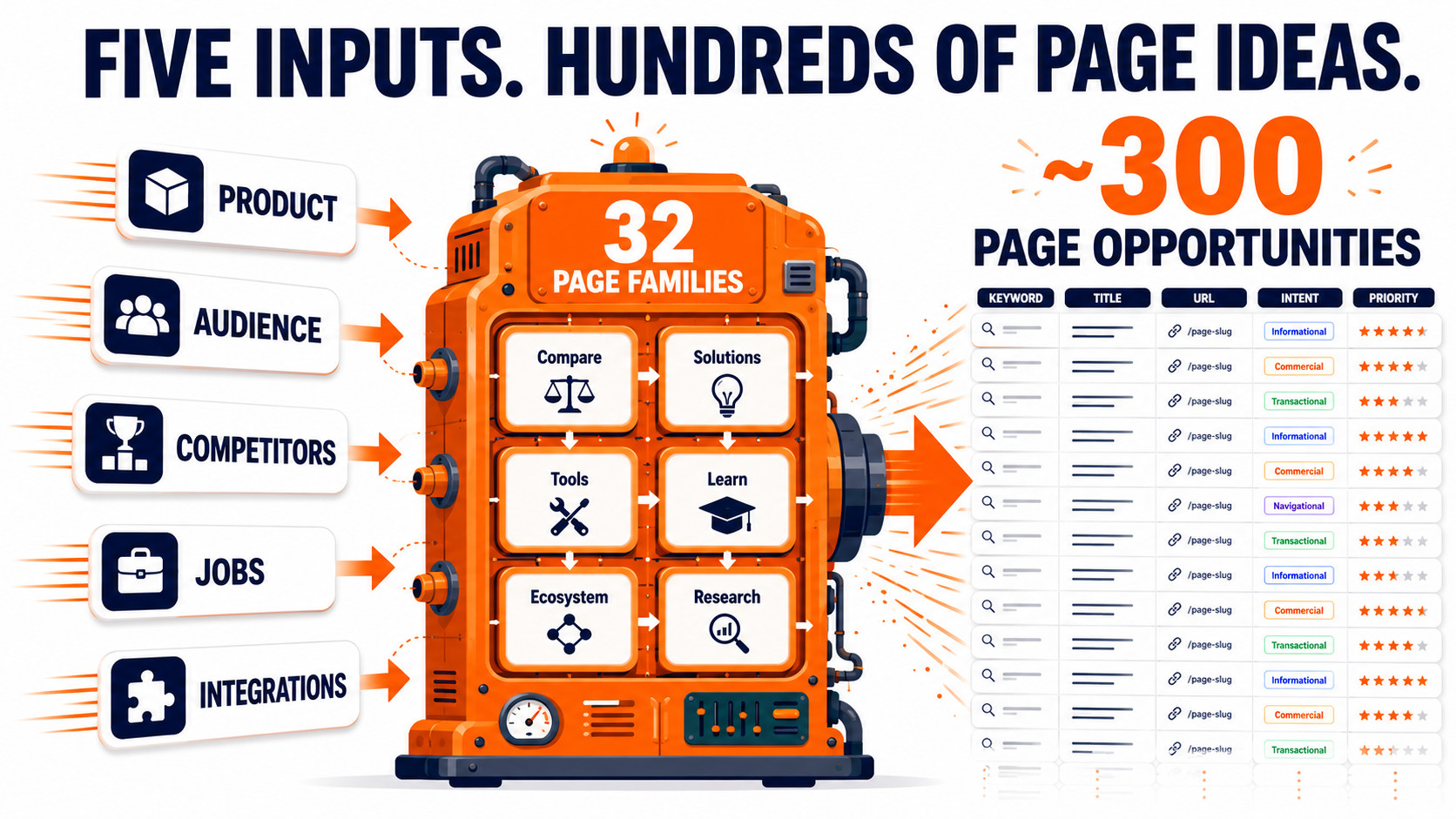
Thirty two families in total, and a single product can legitimately fill most of them without wandering off topic. That is the whole insight: one SaaS product is not one landing page, it is a few hundred, and almost nobody builds them because listing them out by hand is miserable work.
So I built the thing that lists them for you
The SaaS SEO Factory is free and it runs in your browser. You enter your product once: what it is, who it is for, who you compete with, what jobs it does, what it plugs into. It runs that through all thirty two families and hands you back a page list.
Every row gives you the keyword, an example title, a suggested URL, the search intent and a priority. It groups everything under the six footer hubs, and it shows you the fat footer structure to organise them with. You can filter it, copy it, or export the lot to CSV.
On the worked example it produces just under three hundred page opportunities. Nothing you type leaves your browser and there is no signup.
Then I ran it on my own product, and it humbled me
Here is the part I nearly left out of this post.
I ran Intent SEO through it and got sixty eight priority-one pages. A tidy list. Alternatives to every competitor, comparison pages, best-of lists for every audience. It looked like a quarter of work mapped out in ten seconds.
Then I ran those sixty eight keywords through KeywordIntent to check the demand, and sixty two of them had no measurable search volume at all.
Not low volume. None.
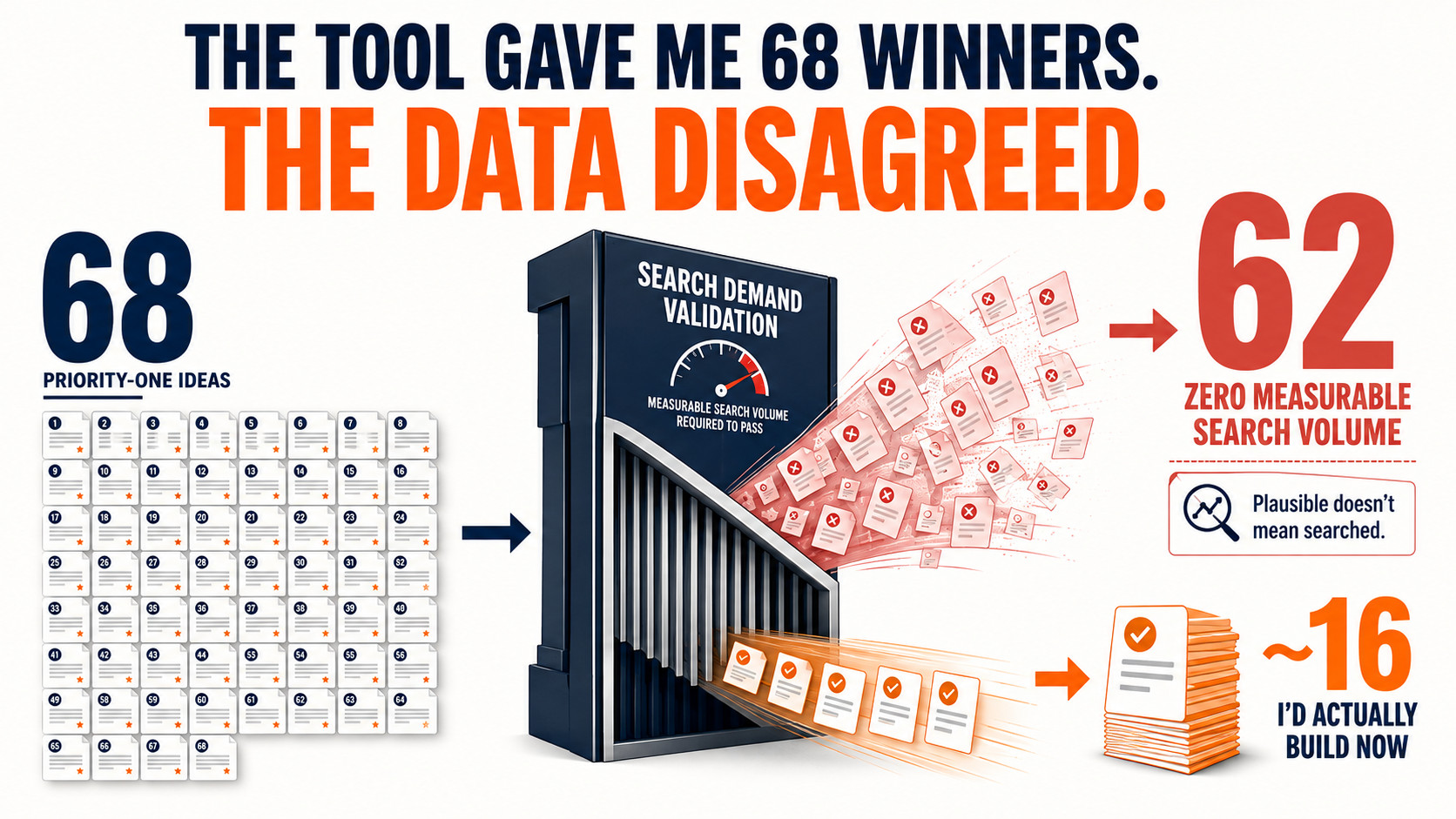
That is not the tool failing. That is the tool doing exactly what it says: generating every page that is plausible for a product. Whether anybody is actually searching for it is a completely different question, and no page-idea generator on earth can answer it, including mine.
The reason so many came back empty is honest and worth saying out loud: nobody is searching “Intent SEO vs Frase” because not enough people know Intent SEO yet. Those pages are a bet on a category growing, not a traffic plan for this month.
How to use it without publishing three hundred dead pages
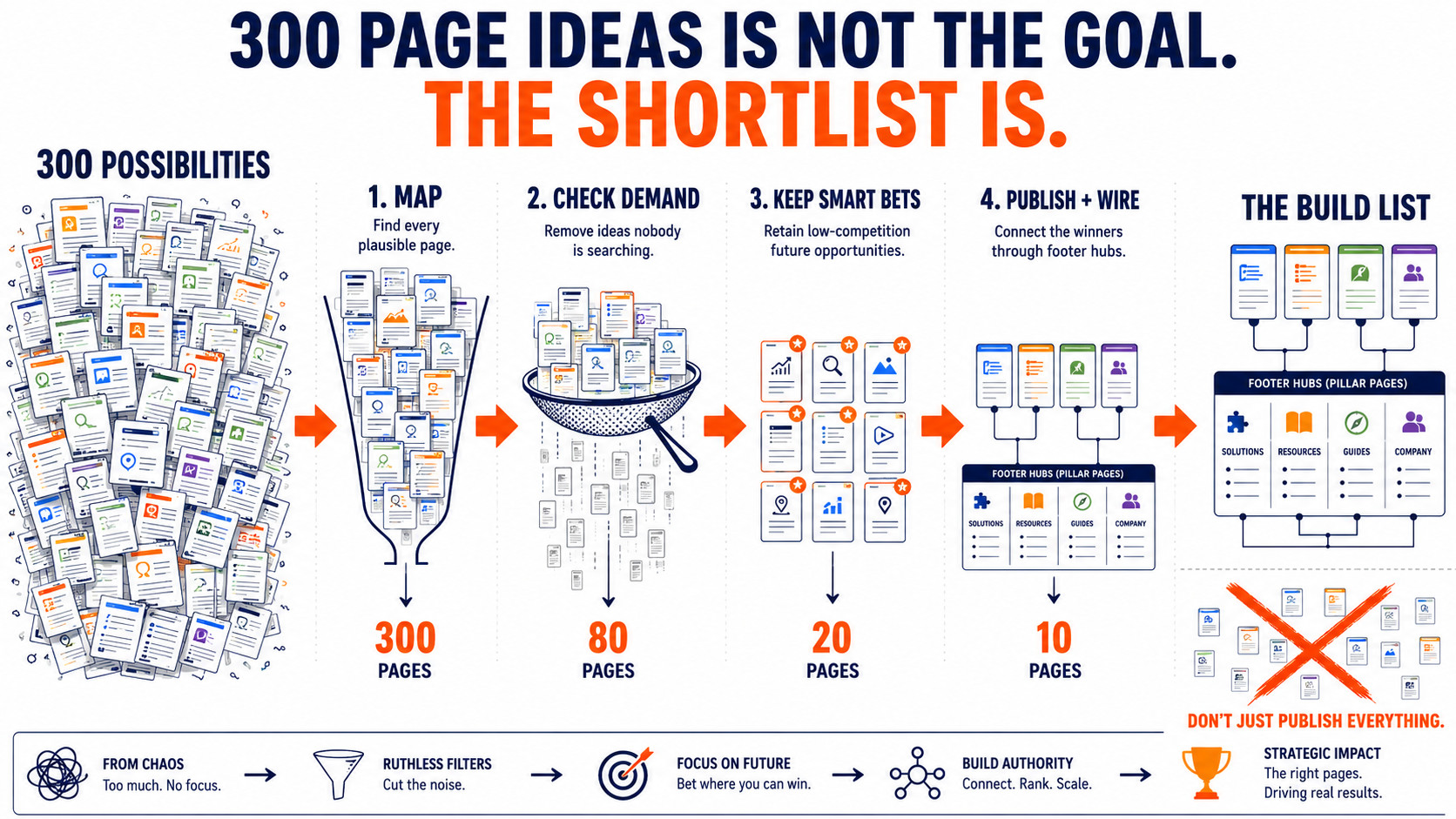
So the workflow matters more than the list. What I would do, and what I am doing:
- Generate the map. Run your product through the Factory and take the priority-one rows. That is the space of pages worth considering.
- Check the demand before you write. Put those keywords through a keyword tool and be ruthless. In my case that cut sixty eight down to about sixteen worth doing now.
- Keep the zero-volume ones that sit on open ground. Some had no volume but no competition either. Those are cheap to make and they age well as a category grows. Just do not expect traffic from them this quarter.
- Publish, then wire the footer. Build the pages first, then expose them through the footer hubs. A footer full of links to pages that do not exist is worse than no footer.
The Factory tells you what could exist. A keyword tool tells you what does. You need both, and I would rather hand you the tool with that caveat attached than let you find out after writing sixty posts.
Why it took me this long
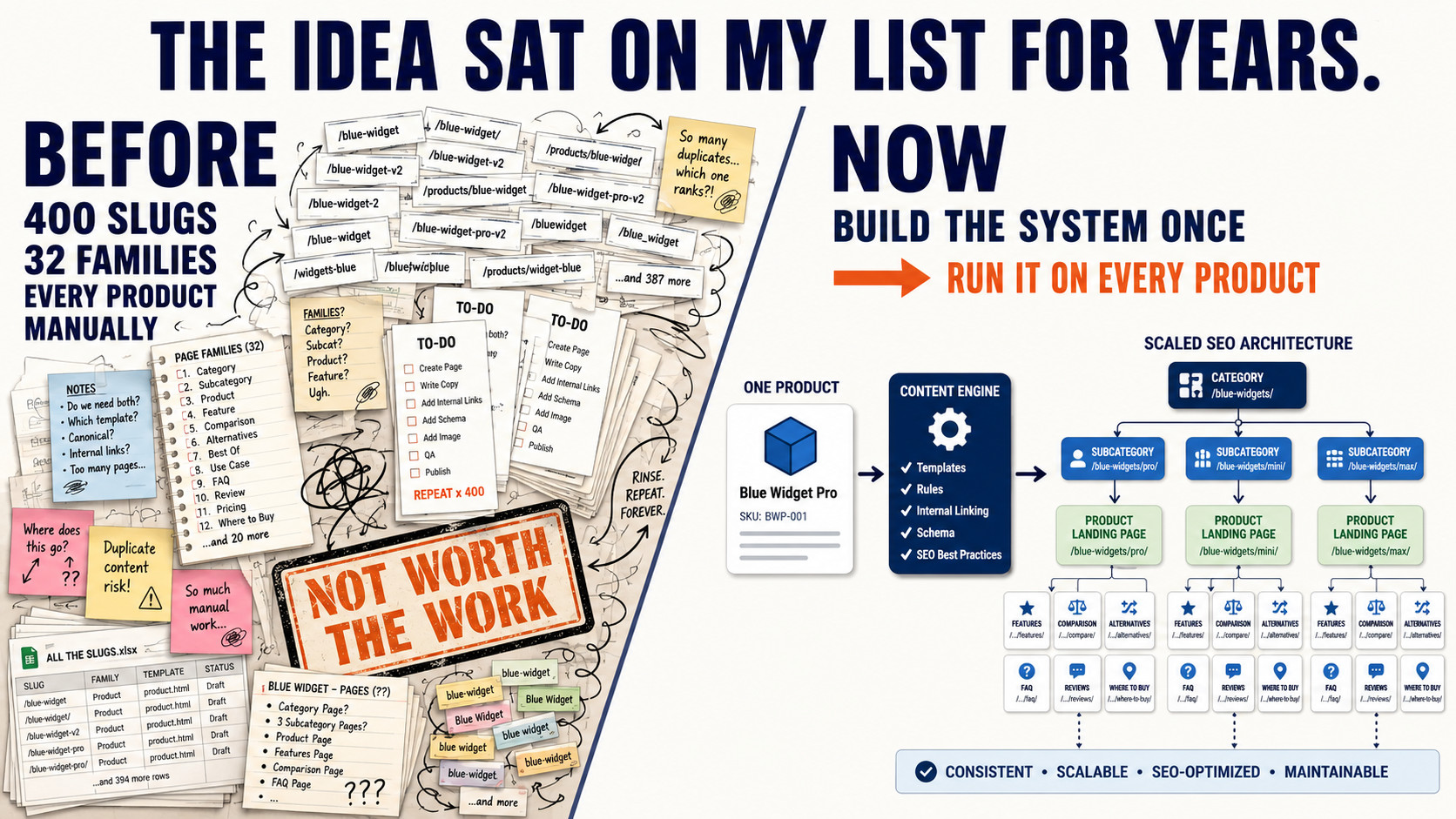
The honest reason this sat on my list for so long is that mapping thirty two page families by hand, for every product, is exactly the kind of tedious work that kills an idea before it starts. Nobody wants to spend a day writing out four hundred URL slugs on the off chance the plan turns out to be any good.
That is the part that has changed. Work that used to be too boring to justify is now an afternoon of building, and then it is done permanently and it runs on every product I own.
My Take: I have wanted to build this tool for years. It always fascinated me when I saw well constructed fat footers and how effective they could be for targeting buyer intent keywords. I did try to build it before in Base44 but it had limitations, and now with deep research with AI and Claude Code I have been able to build it exactly the way I wanted it. We will use it across all of our web apps to drive traffic and add CTAs for free trials or newsletter signups. It is another great addition to the free tools I am building out on anthonyhayes.io, and seeing everything come together makes the weeks of work worth it.
Free tool
Map your product’s pages in one go
Enter your product once and get the page list, the intents, the priorities and the footer structure. Thirty two page families, free, no signup, nothing leaves your browser.