For YouTubers and channel owners sitting on videos that deserve more views…
Your Videos Aren’t Underperforming. Their Packaging Is. Fix It From Inside YouTube Studio.
Studio Optimizer AI reads the video you have open in YouTube Studio and rewrites the title, description and tags with AI so it gets found and clicked. Then it goes further: chapters, subtitles, thumbnail text, a pinned comment, end screens, playlist SEO, and an honest read of your analytics that tells you which videos are even worth touching. New uploads or your entire back catalogue, one at a time or every open tab at once.
The smallest change with the biggest payoff
Most channels are full of videos with flat titles and one-line descriptions that YouTube cannot understand and viewers never click. The video is fine. The packaging is the problem.
You already know the fix: feed the topic to AI, get a sharper title and a real description. Creators who do this see a steady climb in views because the small wins add up across a whole channel. The catch is doing it by hand, video by video, prompt by prompt, tab by tab. That is slow, so it never gets done.
Studio Optimizer AI removes the slow part, and it lives where you already work: inside YouTube Studio.
Open a video, click Optimize, get clickable metadata
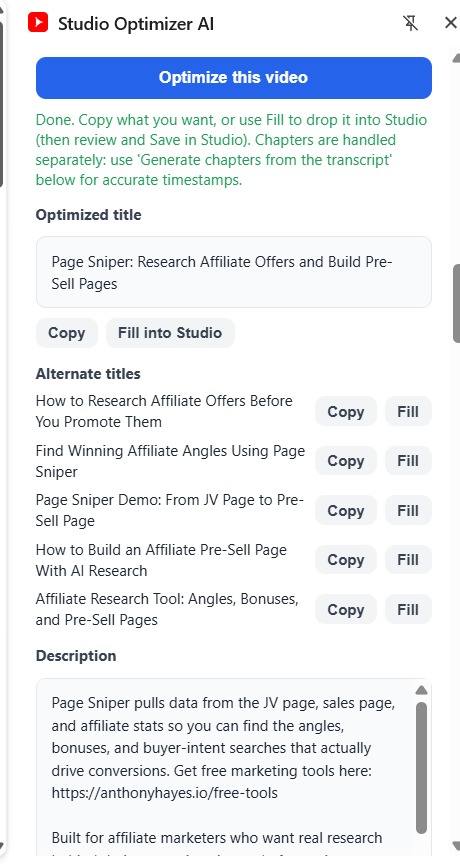
Open a video on its YouTube Studio edit page and click Read this Studio tab. The current title and description load straight into the side panel. Add a topic, an optional keyword, and a tone. Click Optimize, and you get:
- A sharper, search-friendly title, kept under YouTube’s limit so it is never cut off
- 5 alternate titles taking different angles, so you pick the hook you like
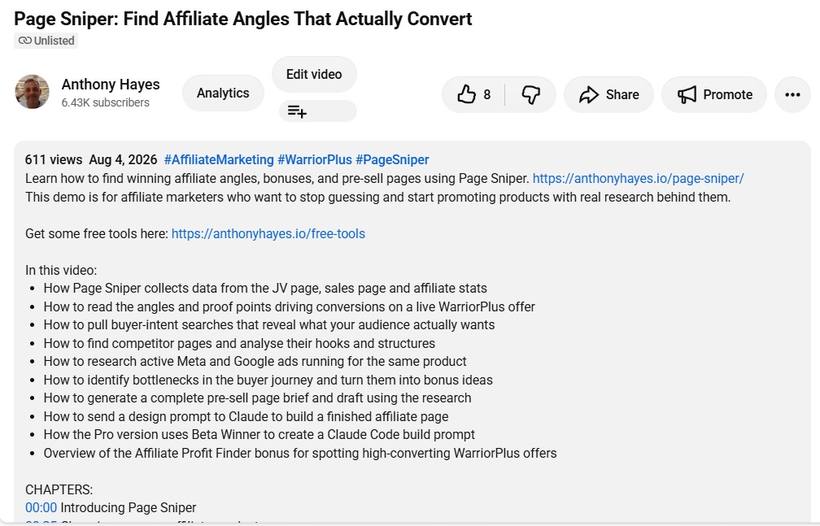
- A full description: a hook in the first lines that actually shows in search, a clear summary, the key points the video covers, a call to action, and relevant hashtags
- A set of tags
Then copy any field, or click Fill into Studio to drop the new title or description straight into the editor. You review it and click Save in Studio yourself. Nothing changes without your say-so.
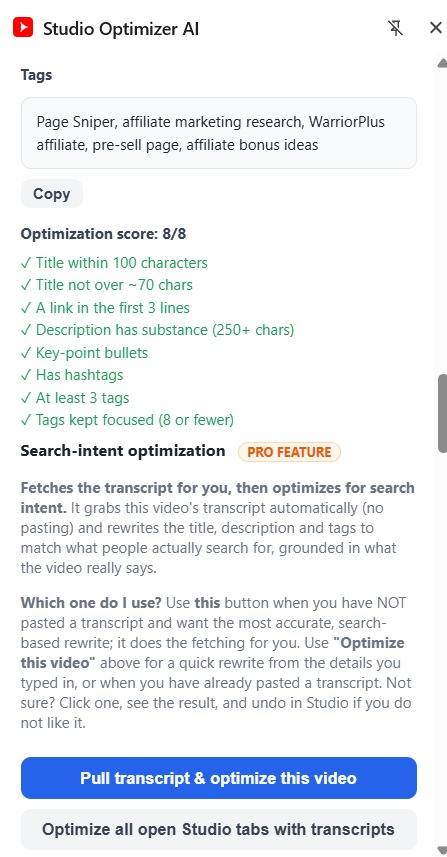
It also scores every result against YouTube SEO best practice (keyword placement, description fold, chapters, tag count and more) and offers a one-click Auto-fix to close the gaps. Set your website, giveaway, socials and CTAs once in Settings and the right link is placed above the fold automatically.
Re-optimize your whole back catalogue
Open several videos on their Studio edit pages in separate tabs, click Optimize all open Studio edit tabs, and Studio Optimizer AI works through every one, giving each its own card with copy and fill buttons. Re-optimize a dozen old videos in the time it used to take to do one.
And chapters, generated from the transcript
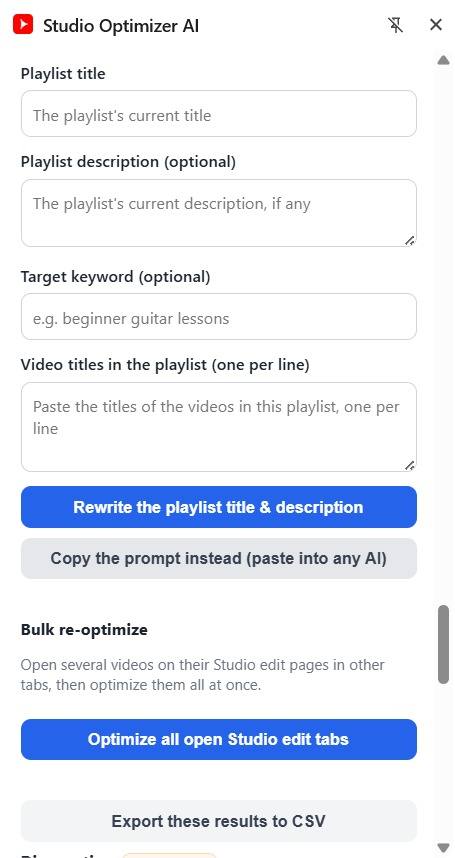
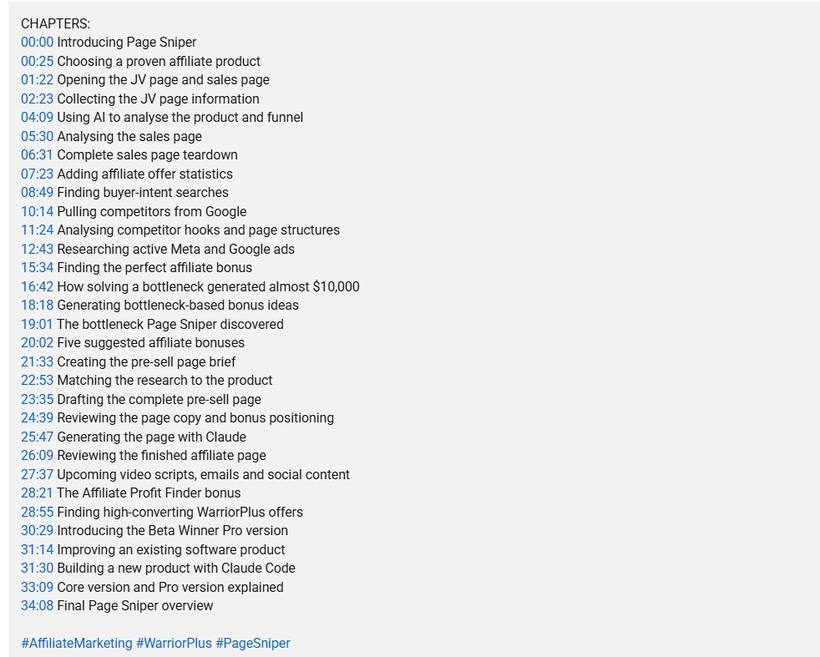
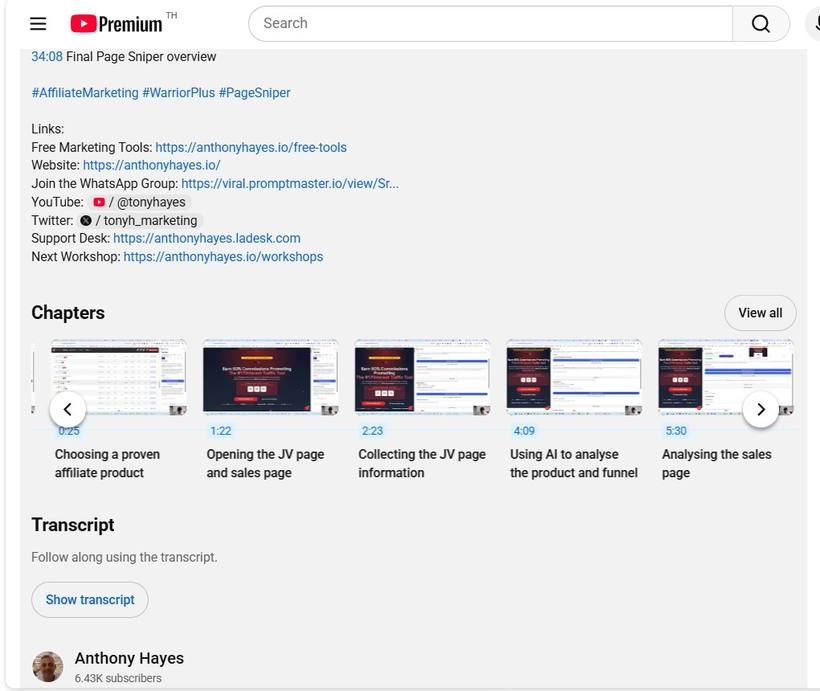
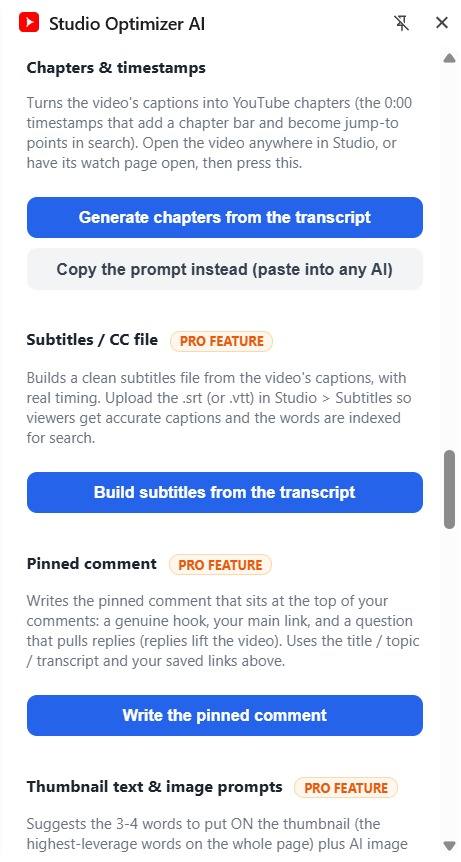
Click Generate chapters from the transcript and it reads the video’s captions with their real timings and groups them into proper YouTube chapters (first one at 0:00, at least three), ready to paste into the top of your description. The timestamps are real, never invented. Chapters add a progress bar, jump-to points in search, and a reason to keep watching.
It doesn’t stop at the rewrite
The rewriter is only the start. Studio Optimizer AI is a whole growth toolkit, all inside the same extension, no second install and no second key.
Should you even rewrite this?
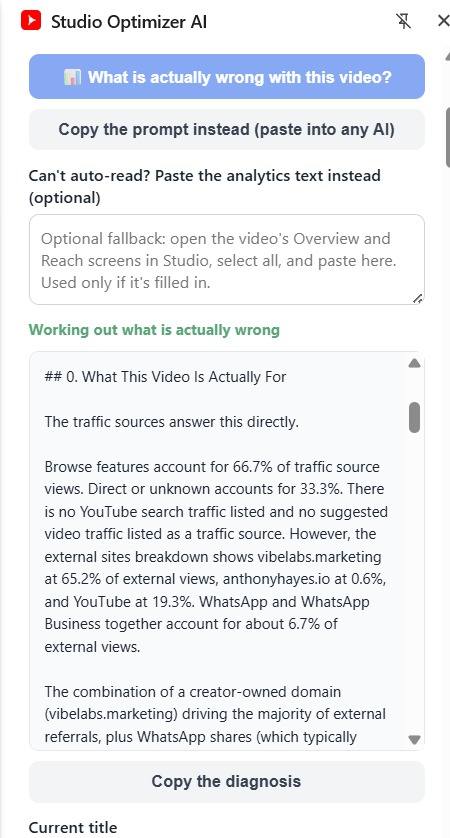
Analytics-driven. Before you touch a title, it reads the video’s Overview and Reach screens in Studio and tells you which problem it actually has: nobody seeing it, people seeing it and not clicking, or people clicking and leaving. If the title is already doing its job, it says so. It even surfaces the real search terms bringing people in. Can’t auto-read a screen? Paste the numbers in.
Optimize for search intent
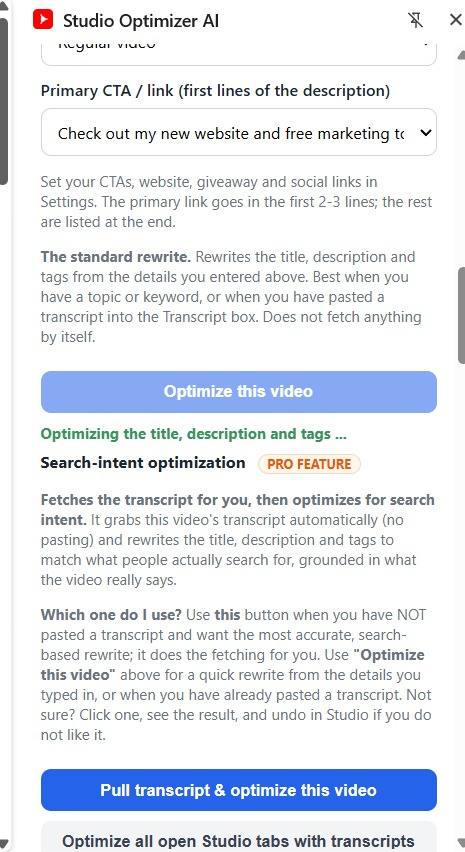
Pull transcript and optimize grabs the video’s transcript and rewrites the metadata to match the search intent the video actually satisfies, not just the topic you typed. One video, or every open Studio tab at once.
Subtitles / CC file
Clean captions. Build a clean .srt or .vtt subtitle file from the captions with real timing, and upload it in Studio so viewers get accurate captions and YouTube indexes every word.
Pinned comment writer
Pull replies. Write the pinned comment that sits at the top of your comments: a genuine hook, your main link, and a question that pulls replies.
Thumbnail text and image prompts
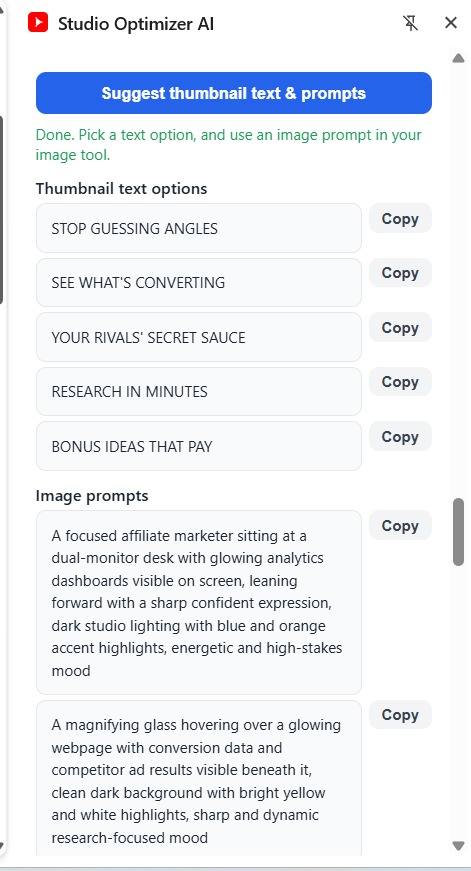
Say it in 3 to 4 words. Get the words to put ON the thumbnail plus ready-to-use AI image prompts to generate the thumbnail itself.
End screen and cards
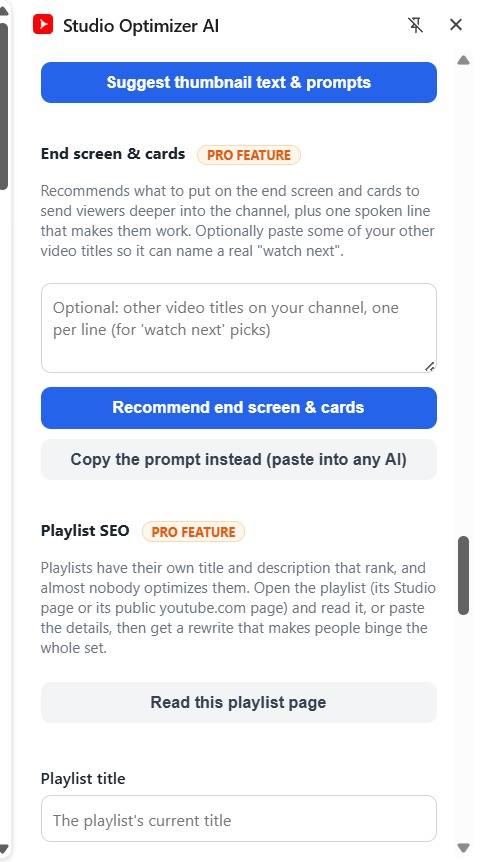
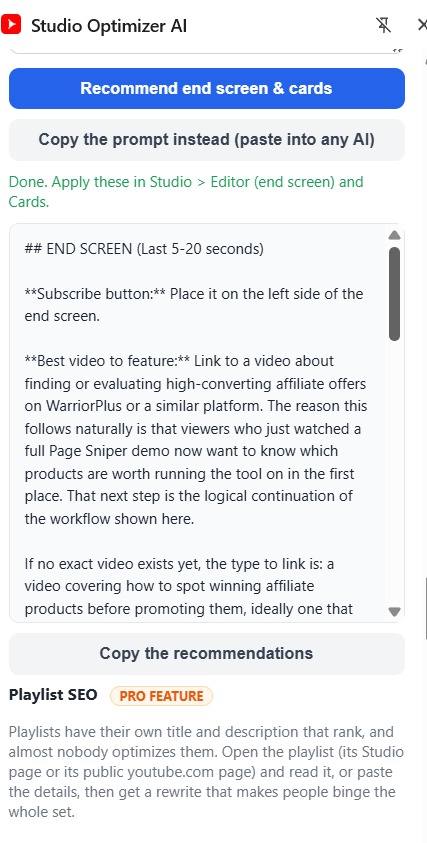
Keep the session going. A plain-English plan for what to place on the end screen and cards, plus the one line to say out loud so viewers actually use it.
Playlist SEO
Make them binge. Open a playlist, click Read this playlist page, and it rewrites the title and description to make people binge the whole set.
Saved history and CSV export
Keep every run. Every optimization is saved so you can reload it, copy it, or export the lot to a spreadsheet.
Built on the strategy, not the hype
Grounded, not invented
It rewrites only from your current title, description, topic and the transcript, and it uses real caption timings for chapters and subtitles. It does not make up claims, links or timestamps your video does not contain.
Your AI, your control
Bring your own key (OpenAI, Anthropic, Gemini or Grok). No subscription to us. With no key at all, it copies a ready prompt you paste into ChatGPT, Claude or Gemini.
Private
Your key is stored only on your device and used only from your browser.
You always approve
Fill is a convenience. You review every word and hit Save in Studio.
Who it is for
Channel owners
With old videos that underperform and deserve a second chance.
Regular publishers
Creators publishing often who do not want to hand-write metadata, chapters and subtitles every time.
Channel managers
Anyone who manages other people’s channels and needs to move fast without guessing.
One-time payment. Yours to keep, with free updates. Works on new uploads and your entire back catalogue.
- Read this Studio tab on any video’s edit page, new upload or years old
- Optimized title under YouTube’s limit, plus 5 alternate titles
- Full description (hook, summary, key points, CTA, hashtags) and a set of tags
- Copy + Fill into Studio on every field; you review and press Save
- Bulk: optimize every open Studio edit tab at once, one card per video
- 11-angle title formula dropdown + YouTube-SEO score with Auto-fix
- Chapters generated from the transcript, with real timings
- “Should you even rewrite this?” analytics verdict plus the real search terms
- Search-intent optimize from the auto-grabbed transcript, single and bulk
- Subtitles / CC file (.srt or .vtt) with real timing
- Pinned-comment writer, thumbnail text + AI image prompts
- End screen and cards plan, plus Playlist SEO
- Saved history with CSV export
- Your own AI key (OpenAI, Anthropic, Gemini or Grok), or copy the ready prompt with no key
The 30 day money-back guarantee
Use it on your own channel. If you are not happy with your purchase within the first 30 days, contact me and I will refund you. No hoops, and you do not have to justify it to me.
Thirty days is long enough to work through a real batch of your back catalogue and judge the tool on what it actually does for you, not on a demo.
Questions people ask
Do I need an AI subscription?
You bring your own AI key (OpenAI, Anthropic, Gemini or Grok), so you only pay your provider’s usage, usually pennies. With no key, the tool hands you a ready prompt to paste into any free chat.
Will it change my videos without me?
Never. It writes into the Studio fields as a convenience, but you review everything and click Save yourself.
Does it work on old videos?
Yes, that is where it shines. Re-optimizing your back catalogue is often the fastest win on a channel.
Is my AI key safe?
Your key is stored only on your device and used only from your browser. Nothing passes through us.
What if the transcript or analytics will not load?
Chapters and subtitles need a captioned video. For analytics, if a screen will not auto-read you can paste the numbers in. There is always a manual path.
Does it guarantee views?
No. It helps you write better titles, descriptions, tags, chapters, subtitles and packaging faster, and helps you decide which videos are worth the effort. Results depend on your content, your niche and your audience. Better packaging gives a good video a better chance; it cannot fix a video nobody wants.
Your videos are already made. Their packaging is the part you can fix today.
Give every video the title, description, chapters and packaging it should have had on day one, in the time it used to take to fix a single upload.